Showing posts with label PES Modding. Show all posts

PES 2021 Štadion Sihoť - AS Trenčín​

PES 2021 Štadion Sihoť - AS Trenčín​

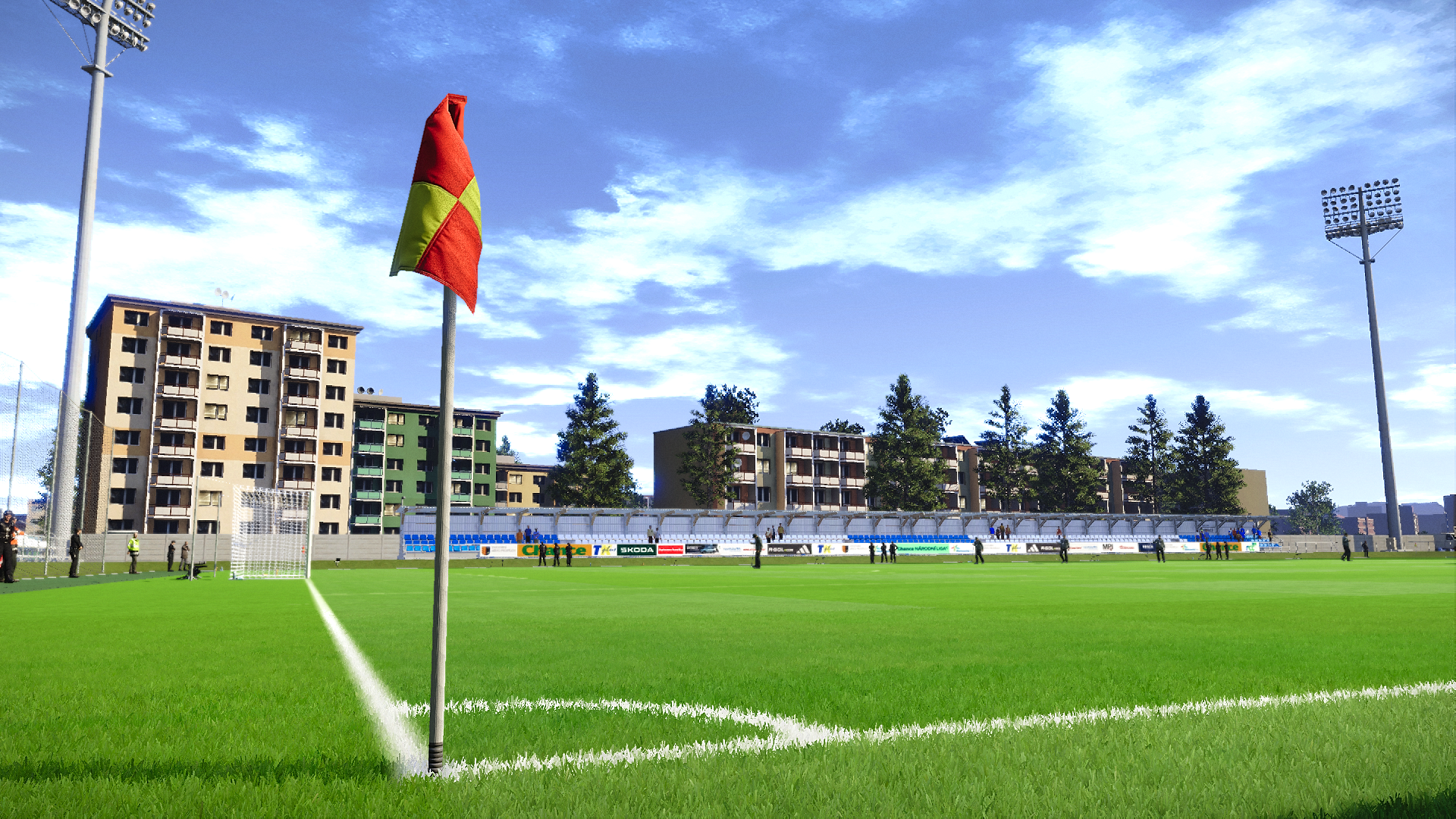
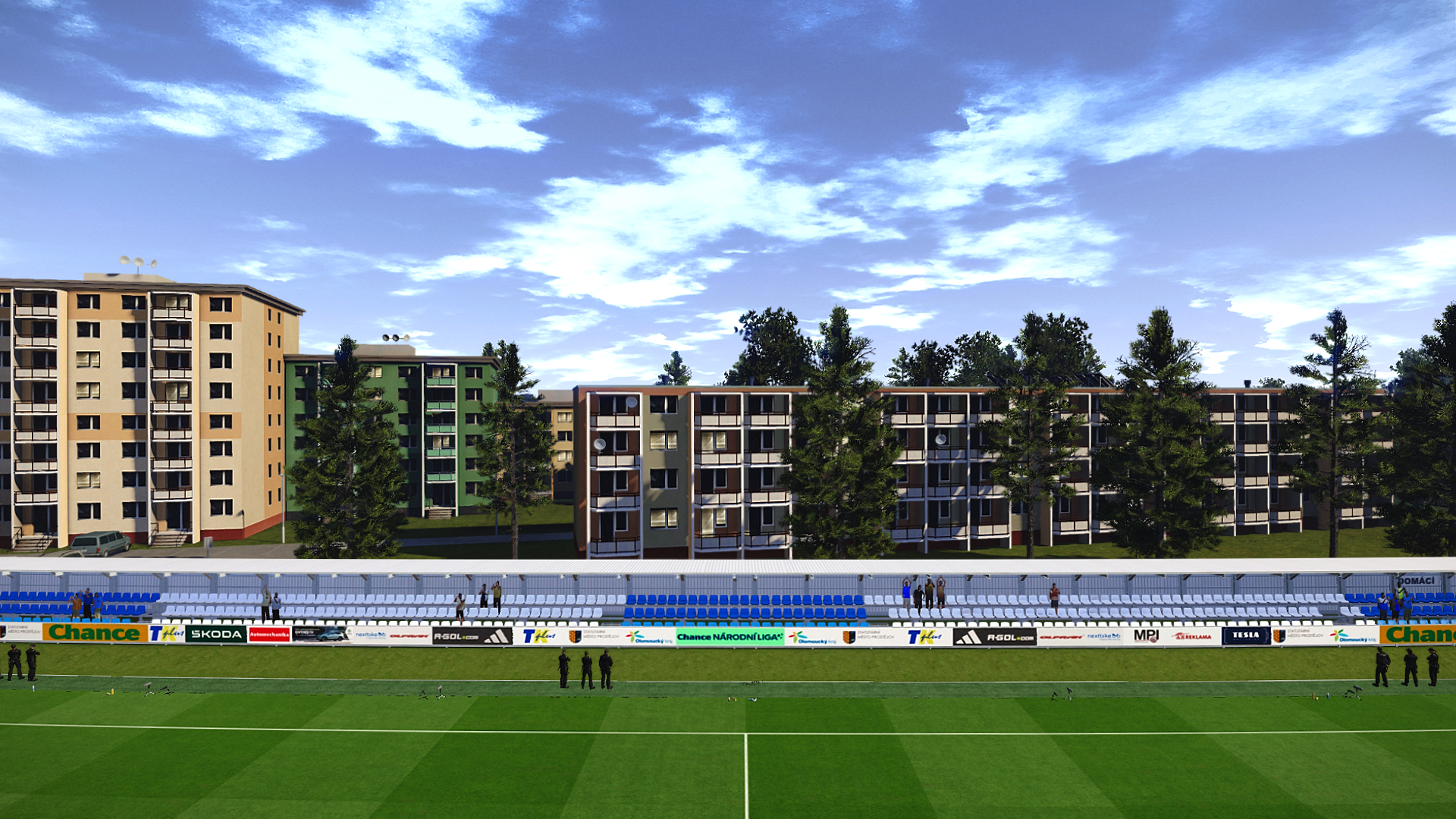
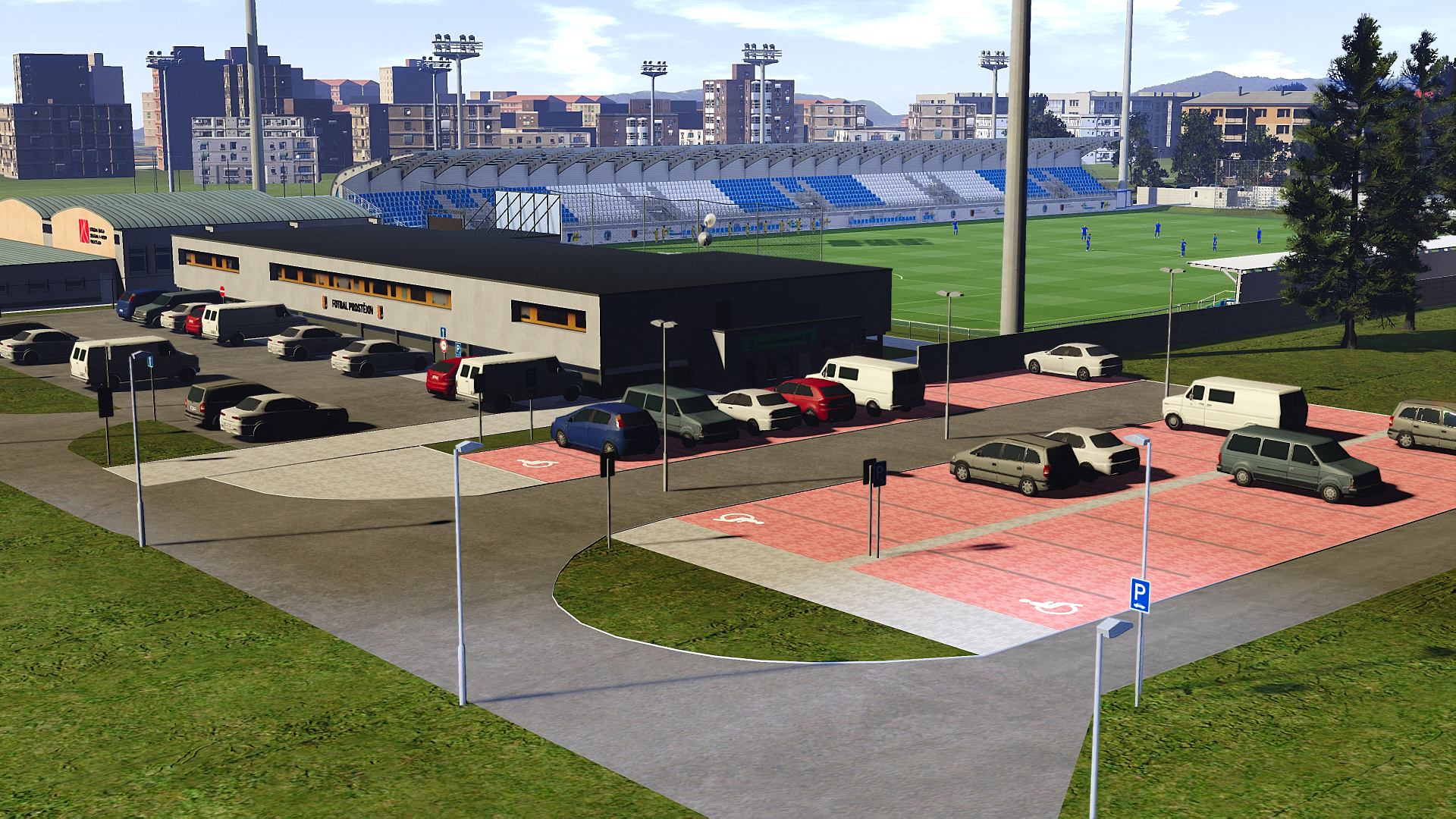
Experience the atmosphere of Štadion Sihoť, the home ground of AS Trenčín, recreated for eFootball PES 2021 and SP Football Life PC by talented stadium maker Chosefs. 

This detailed stadium mod brings the Slovak venue to life with realistic architecture, accurate textures, and an authentic matchday atmosphere, making your Master League and exhibition matches even more immersive.

How to Install:

Installing the PES 2021 Štadión Sihoť mod is easy, and it only takes a few minutes. First, you'll need to download the stadium from the link below. Once you have the mod file, you'll need to extract it to your Stadium-Server folder ... sider\content \stadium-server

Open map_teams.txt with a text editor and copy this line inside map_teams.txt 
ADD TEAM ID HERE, 009, Štadion Sihoť, Štadión Sihoť # AS Trenčín​
FOR MANUAL SELECTION:
Go to map_competitions.txt in your Stadium-Server folder then insert the following line:
0, 009, Štadion Sihoť, Štadión Sihoť, , ,

Extract and copy the "Štadión Sihoť" folder inside the Stadium-Server folder ...sider/content/stadium-server

Once you are in-game you can select the stadium via manual selection by pressing number 9 and navigating to the stadium.

Credits:
Stadium made by Chosefs
G. Leroy (pesmodding.com) / blog writer.


Download "Stadium"
Please wait ...
If the download didn't start automatically, click here

PES 2021 Estádio D. Afonso Henriques (Vitória S.C)

PES 2021 Estádio D. Afonso Henriques Vitória S.C
Estádio D. Afonso Henriques (English: D. Afonso Henriques Stadium) made for eFootball Pro Evolution Soccer 2021 & SP Football Life 2026 by Du (WE_DP99_PES). Estádio D. Afonso Henriques is the home of Guimarães's most successful team, Vitória de Guimarães.

Stadium ID: 009
Team ID: 1804

How to Install:

Installing the PES 2021 Estádio D. Afonso Henriques mod is easy, and it only takes a few minutes. First, you'll need to download the stadium from the link below. Once you have the mod file, you'll need to extract it to your Stadium-Server folder ... sider\content \stadium-server

Open map_teams.txt with a text editor and copy this line inside map_teams.txt 
1804, 009, Estádio D. Afonso Henriques, Estádio D. Afonso Henriques # Vitória Sport Clube
FOR MANUAL SELECTION:
Go to map_competitions.txt in your Stadium-Server folder then insert the following line:
0, 009, Estádio D. Afonso Henriques, Estádio D. Afonso Henriques, , ,

Extract and copy the "Estádio D. Afonso Henriques" folder inside the Stadium-Server folder ...sider/content/stadium-server

Once you are in-game you can select the stadium via manual selection by pressing number 9 and navigating to the stadium.

Credits:
Stadium made by Du (WE_DP99_PES)
G. Leroy (pesmodding.com) / blog writer.

Download "Stadium"
Please wait ...
If the download didn't start automatically, click here

eFootball 2026 Patch: ePatch 2026 Version 41.0 Presented By MODY 99

eFootball 2026 Patch: ePatch 2026 Version 40.0 Presented By MODY 99

ePatch 2026 – Version 41.0 (May 2026)
Presented by MODY 99

If you're looking to fully upgrade your eFootball 2026 experience, the latest ePatch 2026 v40.0 delivers a complete overhaul — from updated squads and real licenses to enhanced graphics and legendary content.

Main Features
Compatible with Online Mode (Game Version v5.4.1) with manual weekly updates
Live Update from April 30, 2026, merged into the offline database
Real teams and league names are available in all game modes
Real coach names applied across all modes
Winter transfers and squad updates for the 2025/26 season (Vol. 3)
Added unlicensed Division 2 leagues and partially completed Thai League (80%)

Updated National Teams
Fake players have been replaced with real squads for the following teams:
  • USA
  • Mexico
  • Canada
  • Ecuador
  • Serbia

Teams, Legends, and All-Stars
This version significantly expands the available content with new legendary and custom teams.

All-Stars Teams
  • Five Classic All-Stars teams featuring over 100 Konami legends
  • League-based All-Stars teams: LaLiga XI, EPL XI, Serie A XI, Bundesliga XI
  • Continental All-Stars teams: Europe XI, Africa XI, Asia XI, Americas XI

Classic and Special Teams
  • Classic clubs added: Bayern Munich, AC Milan, Real Madrid, Barcelona, Manchester United, Brazil
  • English and Spanish Legends teams unlocked
  • Captain Tsubasa team unlocked
  • EFB United (Master League Originals) unlocked
  • FC Bayern Munich returns to the game

Graphics and Visual Improvements
The patch enhances the visual experience with improved assets and presentation:

  • Super HD emblems for all clubs and competitions
  • Profile photos added for more than 25 players
  • Real referee kits by Puma
  • Updated sleeve badges for the 2025/26 season
  • Updated mini-kits for clubs and national teams
  • Static and animated adboards added for major leagues

Licenses and Authenticity
Fully Licensed Leagues (2025/26)
  • Premier League
  • La Liga
  • Serie A

Additional Licensed Clubs
  • Anderlecht
  • Club Brugge
  • FC Basel
  • FC Copenhagen
  • Inter Miami
  • Racing Club
  • Independiente
  • Newell’s Old Boys
  • Argentinos Juniors

Licensed National Teams
  • Hungary
  • Scotland
  • Czechia
  • Sweden
  • Finland
  • Slovenia
  • Romania
  • Austria
  • Switzerland
  • Denmark
  • Russia
  • Ecuador
  • Mexico
  • Canada
  • USA
  • Bolivia
  • Paraguay
  • Venezuela
  • Peru

Support MODY 99 Via PayPal

1- Download v41.0 >>> Part I - Part II

Installation: Just Extract It To Your eFootball Game Folder.

Optional Addon : For Ultra Graphics 5.4.1 (Bogo36)
https://modsfire.com/0IjI65P69C35OyU

Signal Iduna Park (Westfalenstadion) 2026 Update for PES2021/Football Life 26 - Now Available!

Signal Iduna Park Westfalenstadion 2026 Update for PES2021/Football Life 26 - Now Available!

Made by stadium creator FletchAJX, this new version of Signal Iduna Park for eFootball Pro Evolution Soccer 2021 and SP Football Life 2026 started as a small update but quickly became a full remake. 

After almost 3 months of work, the stadium now looks and feels much closer to the real home of Borussia Dortmund. Many details were improved to create a better atmosphere and a more realistic match experience, making this the best and most complete version of Signal Iduna Park for PES 2021.

Features & Improvements
  • Many textures around the stadium have been reworked by FletchAJX for a cleaner and more realistic look.
  • New floodlight models and placement have been added to match the real-life stadium updates made before Euro 2024. Since the eFootball 2026 model still used the old version, FletchAJX manually added the updated lights along with a new halo lighting system for better realism.
  • Lighting has been completely rebuilt for all weather and time conditions using Konami light files as a base, with custom values created specifically for Signal Iduna Park.
  • Realistic seasonal changes have been added, meaning winter matches now look very different from summer and spring matches during both daytime and nighttime games. Floodlights also behave more realistically depending on match time and weather conditions.

  • Custom LUTs for all weather and lighting conditions were created from scratch by FletchAJX using real-life images as a reference to give the stadium a more realistic broadcast look.
  • Pitch colour and turf quality have been improved to better match the new lighting and LUTs.
  • New solar panels were added to the stadium roof to recreate the real-life logo mosaic visible during the Konami aerial entrance.
  • The famous Yellow Wall has been improved with better crowd spacing, updated seat plans, and new flags and decorations to create a stronger match atmosphere with no more visible gaps.
  • All ads for league, UEFA Champions League, and Europa League matches have been fully updated.
  • Adboard positioning has been improved, with new double adboards and carpet ads added for home league matches.
  • The scarecrow has been fixed and improved to display correctly during league and European competitions.
  • Reflection cube maps for the stadium glass, originally ported from PES 2018, have also been fixed.
  • A new stadium screen has been added, thanks to papijonnnn.
  • General fixes and performance improvements have also been included.


Requirements
This stadium has custom adboard models by Arl for all competitions. If you're not using ARL adboards you will need to copy the adboard folders in common/bill and rename them to what you are using in order for the adboard models to display correctly. To do this you do the following;
  1. Navigate to the stadium root asset/model/bill, you’ll see 4 folders.
  2. My league ads are ‘ger_dortmund’, the UEL and UCL ads are also named in there.
  3. You will need to copy and paste the folder I've placed in bill and rename it to whatever your adboards are called.
  4. You can check what yours are by going into your livecpk/adboards folder in the main game directory and looking at your config to see which you’ve assigned to Dortmund

Custom Broadcast Cam
broad_angle = 65.00
broad_height = 0.22
broad_param1 = -31.00
broad_param2 = 36.00
broad_param3 = 50.00
broad_pitch = 2.00
broad_zoom = 14.50

Credits & Thanks
FletchAJX
_TheSpecialOne_ - for the original version of the stadium ported from PES 2018
Dragovic - for his help and sharing of knowledge of all things light related. Although these light files had to remade from scratch a number of the parameters were mirrored from his excellent 'Helios' lighting he had already created for this stadium.
DAV - PES LightManager Tool
Fer10 - for allowing me to use a number of flag materials/textures he created
papijonnnn & bluestillidie00 - incredibly grateful for the consistent support, advice and wealth of knowledge shared by both throughout this project. Custom TV made from scratch by @papijonnnn as well as a great deal of textures edited and fixed by the texture master himself @bluestillidie00, thanks again lads, would not have been possible without you both.
balboaSte - for creation of the Tifo seen in the trailer
G. Leroy (pesmodding.com) / blog writer


Free Release - 30th May 2026

PES 2021 Facepack Vol. 31 By Jonathan Facemaker

PES 2021 Facepack Vol. 31 By Jonathan Facemaker

New HQ Facepack Vol. 31 released by Jonathan Facemaker for eFootball Pro Evolution Soccer 2021 & SP Football Life 2026. The pack includes new high-quality faces for 6 random football players.

PLAYER --> ID
1. Enzo Fernandez: 128281
2. Antony: 127160
3. Memphis Depay: 46879
4. Esteveao: 167167
5. Cole Palmer: 138156
6. Mohamed Salah: 57123

How to Add New Faces in PES 2021

Adding fresh faces to your PES 2021 game is simple. Here are several methods to get you started:

Method 1: Using Sider 7 Version

Extract and Place the Files:
Locate the folder containing the new faces (usually identified by numbers).
Extract this folder and copy it to 
...\livecpk\Faces\Asset\model\character\face\real

Edit sider.ini: If not already done, add this line:
cpk.root = ".\livecpk\faces"

Method 2: Using CPK Version

1. Create CPK File: Use "CriPackedFileMaker" to package the contents of the Sider version folder into a CPK file.

2. Copy to Game Directory: Place the created CPK file into:
eFootball PES2021\download

3. Add to Game: Use the "DpFileList Generator" tool to include the CPK file in your game.

Verify Installation:

Launch PES 2021 and navigate to the Edit menu.
Check if the new faces appear correctly for the players.

Credits:
PES 2021 Facepack Vol. 31 By Jonathan Facemaker
G. Leroy (pesmodding.com) / blog writer

Download "Facepack"
Please wait ...
If the download didn't start automatically, click here

PES 2021/SP Football Life 2026 Alassane Ouattara Ebimpé Olympic Stadium, Ivory Coast

PES 2021/SP Football Life 2026 Alassane Ouattara Ebimpé Olympic Stadium, Ivory Coast
Alassane Ouattara Ebimpé Olympic Stadium, Ivory Coast, made for eFootball Pro Evolution Soccer 2021 & SP Football Life 2026 by Drogond, original 3D model made by Hhpmadryn.

Alassane Ouattara Ebimpé Olympic Stadium, Ivory Coast
ID Stadium: 009
ID Team: 1051
Autor 3D model: Hhpmadryn

How to Install:

Installing the PES 2021 Alassane Ouattara Ebimpé Olympic Stadium mod is easy, and it only takes a few minutes. First, you'll need to download the stadium from the link below. Once you have the mod file, you'll need to extract it to your Stadium-Server folder ... sider\content \stadium-server

Open map_teams.txt with a text editor and copy this line inside map_teams.txt 
1051, 009, Alassane Ouattara Ebimpé Olympic Stadium, CIV - Alassane Ouattara Olympic Stadium of Ebimpe # Ivory Coast
FOR MANUAL SELECTION:
Go to map_competitions.txt in your Stadium-Server folder then insert the following line:
0, 009, Alassane Ouattara Ebimpé Olympic Stadium, CIV - Alassane Ouattara Olympic Stadium of Ebimpe, , ,

Extract and copy the "CIV - Alassane Ouattara Olympic Stadium of Ebimpe" folder inside the Stadium-Server folder ...sider/content/stadium-server

Once you are in-game you can select the stadium via manual selection by pressing number 9 and navigating to the stadium.


Credits:
Stadium made by Drogond https://x.com/Drogond_Uy
G. Leroy (pesmodding.com) / blog writer.

Download "Stadium"
Please wait ...
If the download didn't start automatically, click here

PES 2021 Godmode_ON's Graphics Mods Post-Processing Editor v1.0 | Modern ReShade v1.0 | Ultra Config

PES 2021 Godmode_ON's Graphics Mods Post-Processing Editor v1.0 | Modern ReShade v1.0 | Ultra Config

Godmode_ON is releasing a collection of graphics mods designed to modernize the visuals of eFootball Pro Evolution Soccer 2021, remove outdated post-processing artifacts, and give you full control over how your game looks.

You can download each piece separately depending on what you need, but they are designed to work perfectly together.

Features
1. Post-Processing Editor Sider Module (v1.0)
  • Removes the game's ugly artificial film grain and outdated sharpening by default (Clean Preset). This fixes the ugly, grainy, low-resolution look the game has by default.
  • Includes an in-game Sider UI overlay that allows you to tweak post-processing values in real-time and create your own visual presets.
  • The effects that can be tweaked are film grain, sharpening, brightness, saturation, and contrast, allowing you to clean up the image or create specific preset looks for retro patches, like grainy filters for early to late 1990s to early 2000s broadcasts or black and white filters for pre 1990s filters.

2. Modern Graphics ReShade Preset (v1.0)
  • A lightweight, highly optimized ReShade preset built to clean up the image and add modern features:
  • OptimalFXAA & RobustCAS: Provide far better anti-aliasing than the vanilla game, paired with high-quality sharpening that doesn't cause visual artifacts.
  • Custom CShade Motion Blur: Specially edited for PES 2021. It automatically distinguishes between gameplay and cutscenes/replays, applying a broadcast-accurate 50fps blur which you can fully customize. Only works in SDR mode; it breaks in HDR mode.
  • Flawless Alt-Tabbing: Uses the Display Commander ReShade add-on to force Borderless Windowed mode like a modern game.
  • Custom Hotkeys: Press Caps Lock to toggle the game's default vignette effect, and Tab to disable the game's UI (perfect for taking clean screenshots in replay mode). Uses the Shader Toggler ReShade add-on.

3. Ultra Graphics Config
  • A Sider livecpk graphics config that safely maxes out the game's internal graphics settings beyond standard limits, using values from similar Metal Gear Solid V: The Phantom Pain mods.
  • Increases the level of detail (LOD), shadow resolutions, depth of field quality, ambient occlusion quality, and volumetric fog quality.

Installation & Usage
⚠️ PLEASE READ THE PDF!
Inside every zip file, there is a comprehensive Installation Instructions.pdf.

Because the ReShade preset requires specific add-ons (like Display Commander) to work properly, you must follow the screenshot steps in the PDF. The document also includes an advanced bonus tip on how to use DLDSR (Nvidia) or VSR (AMD) to render your game at 4K for significantly improved image quality.

Credits:
PES 2021 Graphics Mods BY Godmode_ON
A massive thank you to superleeds1, endo, digitalfoxx, juce

Download "Graphics Mods"
Please wait ...
If the download didn't start automatically, click here

PES 2021 Jeju World Cup Stadium, South Korea

PES 2021 Jeju World Cup Stadium, South Korea

Jeju World Cup Stadium, South Korea (home of the K League club Jeju SK), made for eFootball Pro Evolution Soccer 2021 & SP Football Life 2026 by Drogond, original 3D model by Badgerbadger.

Jeju World Cup Stadium, South Korea
ID Stadium: 009
ID Team:
Autor 3D model: Badgerbadger

How to Install the Stadium:

Installing the Jeju World Cup Stadium is easy, and it only takes a few minutes. First, you'll need to download the stadium from the link below. Once you have the mod file, you'll need to extract it to your Stadium-Server folder
... sider\content \stadium-server

Go to map_competitions.txt in your Stadium-Server folder then insert the following line:
0, 009,  Jeju World Cup Stadium, Jeju World Cup Stadium, , ,
Extract and copy the "Jeju World Cup Stadium" folder inside the Stadium-Server folder ...sider/content/stadium-server

Once you are in-game you can select the stadium via manual selection by pressing number 9 and navigating to the stadium.

Credits:
Stadium made by Drogond https://x.com/Drogond_Uy
G. Leroy (pesmodding.com) / blog writer.

Download "Stadium"
Please wait ...
If the download didn't start automatically, click here

PES 2021 MLMyTeam 25/26 | Bayer Leverkusen

PES 2021 MLMyTeam 25/26 | Bayer Leverkusen

MLMyTeam 2025/26 (Bayer Leverkusen) released by Carlos1987 for eFootball Pro Evolution Soccer 2021 & SP Football Life 2026.

What’s included:
Dynamic Press Rooms: Animated screens during press conferences.
New Backgrounds: Custom visuals for new signings and national team announcements.
Bundesliga "Dark Room": Updated interview area.
Visual Assets: Updated sponsors, training gear, new wall frames, rugs, and high-detail textures for TVs and PCs.
Club Legend: Stefan Kießling is now set as the Club President.

Installation Instructions:
Important: If you have a previous version of this mod, please rename your existing folders to avoid conflicts caused by the high number of new assets.
Rename old folders: In both your content and livecpk directories, add a hyphen to your old folder (e.g., rename MLMyTeam to MLMyTeam-).
Add the new files: Place the new mod folders in their respective directories.
Sider.ini: Ensure the module is correctly linked in your sider.ini.
I hope you enjoy it! A huge thanks to Hawke for creating the original mod.

Credits:
PES 2021 Bayer Leverkusen MLMyTeam made by Carlos1987 
Original mod by Hawke 

Download "MLMyTeam"
Please wait ...
If the download didn't start automatically, click here

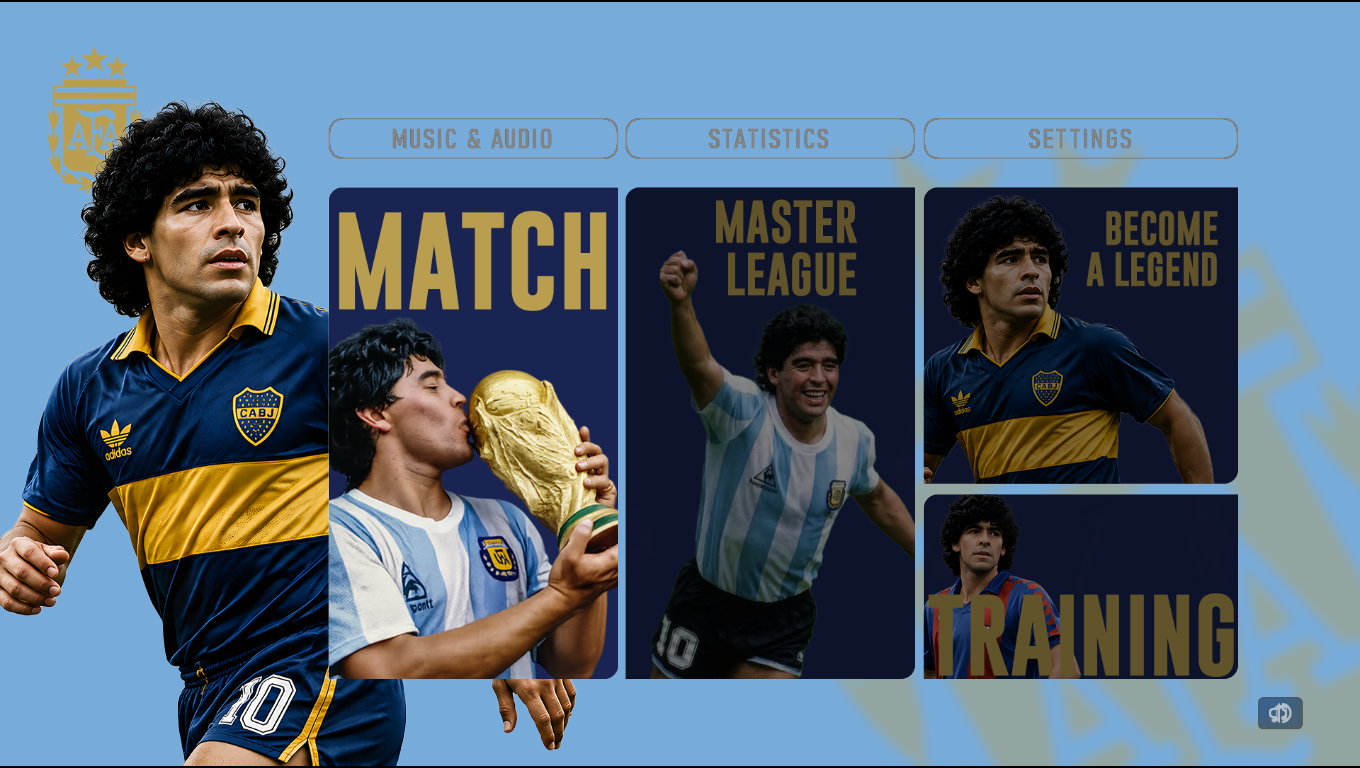
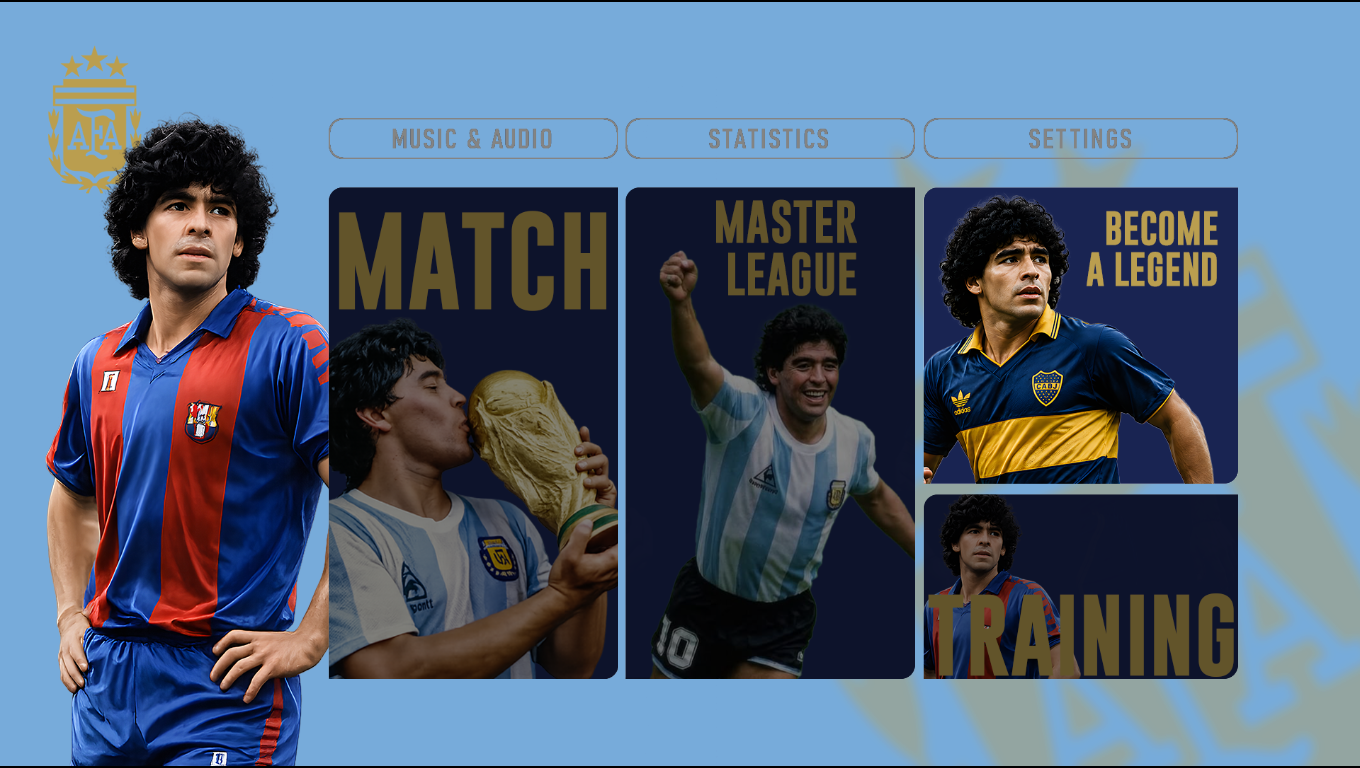
PES 2021 Soccer Revolution Revamped 1.1 Brand New Gameplay, Menu & Reshades by elijio876

PES 2021 Soccer Revolution Revamped 1.0 Brand New Gameplay, Menu & Reshades by elijio876

Soccer Revolution Revamped Version 1.0 Brand New Gameplay, Menu & Reshades made by elijio876 for eFootball Pro Evolution Soccer 2021. Includes a brand new gameplay, new menu mod, new reshade, and more.

Gameplay:
- Completely redid everything from scratch after discovering new code.
- All game physics updated. This includes ball physics, player interactions with the ball and other players, even goalkeeper saves and rebounds, etc
- Similar compact lines like real football. I found the best values in the previous version, but there was a bug in some goal kicks that would lead to a free attack for the player. After a long, long, long time I found a workable solution without compromising the compactness of the midfield.
- AI has been tweaked to be trickier closer to the goal, and they attempt to take on your defenders more
- A lot less long-ball usage from the AI
- Special tweaked shooting physics
- Fouls and jostling improvements and professional fouls are easier to pull off. You can hold the tackle button when pressing a player to pull them down
- New dribbling parameters combined with the updated physics make new actions possible. You'll have to play to see what I mean
- Players move more freely, and there is a feeling of fewer rails. You will notice this immediately.
- New plays and buildup from the AI teams with the right stats
- Animation timings tweaked. This is probably the most realistic resemblance to real match I've seen. Try the included camera modules to truly appreciate it.
- Updated the FL 2026 exe to 2.1

Graphics etc:
- New Reshades
- Updated Soccer Revolution folder (You need to delete your previous folder before installing the new one)
- Updated ML Mod for UML V2
- Scoreboard for Exhibition matches for UML V2
- Edited Premier League scoreboard to work with the new menu
- Facepack
- Updated player cursors
- New Menu (Please read the instructions to get the correct text colors)
- Ref Faces Included
- Soundtrack Server

Soccer Revolution Revamped 1.1
Graphics:
- Updated menus to fix a bug

Gameplay:
- ball travels faster on aerial passes
- lots of changes to AI attacking behavior
- more aggressive AI
- alt ball physics version included


Download "Soccer Revolution"
Please wait ...
If the download didn't start automatically, click here

eFootball 2026 Patch: EvoMod 5.4.0

eFootball 2026 Patch: EvoMod 5.4.0

EvoMod Patch Version 5.4.0 released by Endo for eFootball 2026
DESIGNED TO PLAY ONLINE!

All in one. Not needed previous content.
Fully compatible with the latest Konami update 5.4
Actualization and update for some kits, fonts, and numbers.
License for Inter Miami has been added.
Other minor fixes.

PLEASE NOTICE!!!
DONOR'S LEAGUES - AFC LEAGUES AND THAI LEAGUE!

Features:
Full compatibility with the latest Konami update.
English Premier League, Italian Serie A, and Spanish La Liga have been fully licensed.
A new set of referees has been added.
Added new licensed logos for Colombian Liga BetPlay Dimayor, Chilean Primera Division
and Argentine Primera Division.
Added new quality video adboards.
Improved Konami Banners Mod by @Andy has been integrated.

HOW TO INSTALL
Unpack and paste with replacement into your game folder.
For the Steam version only!
If you want to remove the modded fonts, just delete evomod_FNT_P.pak.
by address eFootball\PesConsole\Content\Paks\~mods
(Make a backup for replaced files)

HOW TO INSTALL THE WINDOWS STORE VERSION
1. Unzip the contents of the archive to any location.

2. Now you have 3 folders: cpk, pak, and PesConsole.

3. Rename 9 files in pak folder
pc7000_console_win.pak to pc7000_console_wgd.pak
pc7000_console_win.ucas to pc7000_console_wgd.ucas
pc7000_console_win.utoc to pc7000_console_wgd.utoc

4. Repeat the procedure in PesConsole/Content/Paks folder.
pc7000_console_win_P.pak to pc7000_console_wgd_P.pak
pc7000_console_win_P.ucas to pc7000_console_wgd_P.ucas
pc7000_console_win_P.utoc to pc7000_console_wgd_P.utoc

5. Delete the evomod_FNT_P.pak from the PesConsole/Content/Paks/~mods folder.

6. Now copy and paste all three folders (cpk, pak, and PesConsole) into the game folder and confirm file replacement.

ATTENTION!!!
EVOMOD IS NOT COMPATIBLE WITH ANY OTHER SUCH MODS.

Credits:
EvoMod 5.4.0 made by Endo

Download "EvoMod 4.5"
Please wait ...
If the download didn't start automatically, click here

PES 2021 Estádio Municipal de Braga 2026 Update

PES 2021 Estádio Municipal de Braga 2026 Update

Estádio Municipal de Braga 2026 Update made for eFootball Pro Evolution Soccer 2021 & SP Football Life 2026 by Du (WE_DP99_PES). Estádio Municipal de Braga is a football stadium located in Braga, Portugal, and the current home of Sporting Clube de Braga.

Features:
  • Estádio Municipal de Braga 2026 Update
  • Compatible with PES 2021 & FL26

How to Install:

Installing the PES 2021 Estádio Municipal de Braga mod is easy, and it only takes a few minutes. First, you'll need to download the stadium from the link below. Once you have the mod file, you'll need to extract it to your Stadium-Server folder ... sider\content \stadium-server

Open map_teams.txt with a text editor and copy this line inside map_teams.txt 
1974, 009, Estádio Municipal de Braga, 2025-26 Estádio Municipal de Braga v1 - @WE_DP99_PES # Braga
FOR MANUAL SELECTION:
Go to map_competitions.txt in your Stadium-Server folder then insert the following line:
0, 009, Estádio Municipal de Braga, 2025-26 Estádio Municipal de Braga v1 - @WE_DP99_PES, , ,

Extract and copy the "2025-26 Estádio Municipal de Braga v1 - @WE_DP99_PES" folder inside the Stadium-Server folder ...sider/content/stadium-server

Once you are in-game you can select the stadium via manual selection by pressing number 9 and navigating to the stadium.

Credits:
Stadium made by Du (WE_DP99_PES)
G. Leroy (pesmodding.com) / blog writer.

Download "Stadium"
Please wait ...
If the download didn't start automatically, click here

eFootball 2026 Patch: ePatch 2026 Version 38.9 Presented By MODY 99

eFootball 2026 Patch: ePatch 2026 Version 38.5

ePatch 2026, Version 38.5+ March 2026

Presented By MODY 99

Main features:
- Compatible with Online Mode Game v5.3.1 (Manual Weekly Updates).
- Merged Liveupdate 5-March 2026 To Offline Game Database.
- Real Teams & Leagues Names Work For All Game Modes.
- Real Names For Coaches Work for All Game Modes.
- Applied Winter Transfers & Squads Updates For Season 25/26 Vol 2.
- Unlicensed Division 2 Leagues + Thai League (80%).
- Replaced National Teams' Fake Players With Real Players :
USA - Mexico - Canada - Ecuador

Teams, Legends & All-Stars XI:
- New 5 Classic All-Stars Teams Contains +100 Konami Legends.
- New Leagues All-Stars Teams : LaLiga XI - EPL XI - Serie A XI - Bundesliga XI
- New Continents All-Stars Teams : Euro XI - Africa XI - Asia XI - Americas XI
- English & Spanish Leagues, Legends Teams are Unlocked.
- Classic Teams: Bayern Munich, Ac Milan, Real Madrid, Barcelona, Man United & Brazil.
- Unlocked Captain Tsubasa Team & EFB United Team (ML Originals).
- FC Bayern Munich Is Back To The Game.

Graphics:
- Added Super HD Emblems For All Clubs & Competitions.
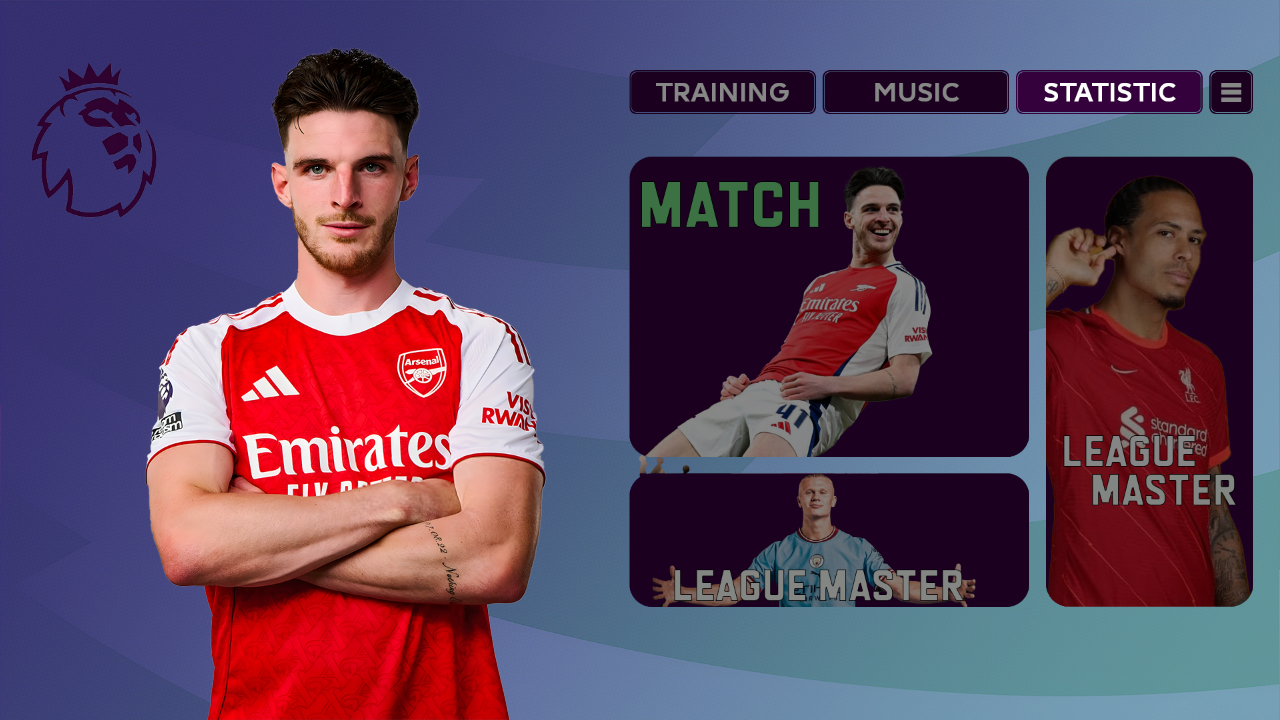
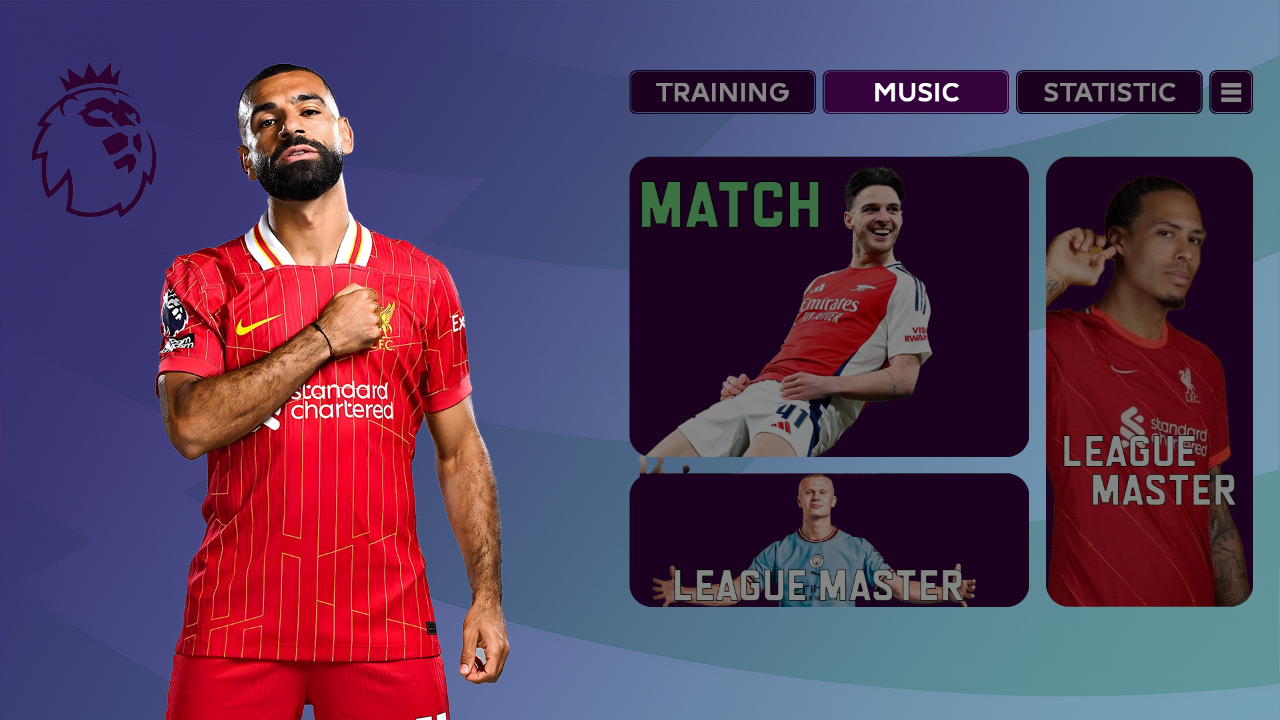
- Added Profile Photo For +25Players.
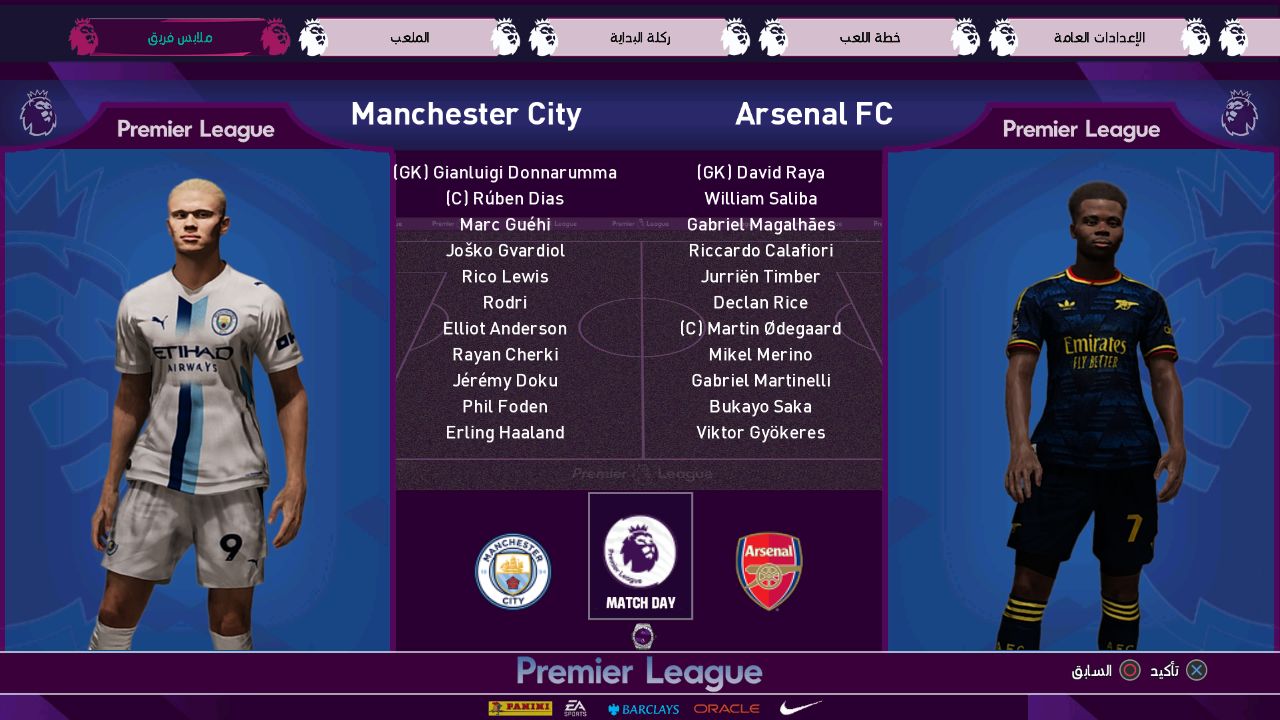
- Added Real Referee Kits Set By Puma.
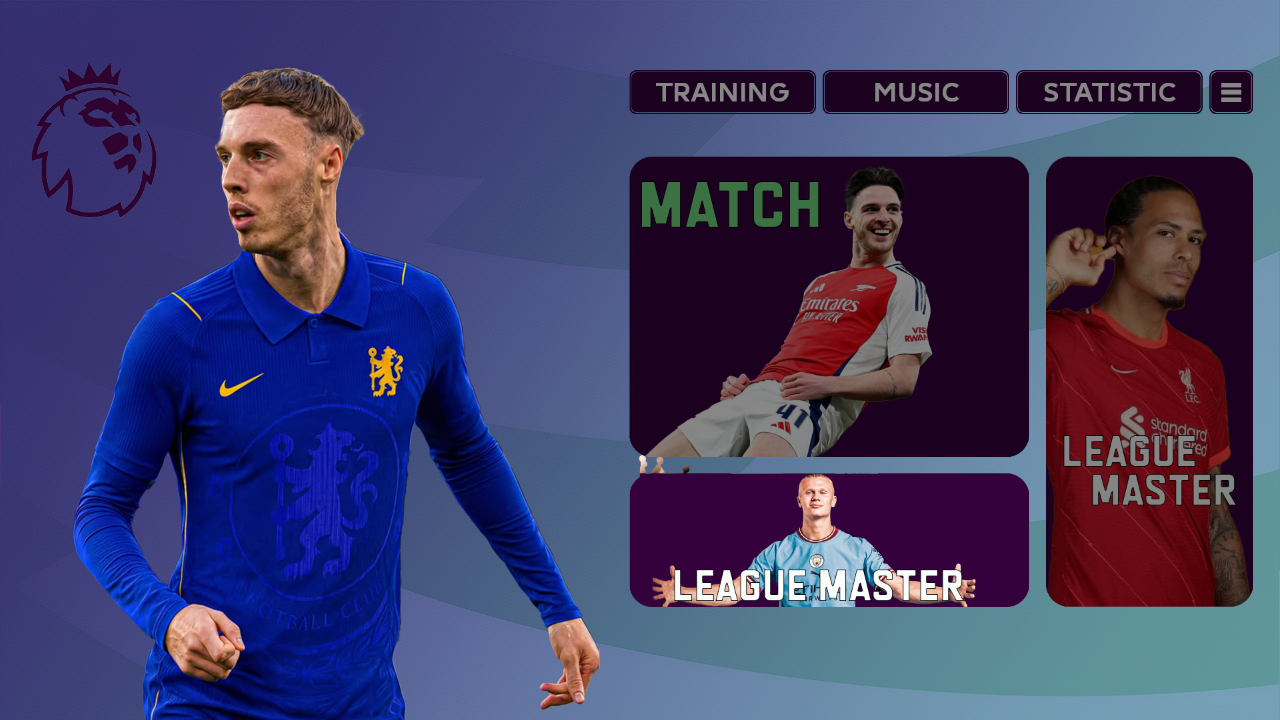
- Added Sleeve Badges 25/26 For The 3 Major Leagues.
- Updated All Clubs & National Teams Mini-Kits (Previews).
- New Menus & Uefa Champions League Lite ScoreBoard By Mandbeyn.
- Replaced Intro Video With eFootball™ Series 30th Anniversary Trailer.
- Added Static Adboards For Major Leagues & Animated Adboards.

Licences:
- Fully Licensed All Premier League Clubs 2025/26.
- Fully Licensed All La Liga Clubs 2025/26.
- Fully Licensed All Serie A Clubs 2025/26.

- Licensed Other Clubs:
Anderlecht - Club Brugge - FC Basel - FC Copenhagen - Inter Miami
Racing Club - Independiente - Newell's Old Boys - Argentinos Juniors

- Licensed National Teams:
Hungary - Scotland - Czechia - Sweden - Finland - Slovenia
Romania - Austria - Switzerland - Denmark - Russia - Ecuador
Mexico - Canada - USA - Bolivia - Paraguay - Venezuela

Support MODY 99 Via PayPal

1 - Download NEW UPDATE AVAILABLE HERE: pesmodding.com/epatch-2026...

Installation: Just Extract It To Your eFootball Game Folder.

Installation: Make sure you have already installed v38.5, then Just Extract the v38.9 File To Your eFootball Game Folder.

Optional Addon : For Ultra Graphics 5.3.1 (Bogo36)
https://modsfire.com/fqWrD26DFz5DQu4

PES 2021/SP Football Life 2026 Felix Houphouet Boigny "Le Félicia" Stadium, Ivory Coast

PES 2021/SP Football Life 2026 Felix Houphouet Boigny " Le Félicia" Stadium, Ivory Coast

New Felix Houphouet Boigny Stadium, also known as "Le Félicia", Ivory Coast, made for eFootball Pro Evolution Soccer 2021 & SP Football Life 2026 by Drogond, original 3D model by Dinei.

Felix Houphouet Boigny " Le Félicia" Stadium, Ivory Coast
ID Stadium: 009
ID Team: 1051
Autor 3D model: Dinei
Rework: Betamax

How to Install:

Installing the PES 2021 Felix Houphouet Boigny mod is easy, and it only takes a few minutes. First, you'll need to download the stadium from the link below. Once you have the mod file, you'll need to extract it to your Stadium-Server folder ... sider\content \stadium-server

Open map_teams.txt with a text editor and copy this line inside map_teams.txt 
1051, 009, Felix Houphouet Boigny, Stade Felix Houphouet-Boigny 2026 # Ivory Coast
FOR MANUAL SELECTION:
Go to map_competitions.txt in your Stadium-Server folder then insert the following line:
0, 009, Felix Houphouet Boigny, Stade Felix Houphouet-Boigny 2026, , ,

Extract and copy the "Stade Felix Houphouet-Boigny 2026" folder inside the Stadium-Server folder ...sider/content/stadium-server

Once you are in-game you can select the stadium via manual selection by pressing number 9 and navigating to the stadium.

Credits:
Stadium made by Drogond https://x.com/Drogond_Uy
G. Leroy (pesmodding.com) / blog writer.

Download "Stadium"
Please wait ...
If the download didn't start automatically, click here

PES 2021/SP Football Life 2026 Complexo Desportivo de Alverca (FC Alverca Stadium)

PES 2021/SP Football Life 2026 Complexo Desportivo de Alverca FC Alverca Stadium

Complexo Desportivo de Alverca Stadium made by Du (WE_DP99_PES) for eFootball Pro Evolution Soccer 2021 & SP Football Life 2026. Complexo Desportivo de Alverca is the home ground of the Portuguese team Futebol Clube de Alverca.

Features:
  • Complexo Desportivo FC Alverca, Alverca do Ribatejo
  • Home of FC Alverca

How to Install:

Installing the PES 2021 Complexo Desportivo de Alverca mod is easy, and it only takes a few minutes. First, you'll need to download the stadium from the link below. Once you have the mod file, you'll need to extract it to your Stadium-Server folder ... sider\content \stadium-server

Open map_teams.txt with a text editor and copy this line inside map_teams.txt 
5845, 009, Complexo Desportivo de Alverca, Complexo Desportivo de Alverca# FC Alverca
FOR MANUAL SELECTION:
Go to map_competitions.txt in your Stadium-Server folder then insert the following line:
0, 009, Complexo Desportivo de Alverca, Complexo Desportivo de Alverca, , ,

Extract and copy the "Complexo Desportivo de Alverca" folder inside the Stadium-Server folder ...sider/content/stadium-server

Once you are in-game you can select the stadium via manual selection by pressing number 9 and navigating to the stadium.

Credits:
Complexo Desportivo de Alverca made by Du (WE_DP99_PES)
G. Leroy (pesmodding.com) / blog writer.

Download "Stadium"
Please wait ...
If the download didn't start automatically, click here

PES 2021 New Transfer Cutscene for Master League

PES 2021 New Transfer Cutscene for Master League

New Transfer Cutscene for Master League released by maiconcosta222 for eFootball Pro Evolution Soccer 2021 & SP Football Life. Includes a new cutscene animation for the new transferred players in the Master League.

Features:
  • New Master League Player Transfer Cutscene 
  • Compatible with PES 2021 & FL26

How to Use:
1. Extract and copy the "NewTransferCutscene" folder to your Sider 7/livecpk folder or Football Life 2026/SiderAddons/livecpk if you are using FL26

2. Open sider.ini with any text editor and add the following line:
cpk.root = ".\livecpk\NewTransferCutscene"
3. Enjoy

Credits:
New Transfer Cutscene made by maiconcosta222 
G. Leroy (pesmodding.com) / blog writer.

Download "Cutscene"
Please wait ...
If the download didn't start automatically, click here

SP Football Life 2026 Soundtrack Server v8.0 by MarcoIacovelli02

SP Football Life 2026 Soundtrack Server v8.0 by MarcoIacovelli02

Marco Iacovelli02 presents to you the SOUNDTRACK SERVER v8.0 — the complete music module for SP Football Life 2026.

KEY FEATURES

FAVOURITES SYSTEM (F1/F2)
- F1 — add current track to favourites
- F2 — open or close favourites browser
- Favourites saved by artist + title, not filename — move or rename MP3 files and they'll still work
- Delete tracks directly from the browser

PRE-MATCH INTRO COMPATIBILITY
- Music pauses instantly when pre-match intro videos play (UCL anthem, cup finals, tournament presentations)
- Automatically resumes from the exact position when the match starts
- Full compatibility with all Pre-Match Intro modules (prematchintro.usm)

LIVE REFRESH (Ctrl+F5)
- Add, remove, or reorganize MP3 files without restarting the game
- All playlists reload in 2–5 seconds

SEARCH & BROWSE (F3)
- Real-time search by artist or title with fuzzy matching
- Browse all tracks alphabetically with Page Up/Down
- ESC to exit search mode

SMART PLAYBACK ENGINE
- Automatic detection of 8 game states: Main Menu, Edit Mode, Competitions (generic/specific), Results (generic/specific), Highlights (generic/specific), Match
- Individual volume control for each section
- Random track playback with shuffle mode

FULL SUBFOLDER SCANNING
- All folders scan every subfolder recursively — no manual MaxCount updates
- Any MP3 filename works; artist and title read from ID3 tags

COMPETITION SUPPORT
- Auto-detects 40+ competitions: UCL, UEL, FWC, EURO, Copa América, AFC Champions League, Premier League, and more
- Works with ML/BAL career mode

CONTROLS
F1 Add to favourites
F2 Open / close favourites browser (ESC to exit)
F3 Search / browse all tracks (ESC to exit)
F4 Play / Pause
Page Up/Down Next/previous track
Key 5 (Numpad) Random track
Ctrl+F5 Live refresh

THREE SEPARATE DOWNLOADS — EACH SOUNDTRACK IN 2 PARTS

This package consists of three distinct soundtrack collections. Each one is available as a separate download, split into 2 parts as you can see above. Download the 2 parts for the collections you want and extract.

1. 80s SOUNDTRACK (182 tracks)
Artists: a-ha, Madonna, Michael Jackson, Prince, Queen, Tears For Fears, Duran Duran, Depeche Mode, Bruce Springsteen, and more

2. MOST ICONIC SONGS (88 tracks)
Artists: Queen, Nirvana, Oasis, Linkin Park, Arctic Monkeys, Green Day, Red Hot Chili Peppers, Muse, The Killers, and more

3. PES + FIFA COLLECTION (97 tracks)
Official soundtracks from Pro Evolution Soccer and FIFA games: Kasabian, The Chemical Brothers, MGMT, Avicii, Glass Animals, Empire of the Sun, and more

INSTALLATION

All detailed installation guides are provided in the included TXT files:

- 1. MODULE INSTALLATION v 8.0.txt — complete setup guide with fresh installation and update options
- 2. FEATURES v 8.0.txt — full feature breakdown
- 3. ADD SONGS TUTORIAL (v 8.0 UPDATED).txt — how to add your own music with MP3Tag
- 4. SOUNDTRACK LIST.txt — complete tracklists for all collections

All collections are fully tagged and ready to play — just install and enjoy!
SOUNDTRACK SERVER v8.0 by MarcoIacovelli02

Download "Soundtrack Server"
Please wait ...
If the download didn't start automatically, click here

PES 2021 Soccer Revolution 2026 (V12) Brand New Gameplay, Menu & Reshades by elijio876

PES 2021 Soccer Revolution 2026 V12 Brand New Gameplay, Menu & Reshades by elijio876

Soccer Revolution 2026 version 12 Brand New Gameplay, Menu & Reshades released by elijio876 for eFootball Pro Evolution Soccer 2021.

Soccer Revolution 2026 V12
Graphics:
- Menu updated (some more values changed thanks to Soulballz
- New Facepack
- Tweaked reshades

Gameplay:
- Reworked ball physics
- Reworked ball trajectories
- Some changes to dribbling parameters
- AI is more willing to pass back to GK

How to Install Reshade:
- Install Reshade_Setup_6.7.1.exe if you want to use the reshades included.
- Choose d3d10/d3d11 during installation and dont install any extra shaders.
- After installation is done, replace the reshade-shaders folder in your main game folder.
- Copy .ini files into your main PES 2021 folder
- Start the game and press "home" on your keyboard to bring up the reshade menu. Select one of the ini files to load it and press "home" again to close the menu

How to Install Gameplay:
Step 1: Download the mod files
The first step in activating the mod is to download the mod files from a reliable source. We recommend downloading the files from our official website (download link below) or a trusted gaming forum.

Step 2: Extract the files
Once you have downloaded the mod files, extract them using file extraction software. We recommend using WinRAR or 7-Zip.

Step 3: Backup your PES2021.exe, dt18_all, and dt13_all files
Before making any changes, go to ...Steam/Steamapps/common/eFootball PES 2021 and make a backup copy of your PES2021.exe, then go tothe  Data folder and make a copy of your dt18_all file.

Step 4: Copy the new PES2021.exe or file
Now copy the PES2021.exe file from the extracted folder to ...Steam/Steamapps/common/eFootball PES 2021

Step 5: Copy the dt18_all, and dt13_all to your Data Folder

How to Install Menu:
- Deactivate any custom menu if you're using any
- Copy Menu folder into your livecpk folder
- Copy UIColors folder into your livecpk folder

- Add the below line to your sider.ini:
cpk.root = ".\livecpk\Menu"
cpk.root = ".\livecpk\UIColors"
- Copy CompMenus folder into your livecpk folder
- Add the below line to your sider.ini:
cpk.root = ".\livecpk\CompMenus"
- Copy ui-colors folder into your content folder

- Add to your sider.ini under LUA MODULES:
lua.module = "UIColors.lua"
Credits:
PES 2021 Soccer Revolution 2026 released by elijio876
G. Leroy (pesmodding.com) / blog writer.

Download "Soccer Revolution"
Please wait ...
If the download didn't start automatically, click here

PES 2021 Adboard UEFA Champions League 2025-26 (Version 2)

PES 2021 Adboard UEFA Champions League 2025-26 Version 2

New updated UEFA Champions League Adboards Pack season 2025/26 made for eFootball Pro Evolution Soccer 2021 & SP Football Life by lanphan09. Includes UCL Adboards for multiple countries, the Netherlands, Germany, Austria, and more.

Featured Countries:
  • Netherlands
  • Germany
  • Austria
  • France
  • Turkey
  • Kazakhstan
  • Norway
  • Belgium
  • Bulgaria
  • Luxembourg
  • Spain

How to Use:

NOTES: You need to have an adboard pack already installed (I recommend Animated Video Adboards by Predator002), then follow the steps below.

Step 1: Extract the RAR file

Step 2: Copy the Asset and common folders to the Adboards folder in your Sider

Step 3: Go to the following path in your Adboards folder, common\bg\model\bg\bill\config, open the config file, and add this code and save
<condition stid="-1" compeid="2" hometeamid="-1" teamexclusion="-1" language="-1" region="-1" title="-1" pattern="uefa_champions" />
Credits:
PES 2021 Adboard made by lanphan09
G. Leroy (pesmodding.com) / blog writer

Download "Adboard"
Please wait ...
If the download didn't start automatically, click here

PES 2021/SP Football Life 2026 Beşiktaş J.K. TIFO

PES 2021 SP Football Life 2026 Beşiktaş J.K. TIFO

New stadium Tifo mod release by seloradam for eFootball Pro Evolution Soccer 2021 & SP Football Life 2026, compatible with all patches. The mod includes a new Beşiktaş J.K. ultras 3d TIFO available as a free download.

Features:
PES 2021/SP Football Life Graphic Mod Beşiktaş J.K. Stadium Tifo 

How to install :
Move/copy the BJK KAREOGRAFI folder into your Tüpraş Stadyumu AddOn folder.
2. In addon config.ini, add this: BJK KAREOGRAFI. 
Example:
1 = endomod
2 = UCL Screen
3 = ucl_staff
4 = UEL Screen
5 = uel_staff
6 = BJK KAREOGRAFI
Save it and done

Credits:
Beşiktaş J.K. TIFO made by seloradam
G. Leroy (pesmodding.com) / blog writer.

Download "Tifo"
Please wait ...
If the download didn't start automatically, click here
© 2020 — 2025 PES Modding. Disclaimer Privacy Policy About Us