

Showing posts with label PES 2021 Stadiums. Show all posts

PES 2021 Romeo Menti Stadium (Juve Stabia) — Edited & Customized Version

PES 2021 Romeo Menti Stadium Juve Stabia — Edited & Customized Version

Felipe D_Angelo presents to you a customized version of the Romeo Menti Stadium, Juve Stabia, for eFootball Pro Evolution Soccer 2021 & SP Football Life 2026. Includes improved stadium stand textures, seat colors, protective glass, surrounding buildings, trees, and various other environmental details and textures around the stadium.

Info:
  • Team ID: 2517 - SS Juve Stabia (SP Football Life 2026 ID)
  • Stadium ID: 009

How to Install:
Installing the PES 2021 Cetilar Arena mod is easy, and it only takes a few minutes. First, you'll need to download the stadium from the link below. Once you have the mod file, you'll need to extract it to your Stadium-Server folder ... sider\content \stadium-server

Open map_teams.txt with a text editor and copy this line inside map_teams.txt 
2517, 009, Romeo Menti Stadium, Juve Stabia-Romeo Menti # SS Juve Stabia
FOR MANUAL SELECTION:
Go to map_competitions.txt in your Stadium-Server folder then insert the following line:
0, 009, Romeo Menti Stadium, Juve Stabia-Romeo Menti, , ,
Extract and copy the "Juve Stabia-Romeo Menti" folder inside the Stadium-Server folder ...sider/content/stadium-server

Once you are in-game you can select the stadium via manual selection by pressing number 9 and navigating to the stadium.

Credits:
Stadium Update made by Felipe D_Angelo
Credit to the original model creator
G. Leroy (pesmodding.com) / blog writer.

Download "Stadium"
Please wait ...
If the download didn't start automatically, click here

PES 2021 Romeo Anconetani Stadium (Cetilar Arena)

PES 2021 Romeo Anconetani Stadium Cetilar Arena

Romeo Anconetani Stadium, also known as Cetilar Arena, the home ground of  Pisa SC, a customized version made for eFootball Pro Evolution Soccer 2021 & SP Football Life 2026 by Felipe D_Angelo.

Stadium ID: 009
Team ID: 4241 (Pisa SC SP Football Life 2026 ID)

How to Install:
Installing the PES 2021 Cetilar Arena mod is easy, and it only takes a few minutes. First, you'll need to download the stadium from the link below. Once you have the mod file, you'll need to extract it to your Stadium-Server folder ... sider\content \stadium-server

Open map_teams.txt with a text editor and copy this line inside map_teams.txt 
4241, 009, Romeo Anconetani Stadium, Pisa_Romeo_Anconetani_Edited # Pisa SC
FOR MANUAL SELECTION:
Go to map_competitions.txt in your Stadium-Server folder then insert the following line:
0, 009, Romeo Anconetani Stadium, Pisa_Romeo_Anconetani_Edited, , ,
Extract and copy the "Pisa_Romeo_Anconetani_Edited" folder inside the Stadium-Server folder ...sider/content/stadium-server

Once you are in-game you can select the stadium via manual selection by pressing number 9 and navigating to the stadium.

Credits:
Stadium Update made by Felipe D_Angelo
Credits to the original model creator/source: pessmokepatch
G. Leroy (pesmodding.com) / blog writer.

Download "Cetilar Arena"
Please wait ...
If the download didn't start automatically, click here

PES 2021 Estadio Guadalajara (Estadio Akron) - FIFA World Cup 2026 Edition

PES 2021 Estadio Guadalajara Estadio Akron - FIFA World Cup 2026 Edition

Estadio Guadalajara, also known as Estadio Akron (FIFA World Cup 2026 Edition) made for eFootball Pro Evolution Soccer 2021 & SP Football Life by papijonnnn.

Key Features

Complete eFootball Conversion and Reconstruction​
The original eFootball model has been extensively modified throughout the development process. Geometry, proportions, object placement, materials, lighting, presentation elements, and numerous smaller details have all been revisited.​
This is not a direct conversion where the original model is simply exported and placed into the game.​
Large portions of the stadium have been rebuilt, corrected, resized, or replaced in order to produce a stadium that feels native to PES 2021 rather than simply imported from another engine.​

Complete PES 2021 Material & Texture Conversion​
One of the most important aspects of this project was rebuilding the stadium's materials around the PES 2021 rendering environment.​
The original eFootball textures have been converted and reworked extensively, including proper implementation of _srm and _nrm maps throughout the stadium.​
For those unfamiliar with the system:​
_srm controls properties such as reflectivity and the way a surface responds to light.
_nrm provides surface depth, bump information, and additional material definition.
Simply using the original base textures without properly rebuilding these maps leaves many surfaces looking flat and unrealistic inside PES 2021.​
Every major material has therefore been reviewed and adjusted to produce appropriate reflections, lighting response, surface depth, and overall appearance.​
The goal was not simply to make the textures look correct in an image editor, but to make the materials behave correctly inside PES 2021.​

1:1 eFootball Shaders & Material Configuration​
Another major part of the conversion was the shader setup.​
Rather than assigning a generic shader to the majority of the stadium, the individual objects have been configured according to the type of material they represent and, where appropriate, the way they are configured in eFootball.​
Glass, concrete, metal, fabric, advertisements, structural elements, transparent surfaces, and other materials all require different treatment.​
This has allowed the stadium to retain much more of the original visual character of Estadio Akron while still functioning correctly within PES 2021.​
This is not an eFootball model dropped into PES 2021. The entire material system has been rebuilt around the PES 2021 environment.​
KONAMI-level.​
​
Corrected Real-World Scale​
One of the biggest discoveries during development was the overall scale of the original eFootball stadium. Because eFootball uses a newer engine with considerably larger player and stadium proportions than PES 2021, the original Estadio Akron model is significantly oversized when directly compared against PES 2021 stadiums.​
​
To correct this, I compared the eFootball model against Allianz Arena from PES 2021, using the known real-world dimensions and proportions of both stadiums as a reference. The difference was substantial. The entire Estadio Akron model has therefore been rescaled to better represent its real-world dimensions within the PES 2021 environment. This is particularly important when comparing this version with previous Estadio Akron releases used in BMPES, GOGOSZ Patch, and other patches. Those versions can appear considerably larger than the actual venue because of the original eFootball scale. This version has been corrected specifically to address that discrepancy.​

Advanced CHEER Banner & Culling System​
With the latest functionality available through the Stadium Exporter, I was also able to implement several presentation systems that were previously difficult or impossible to reproduce accurately.
The stadium's CHEER banners have been positioned according to their original eFootball locations while also implementing the appropriate multi-level culling system.
This includes:​
  • Tier 1 / Tier 2 / Tier 3 culling
  • back1
  • front1
  • back2
  • front2
Additional camera-specific visibility configurations
The purpose is to prevent banners from unnecessarily obstructing the gameplay camera while still allowing them to appear correctly during the appropriate camera angles and presentation sequences.
The same philosophy has been applied to other advertising and presentation elements throughout the stadium.
Certain objects are intentionally visible during cutscenes or presentation sequences while remaining hidden during normal gameplay.
A good example is the fourth official's bench during the player entrance cutscene.
These are small details that are very easy to overlook when creating a stadium, but they contribute significantly to making the venue feel authentic.
DETAILS.
Realistic Estadio Akron Halo & Night Presentation
The stadium's halo effect has also been specifically tuned for Estadio Akron rather than relying on a generic configuration.
The values have been adjusted using both the original eFootball implementation and real-world reference material from Estadio Akron.
The real stadium's halo is extremely subtle and can become almost invisible depending on the lighting conditions. The effect has therefore been carefully reduced and balanced so that it complements the stadium rather than overpowering the night presentation.
The result is a much more natural representation of the lighting surrounding the venue.

Advanced Lighting & Presentation
The stadium has also received a complete lighting pass covering both daytime and nighttime presentation.
This includes:​
Helios Lighting by Dragovic
Custom green roof lighting
Reworked stadium glow meshes
Reworked roof geometry and lighting
Custom Estadio Akron halo configuration
Daytime sun position adjustments
Daytime spotlight adjustments
Improved nighttime presentation
Improved lighting response across stadium materials
Additional lighting adjustments for cutscenes and aerial presentation
Particular attention has been given to the relationship between the stadium geometry, roof structure, lighting meshes, and PES 2021's lighting system.

FIFA World Cup Presentation
Because Estadio Akron will serve as one of the venues for the 2026 FIFA World Cup, a significant amount of work has also gone into reproducing the World Cup presentation.
PES 2021 Estadio Guadalajara

This includes:​
Realistic World Cup television screens
Team logos and flags on the TV systems
World Cup bench with team names and flags
World Cup branding
World Cup-specific advertising
Realistic staff positioning
Scarecrow positioning
World Cup presentation elements throughout the stadium
The intention was to make the stadium feel appropriate not only for standard league matches, but also for its World Cup configuration.
Additional Features​
Complete eFootball → PES 2021 material conversion
Proper _srm and _nrm conversion
Realistic World Cup tunnel
Helios Lighting by Dragovic
Custom green roof lighting
Realistic World Cup TV screens
Team logos and flags on TV systems
World Cup benches with team names and flags
World Cup branding
Realistic scarecrow and staff positioning
New and immersive cutscene animations and aerials
Reworked stadium glow meshes
Completely reworked roof geometry and lighting
Custom stadium halo tuned specifically for Estadio Akron
Corrected technical-area alpha/transparency
Added and resized electrical boxes around the stadium
Corrected AUDI press box positioning and appearance
Dedicated daytime aerial camera configuration
Daytime sun position adjustments
Daytime spotlight adjustments
Advanced CHEER banner positioning and culling
Cutscene-specific object visibility
Numerous mesh, material, texture, lighting, and presentation refinements
and much more!

How to Install
The files have been pre-routed to their respective folders; please move the "Estadio Akron" folder to your Sider\stadium-server path. Also make sure the stadium is in your stadium-server map.​

Requirements
You must have the newest stadium-server update (1.80) that supports AddOn and .geom and multi-ID capabilities. This includes the new multi-ID feature for a variety of features (in this case, for ads and TV features) and the ability to add rebound hitboxes to adboards so that the ball does not go through adboards anymore. Huge thanks to zlac for updating this.

Credits
Stadium made by papijonnnn
Dragovic Helios Lighting
FletchAJX Halo Lighting effect & screenshots
the_pelado Some FIFA World Cup textures
bluestillidie00 Several Tips, help, and tools
Arl Video Ads and adboards
Qoo21 Some FIFA World Cup banner textures

Download "Stadium"
Please wait ...
If the download didn't start automatically, click here

PES 2021 Stadion za Místním nádražím - 1. SK Prostějov

PES 2021 Stadion za Místním nádražím - 1. SK Prostějov

Stadion za Místním nádražím made by Chosefs for eFootball Pro Evolution Soccer 2021 & SP Football Life PC Games.

The Stadion Za Místním nádražímis a football stadium in the Czech city of Prostějov . The stadium is the home ground of the Fotbalová národní liga club 1. SK Prostějov.

How to Install:

Installing the PES 2021 Stadion za Místním nádražím mod is easy, and it only takes a few minutes. First, you'll need to download the stadium from the link below. Once you have the mod file, you'll need to extract it to your Stadium-Server folder ... sider\content \stadium-server

Open map_teams.txt with a text editor and copy this line inside map_teams.txt 
ADD TEAM ID HERE, 009, Stadion za Místním nádražím, Stadion za Místním nádražím # 1. SK Prostějov
FOR MANUAL SELECTION:
Go to map_competitions.txt in your Stadium-Server folder then insert the following line:
0, 009, Stadion za Místním nádražím, Stadion za Místním nádražím, , ,

Extract and copy the "Stadion za Místním nádražím" folder inside the Stadium-Server folder ...sider/content/stadium-server

Once you are in-game you can select the stadium via manual selection by pressing number 9 and navigating to the stadium.


Credits:
Stadium made by Chosefs
G. Leroy (pesmodding.com) / blog writer.

 NOTES: NO REQUESTS 

Download "Stadium"
Please wait ...
If the download didn't start automatically, click here

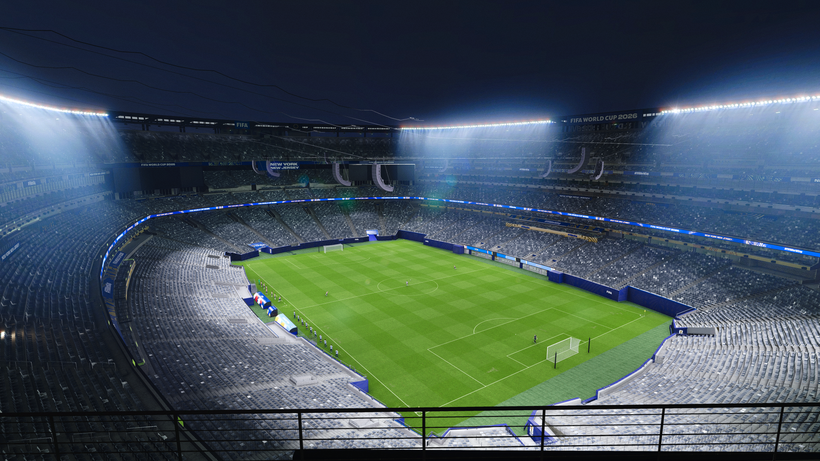
PES 2021 MetLife Stadium (FIFA World Cup 2026 Edition)

PES 2021 MetLife Stadium FIFA World Cup 2026 Edition

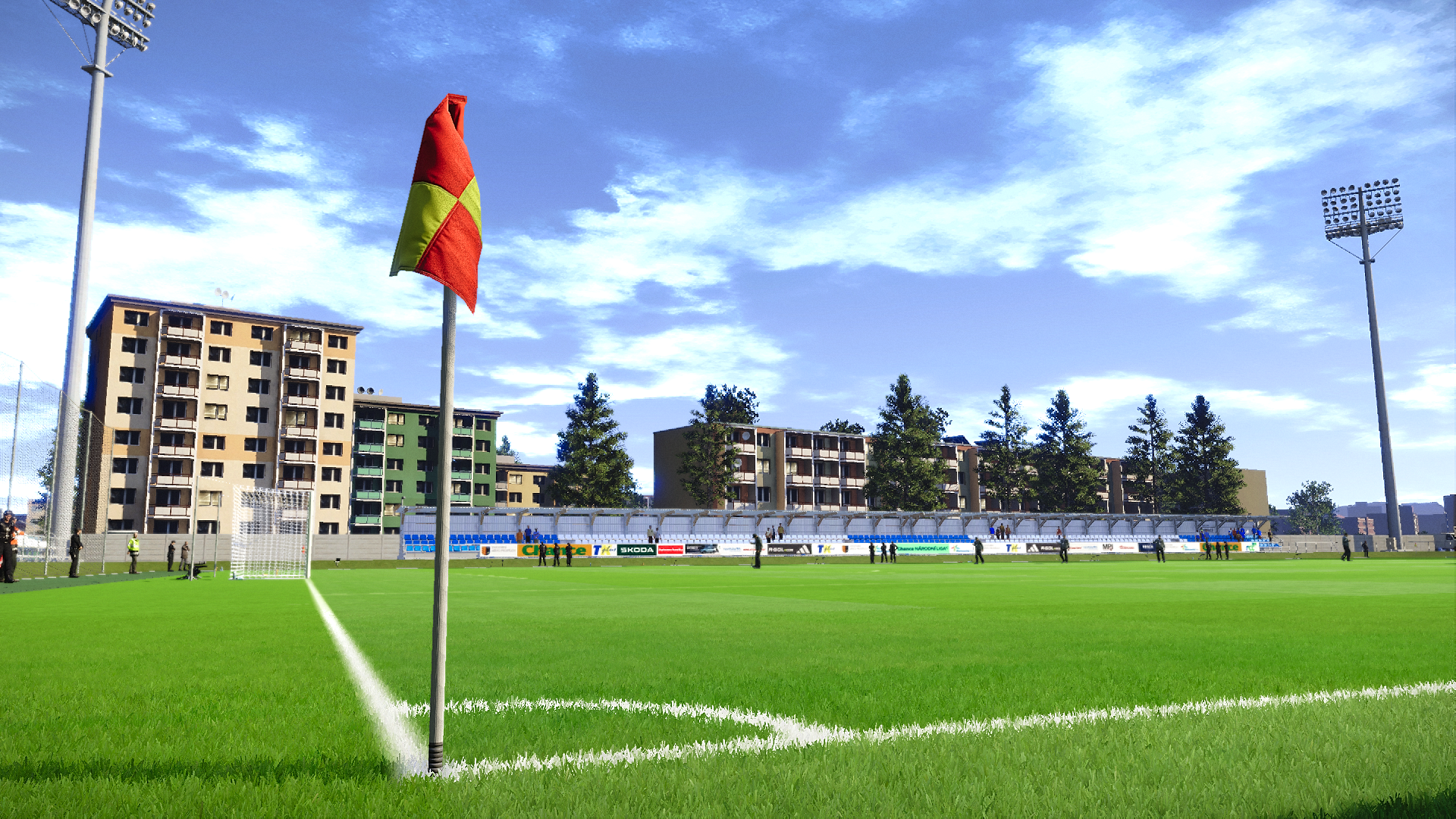
New York New Jersey Stadium (MetLife Stadium)—FIFA World Cup 2026 Edition made for eFootball Pro Evolution Soccer 2021 & SP Football Life PC Games by Papijonnnn.

Key Features
Authentic Scale and Dimensions, Extensively Rebuilt for PES 2021
While this project began with the original Madden NFL 23 stadium model, nearly every part of the venue has been revisited throughout development. Geometry has been corrected, stadium proportions refined, missing structural details recreated, and countless assets replaced or improved to meet the quality expected from a native PES 2021 stadium. This is far more than a simple conversion—it is a complete redevelopment built upon an accurate real-world foundation.

Real-World Size & FIFA World Cup Configuration
One of the primary goals of this project was preserving MetLife Stadium's true dimensions. Unlike many recreations that enlarge the entire stadium simply to accommodate a football pitch, this version maintains the venue's authentic scale. The lower corner seating has been modified exactly as it is for FIFA events, allowing the regulation pitch to fit naturally while preserving the stadium's real-life proportions and overall appearance.
Complete PES Material & Texture Overhaul
Virtually every visible surface has been rebuilt using PES-compatible materials and workflows. Stadium structures, railings, VIP areas, balconies, stairs, walls, floors, tunnels, glass, alpha textures, and numerous architectural elements have all received new materials and extensive texture work to deliver consistent lighting, realistic reflections, and improved visual fidelity throughout the venue.

Broadcast & Matchday Accuracy
The stadium has undergone a complete presentation pass to accurately recreate the atmosphere of a modern FIFA World Cup venue. Camera placements, broadcast infrastructure, benches, technical areas, television equipment, LED systems, stadium speakers, advertising locations, staff positioning, crowd barriers, security areas, and various operational details have all been refined using real-life references to closely match current matchday broadcasts.


Advanced Lighting & Visual Effects (ft. Dragovic)
Special attention has been given to both daytime and nighttime presentations through an extensive lighting overhaul, including:
  • Enhanced stadium glow and halo effects
  • Correct Sun position based on TimeOfDaySettings in the light file (4pm kickoff will have correct shadows, as well as 3pm, 2pm, 5pm, 6pm, 8pm, etc.)
  • Improved lighting meshes and light rotation
  • Refined VIP room illumination
  • Optimized night match atmosphere
  • Improved stadium ambience during cutscenes and gameplay
The result is a significantly more immersive presentation that closely reflects modern World Cup broadcasts.

Hundreds of Stadium-Specific Improvements
Beyond the major visual upgrades, New York New Jersey Stadium (MetLife Stadium) includes hundreds of smaller refinements across nearly every aspect of the venue. Many of these changes may go unnoticed individually, but together they dramatically improve authenticity and overall quality.

Additional Features
  • Complete World Cup tunnel recreation
  • Stadium-Specific World Cup Adboards (made by @Arl)
  • Redesigned player benches
  • Rebuilt front entrance stairs
  • Correct MetLife balcony structures
  • Detailed VIP rooms
  • Detailed Interior VIP room
  • KONAMI-style glass materials (thanks to LK Mods! Check him out!)
  • New railings throughout the stadium
  • Stadium speakers hanging from roof as seen in real life
  • Stadium halo lighting (thanks to @FletchAJX)
  • CHEER banner integration
  • Fixed lineup camera positioning
  • Goal nets with attached support poles
  • Rain and snow support
  • Refined collision (.geom) geometry
  • Accurate Staff and scarecrow placement
  • TV enhancements with team names and colors as in real life (with help from Serge)
  • Realistic Exterior and aerial environment
  • Countless mesh, material, texture, and gameplay refinements across the entire venue

How to Install

Requirements
You MUST have the newest stadium-server v1.80 update that supports AddOn and .geom and multi-ID capabilities. This includes the new multi-ID feature for a variety of features (in this case for ads and TV features) and the ability to add rebound hitboxes to adboards so that the ball does not go through adboards anymore. 

Installing the PES 2021 MetLife Stadium mod is easy, and it only takes a few minutes. First, you'll need to download the stadium from the link below. Once you have the mod file, you'll need to extract it to your Stadium-Server folder ... sider\content \stadium-server

Open map_teams.txt with a text editor and copy this line inside map_teams.txt 
39, 016, MetLife Stadium, MetLife Stadium # USA NT
FOR MANUAL SELECTION:
Go to map_competitions.txt in your Stadium-Server folder, then insert the following line:
0, 016, MetLife Stadium, MetLife Stadium, , ,
Extract and copy the "MetLife Stadium" folder inside the Stadium-Server folder ...sider/content/stadium-server

Once you are in-game, you can select the stadium via manual selection by pressing number 9 and navigating to the stadium.

Credits:
PES 2021 Prince Moulay Abdellah Stadium made by © papijonnnn, 2026​
lkmods pitch and LUTs
Dragovic Helios Lighting
FletchAJX Halo Lighting effect & screenshots
the_pelado Some FIFA World Cup textures
bluestillidie00 Several Tips, help and tools
Arl Video Ads and adboards
Serge Help with TV brightness and some alpha settings
G. Leroy (pesmodding.com) / blog writer.
Download "MetLife Stadium"
Please wait ...
If the download didn't start automatically, click here

PES 2021 Classic Stadiums: Estadio Das Antas 90s -2004

PES 2021 Classic Stadiums: Estadio Das Antas 90s -2004

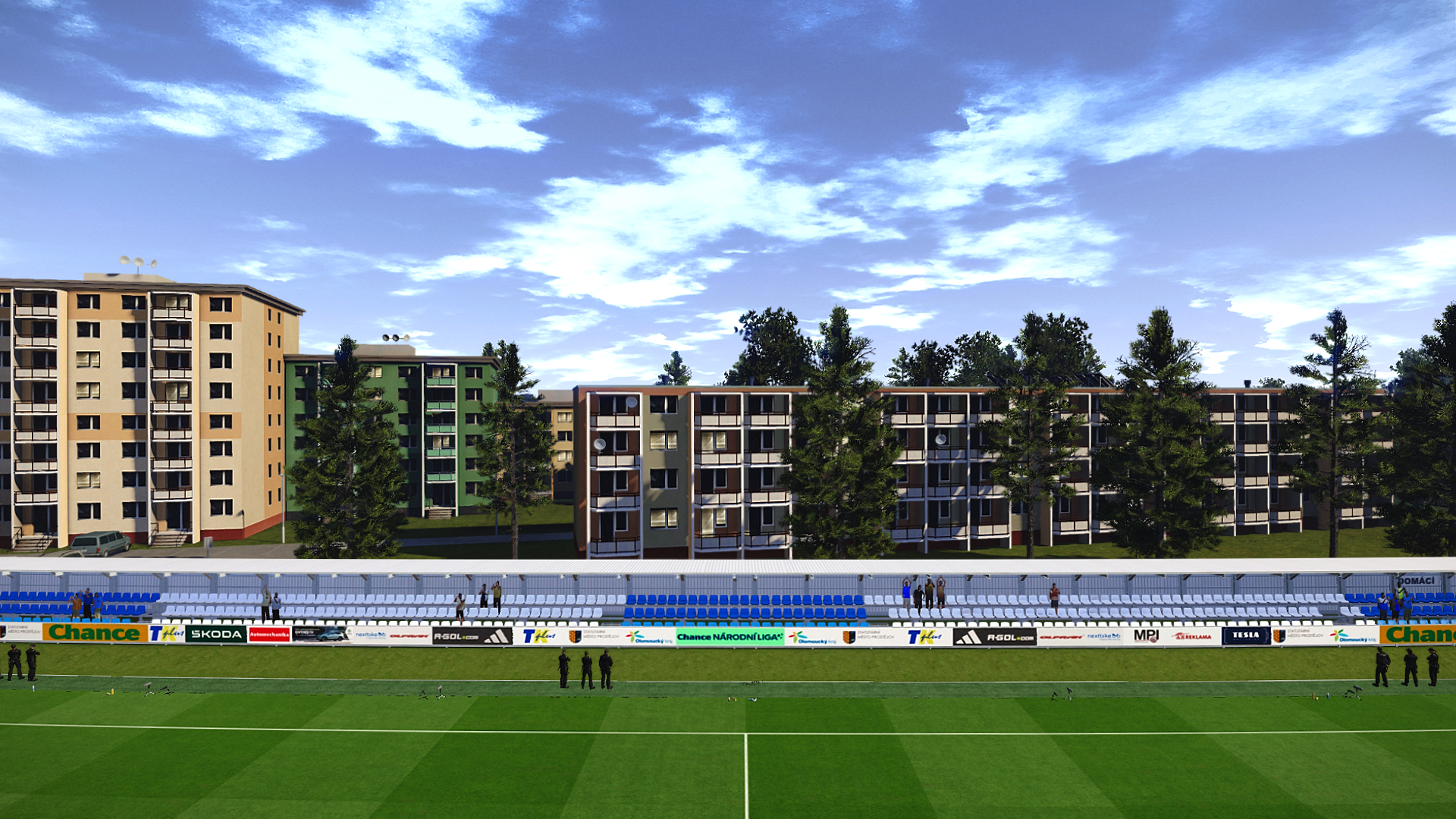
Estadio Das Antas (Estádio do Futebol Clube do Porto) made for eFootball Pro Evolution Soccer 2021 & SP Football Life 2026 by Arthur Torres.

Estádio das Antas was the third stadium of the Portuguese football club FC Porto. It was used between 1952 and 2004, replacing Campo da Constituição, and was later replaced by Estádio do Dragão.

Estadio Das Antas 90s -2004
ID Stadium: 009
ID Team: 192 (FC Porto)

How to Install:
Installing the PES 2021 Estadio Das Antas 90s -2004 mod is easy, and it only takes a few minutes. First, you'll need to download the stadium from the link below. Once you have the mod file, you'll need to extract it to your Stadium-Server folder ... sider\content \stadium-server

Open map_teams.txt with a text editor and copy this line inside map_teams.txt 
192, 009, Estádio das Antas, Estádio das Antas # FC Porto
FOR MANUAL SELECTION:
Go to map_competitions.txt in your Stadium-Server folder, then insert the following line:

0, 009,  Estádio das Antas, Estádio das Antas, , ,
Extract and copy the "Estádio das Antas" folder inside the Stadium-Server folder ...sider/content/stadium-server

Once you are in-game, you can select the stadium via manual selection by pressing number 9 and navigating to the stadium.

Credits:
Stadium made by Arthur Torres x.com/Arthur_Stadiums
G. Leroy (pesmodding.com) / blog writer.
Download "Stadium"
Please wait ...
If the download didn't start automatically, click here

PES 2021 Estadio Fernando Torres (CF Fuenlabrada)

PES 2021 Estadio Fernando Torres CF Fuenlabrada

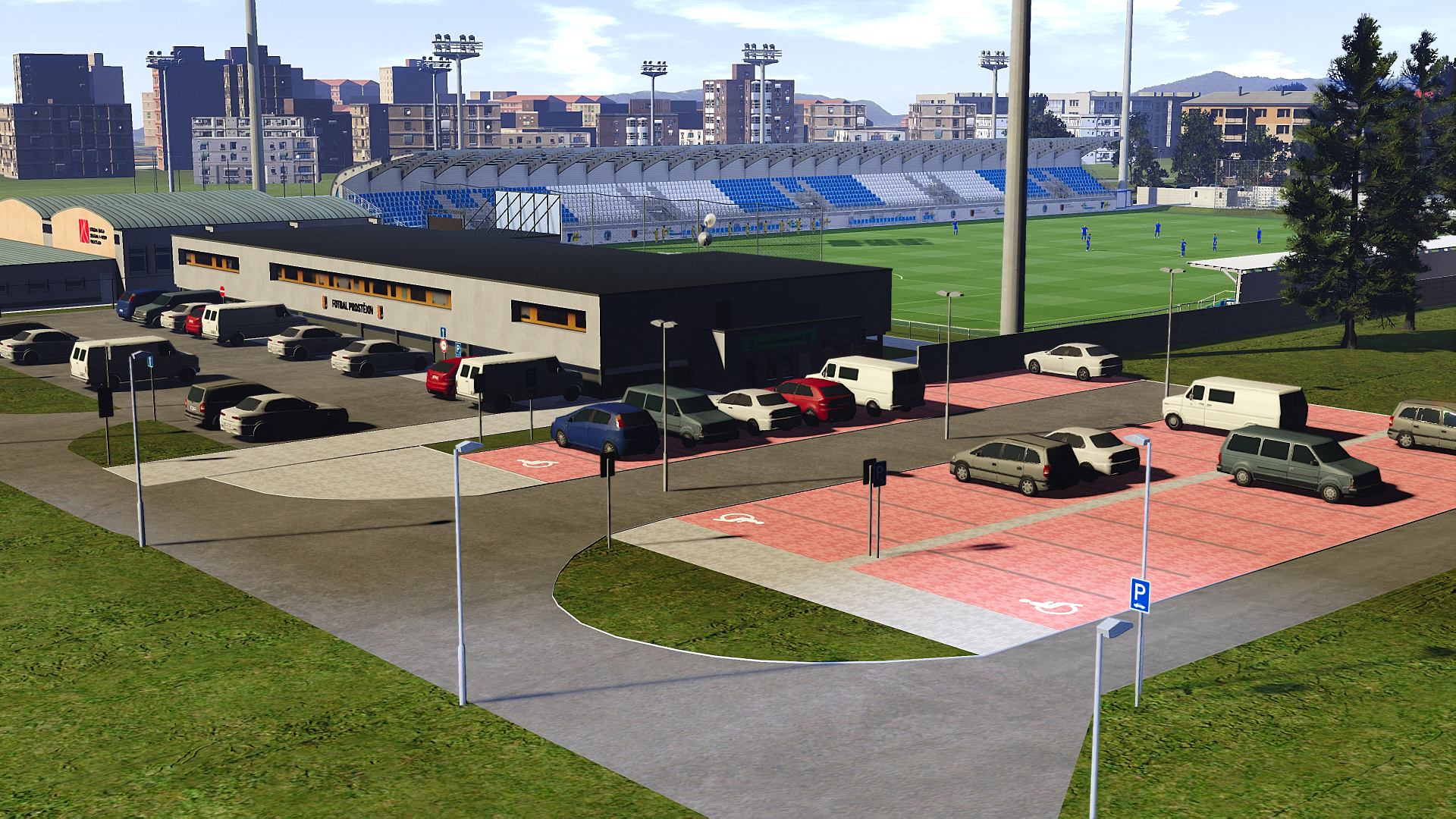
Estadio Fernando Torres released for eFootball Peo Evolution Soccer 2021 & SP Football Life PC Games by Arthur Torres. The Estadio Fernando Torres is a multi-use stadium located in Fuenlabrada, Community of Madrid, Spain, and is the home stadium of CF Fuenlabrada.

Estadio Fernando Torres
ID Stadium: 009
ID Team: -

How to Install the Stadium:

Installing the Estadio Fernando Torres is easy, and it only takes a few minutes. First, you'll need to download the stadium from the link below. Once you have the mod file, you'll need to extract it to your Stadium-Server folder
... sider\content \stadium-server

Go to map_competitions.txt in your Stadium-Server folder, then insert the following line:
0, 009,  Estadio Fernando Torres, Estadio Fernando Torres, , ,
Extract and copy the "Estadio Fernando Torres" folder inside the Stadium-Server folder ...sider/content/stadium-server

Once you are in-game, you can select the stadium via manual selection by pressing number 9 and navigating to the stadium.

Credits:
Stadium made by Arthur Torres x.com/Arthur_Stadiums
Base model by: Adam & The Kid
G. Leroy (pesmodding.com) / blog writer.
Download "Stadium"
Please wait ...
If the download didn't start automatically, click here

PES 2021 Estádio Cidade de Barcelos

PES 2021 Estádio Cidade de Barcelos

Estádio Cidade de Barcelos the home ground of Gil Vicente made for eFootball Pro Evolution Soccer 2021 & SP Football Life 2026 by WE_DP99_PES.

How to Install:
Installing the PES 2021 Estádio Cidade de Barcelos mod is easy, and it only takes a few minutes. First, you'll need to download the stadium from the link below. Once you have the mod file, you'll need to extract it to your Stadium-Server folder ... sider\content \stadium-server

Open map_teams.txt with a text editor and copy this line inside map_teams.txt 
2387, 009, Estádio Cidade de Barcelos, Estádio Cidade de Barcelos # Gil Vicente
FOR MANUAL SELECTION:
Go to map_competitions.txt in your Stadium-Server folder then insert the following line:
0, 009, Estádio Cidade de Barcelos, Estádio Cidade de Barcelos, , ,
Extract and copy the "Estádio Cidade de Barcelos" folder inside the Stadium-Server folder ...sider/content/stadium-server

Once you are in-game you can select the stadium via manual selection by pressing number 9 and navigating to the stadium.

Credits:
Stadium made by Du (WE_DP99_PES)
G. Leroy (pesmodding.com) / blog writer.

Download "Stadium"
Please wait ...
If the download didn't start automatically, click here

PES 2021/FL 2026 Etihad Stadium Expansion Update 2026

PES 2021/FL 2026 Etihad Stadium Expansion Update 2026

New Etihad Stadium 2026 (Stadium Expansion Update) made for eFootball Pro Evolution Soccer 2021 & SP Football Life 2026 by minhanh158. Includes a new Ethihat Stadium version with the new North Stand expanded.

Changelog
North Stand expanded.
New light added. Hundreds of spotlights are placed around the stadium and VIP. Pitch lights are adjusted as well.
New banners.
New turf. Different turfs/luts for different times/weathers.

How to Install the Stadium:

Installing the PES 2021 Etihad Stadium mod is easy, and it only takes a few minutes. First, you'll need to download the stadium from the link below. Once you have the mod file, you'll need to extract it to your Stadium-Server folder ... sider\content \stadium-server

Open map_teams.txt with a text editor and copy this line inside map_teams.txt 
173, 009, Etihad Stadium, Etihad Stadium # Manchester City
FOR MANUAL SELECTION:
Go to map_competitions.txt in your Stadium-Server folder then insert the following line:
0, 009, Etihad Stadium, Etihad Stadium, , ,
Extract and copy the "Etihad Stadium" folder inside the Stadium-Server folder ...sider/content/stadium-server

IMPORTANT: Make sure to update your Stadium-Server to v1.80 update

Credits:
PES 2021 Etihad Stadium Expansion made by minhanh158, original stadium model by captain8lunt & papijonnnn
G. Leroy (pesmodding.com) / blog writer


Download "Stadium"
Please wait ...
If the download didn't start automatically, click here

PES 2021 McDonald Jones Stadium (Newcastle Jets)

PES 2021 McDonald Jones Stadium Newcastle Jets

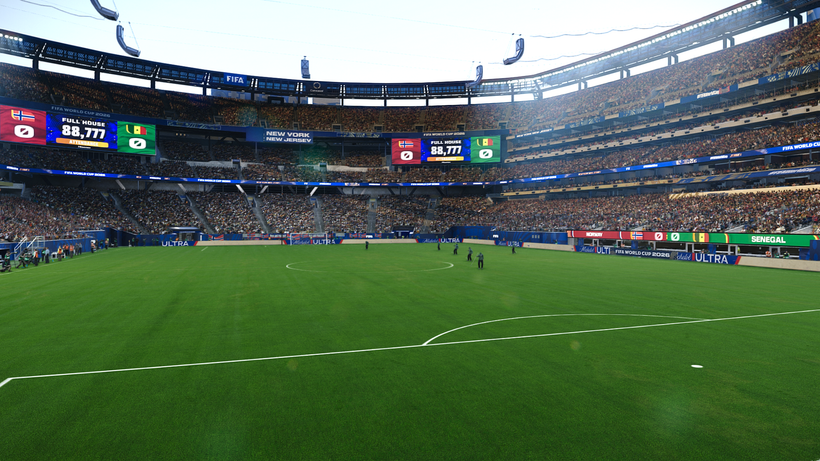
Newcastle International Sports Centre, also known as McDonald Jones Stadium, the home ground of Newcastle Jets FC, made for eFootball Pro Evolution Soccer 2021 & SP Football Life 2026 by Cpl_Tabouli.

Team ID: –
Stadium ID: 009

How to Install the Stadium:

Installing the PES 2021 McDonald Jones Stadium mod is easy, and it only takes a few minutes. First, you'll need to download the stadium from the link below. Once you have the mod file, you'll need to extract it to your Stadium-Server folder ... sider\content \stadium-server

Open map_teams.txt with a text editor and copy this line inside map_teams.txt 
ADD TEAM ID HERE, 009, McDonald Jones Stadium, McDonald Jones Stadium  # Central Coast Mariners

FOR MANUAL SELECTION:
Go to map_competitions.txt in your Stadium-Server folder then insert the following line:
0, 009, McDonald Jones Stadium, McDonald Jones Stadium, , ,
Extract and copy the "McDonald Jones Stadium" folder inside the Stadium-Server folder ...sider/content/stadium-server

Once you are in-game, you can select the stadium via manual selection by pressing number 9 and navigating to the stadium.

Credits: 
PES 2021 McDonald Jones Stadium made by Cpl_Tabouli
G. Leroy (pesmodding.com) / blog writer.
Download "Stadium"
Please wait ...
If the download didn't start automatically, click here

FIFA World Cup 2026 Stadium Pack + Banners & Official Adboards | FL26 & PES 2021

FIFA World Cup 2026 Stadium Pack + Banners & Official Adboards | FL26 & PES 2021

FIFA World Cup 2026 Stadium Pack released for eFootball Pro Evolution Soccer 2021 & SP Football Life 2026 by the YouTuber CRIX. Includes all 16 World Cup 2026 stadiums, with their official banners and adboards.

Features:
  • PES 2021 FIFA World Cup 2026 Stadium Pack
  • PES 2021 FIFA World Cup 2026 Banners
  • PES 2021 FIFA World Cup 2026 Official Adboards

How to Install:
Watch this video for how to install the stadium installation tutorial; instructions start at 02:01 minute.
Stadium maps are in the download folder.

PREVIEW:

Download links: (the MediaFire link is a notepad file containing the download links; in this case, there are 8 parts since it doesn't allow larger parts than Google Drive)

Credits:
0coolmods, gogoszpatch, CRIX
G. Leroy (pesmodding.com) / blog writer

PASSWORD: WC26STADIUMS

Download "Stadiums"
Please wait ...
If the download didn't start automatically, click here

PES 2021/SP Football Life 2026 Changlimithang Stadium (Bhutan)

PES 2021/SP Football Life 2026 Changlimithang Stadium

Changlimithang Stadium, Bhutan, made for eFootball Pro Evolution Soccer 2021 & SP Football Life by Drogond, original 3D mode made by Dinei.

Changlimithang Stadium is a multi-purpose stadium in Thimphu, Bhutan, is the home of the Bhutan national football team, and a number of Thimphu-based football clubs.

Changlimithang Stadium, Bhutan
ID Stadium: 009
ID Team:
Author 3D model: Dinei

How to Install the Stadium:

Installing the Changlimithang Stadium is easy, and it only takes a few minutes. First, you'll need to download the stadium from the link below. Once you have the mod file, you'll need to extract it to your Stadium-Server folder
... sider\content \stadium-server

Go to map_competitions.txt in your Stadium-Server folder then insert the following line:
0, 009,  Changlimithang Stadium, BHU - Changlimithang Stadium, , ,
Extract and copy the "BHU - Changlimithang Stadium" folder inside the Stadium-Server folder ...sider/content/stadium-server

Once you are in-game you can select the stadium via manual selection by pressing number 9 and navigating to the stadium.

Credits:
Stadium made by Drogond https://x.com/Drogond_Uy
G. Leroy (pesmodding.com) / blog writer.
Download "Stadium"
Please wait ...
If the download didn't start automatically, click here

PES 2021 Preußenstadion (SC Preußen Münster)

PES 2021 Preußenstadion SC Preußen Münster

Preußenstadion, also known as LVM-Preußenstadion (for sponsorship reasons), the home ground of the Bundesliga German team Munster FC, made for eFootball Pro Evolution Soccer 2021 & SP Football Life 2026 by Hobbit.

Features:
  • Preußenstadion (Münster FC Stadium)
  • Compatible with PES 2021 & FL

How to Install:
Installing the PES 2021 Preußenstadion Stadium mod is easy, and it only takes a few minutes. First, you'll need to download the stadium from the link below. Once you have the mod file, you'll need to extract it to your Stadium-Server folder ... sider\content \stadium-server

Open map_teams.txt with a text editor and copy this line inside map_teams.txt 
ADD TEAM ID HERE, 032, Preußenstadion, Preußenstadion # Münster
FOR MANUAL SELECTION:
Go to map_competitions.txt in your Stadium-Server folder, then insert the following line:
0, 032, Preußenstadion, Preußenstadion, , ,
Extract and copy the "Preußenstadion" folder inside the Stadium-Server folder ...sider/content/stadium-server

Once you are in-game, you can select the stadium via manual selection by pressing number 9 and navigating to the stadium.


Credits:
PES 2021 Preußenstadion Stadium made by Hobbit
G. Leroy (pesmodding.com) / blog writer.

Download "Preußenstadion"
Please wait ...
If the download didn't start automatically, click here

PES 2021 Prince Moulay Abdellah Stadium (Rabat, Morocco)​

PES 2021 Prince Moulay Abdellah Stadium Rabat, Morocco​

Prince Moulay Abdellah Stadium (Rabat, Morocco)​ made for eFootball Pro Evolution Soccer 2021 PC Games and SP Football Life 2026 by Papijonnnn in collaboration with Maildesain.

Features & Improvements
360° TV Screen System 
Spotlights & Lighting
Morocco & AFCON-inspired branding 
Accurate Stadium Scale 

Requirements
You MUST have the newest stadium-server v1.80 update that supports AddOn. This includes the new multi-id feature, which is needed for the TV Screen "Team Names" feature to work properly. Huge thanks to zlac for updating this.

How to Install:
Installing the PES 2021 Prince Moulay Abdellah Stadium mod is easy, and it only takes a few minutes. First, you'll need to download the stadium from the link below. Once you have the mod file, you'll need to extract it to your Stadium-Server folder ... sider\content \stadium-server

Open map_teams.txt with a text editor and copy this line inside map_teams.txt 
46, 032, Prince Moulay Abdellah Stadium, Prince Moulay Abdellah Stadium by @maildesain & papijonnnn# Morocco NT
FOR MANUAL SELECTION:
Go to map_competitions.txt in your Stadium-Server folder, then insert the following line:
0, 032, Prince Moulay Abdellah Stadium, Prince Moulay Abdellah Stadium by @maildesain & papijonnnn, , ,
Extract and copy the "Prince Moulay Abdellah Stadium by @maildesain & papijonnnn" folder inside the Stadium-Server folder ...sider/content/stadium-server

Once you are in-game you can select the stadium via manual selection by pressing number 9 and navigating to the stadium.

Credits:
PES 2021 Prince Moulay Abdellah Stadium made by © maildesain x papijonnnn, 2026​
G. Leroy (pesmodding.com) / blog writer.

Author's Note:
Do not re-upload this stadium to any other media/file-sharing platforms without permission. Use my original links!​
Do not include my stadiums in any paid patches or blogs behind paywall links. I'm talking to you, LK Mods, Fanurex, PrayudiStargames, and others.​
Also, do not change the light files, as this will cause you to lose the VIP room spotlights and mess up the creator's vision and expertise, as we have spent hours positioning and placing everything to get as close to its real-life counterpart as possible.

Download "Stadium"
Please wait ...
If the download didn't start automatically, click here

PES 2021 Stade Abdoulaye Wade (Sénégal)

PES 2021 Stade Abdoulaye Wade, Sénégal

The Diamniadio Olympic Stadium, officially known as the Stade Abdoulaye Wade, Sénégal, made for eFootball Pro Evolution Soccer 2021 & SP Football Life PC Games by Drogond.

Stade Abdoulaye Wade, Sénégal
ID Stadium: 009
ID Team: 38
Autor 3D model: The 3D model is not mine; it belongs to another editor.

How to Install:
Installing the PES 2021 Stade Abdoulaye Wade mod is easy, and it only takes a few minutes. First, you'll need to download the stadium from the link below. Once you have the mod file, you'll need to extract it to your Stadium-Server folder ... sider\content \stadium-server

Open map_teams.txt with a text editor and copy this line inside map_teams.txt 
038, 009, SEN- Stade Abdoulaye Wade du Sénégal, Stade Abdoulaye Wade # Sénégal
FOR MANUAL SELECTION:
Go to map_competitions.txt in your Stadium-Server folder then insert the following line:
0, 009, SEN- Stade Abdoulaye Wade du Sénégal, Stade Abdoulaye Wade, , ,
Extract and copy the "SEN- Stade Abdoulaye Wade du Sénégal" folder inside the Stadium-Server folder ...sider/content/stadium-server

Once you are in-game you can select the stadium via manual selection by pressing number 9 and navigating to the stadium.


Credits:
Stadium made by Drogond https://x.com/Drogond_Uy
G. Leroy (pesmodding.com) / blog writer.

Download "Stadium"
Please wait ...
If the download didn't start automatically, click here

PES 2021 Estádio do Rio Ave FC 2026

PES 2021 Estádio do Rio Ave FC 2026 - Estadio dos Arcos

The Estádio do Rio Ave FC, also known as Estadio dos Arcos, the home ground of Primeira Liga club Rio Ave, made for eFootball Pro Evolution Soccer 2021 and SP Football Life 2026 PC Games by Du
(WE_DP99_PES)

How to Install:
Installing the PES 2021 Estádio do Rio Ave FC (Estadio dos Arcos) mod is easy, and it only takes a few minutes. First, you'll need to download the stadium from the link below. Once you have the mod file, you'll need to extract it to your Stadium-Server folder ... sider\content \stadium-server

Open map_teams.txt with a text editor and copy this line inside map_teams.txt 
1979, 009, Estádio do Rio Ave FC, Estádio do Rio Ave FC # Rio Ave FC
FOR MANUAL SELECTION:
Go to map_competitions.txt in your Stadium-Server folder then insert the following line:
0, 009, Estádio do Rio Ave FC, Estádio do Rio Ave FC, , ,
Extract and copy the "Estádio do Rio Ave FC" folder inside the Stadium-Server folder ...sider/content/stadium-server

Once you are in-game you can select the stadium via manual selection by pressing number 9 and navigating to the stadium.

Credits:
Stadium made by Du (WE_DP99_PES)
G. Leroy (pesmodding.com) / blog writer.

To be able to see the download button, you must turn off your AdBlock

PES 2021 Decathlon Arena (Stade Pierre-Mauroy) - Lille, France by Papijonnnn

PES 2021 Decathlon Arena Stade Pierre-Mauroy - Lille, France by Papijonnnn

This release brings Stade Pierre-Mauroy to PES 2021 through a deep reconstruction process. While the base structure originates from the EAFC 26 model, virtually everything you see in-game has been rebuilt, corrected, or replaced using 100% Konami PES 2021 textures and workflows to ensure the stadium blends naturally with the rest of the game.

The goal was simple: make the stadium feel like Konami themselves shipped it with PES 2021.
From lighting behavior to object placement, staff positioning, ad boards, and cutscene presentation, every detail has been carefully adjusted to match real matchday broadcasts and PES engine standards.

This project focuses heavily on uniformity and immersion, eliminating the typical “ported stadium” look by replacing assets, correcting geometry, and integrating PES-native systems wherever possible.

PES 2021 Decathlon Arena

How to Install:
Requirements: You must have the newest stadium-server 1.80 update that supports AddOn and .geom capabilities. This includes the new multi-id feature and the ability to add rebound hitboxes to adboards so that the ball does not go through adboards anymore. 

Installing the PES 2021 Decathlon Arena (Stade Pierre-Mauroy) mod is easy, and it only takes a few minutes. First, you'll need to download the stadium from the link below. Once you have the mod file, you'll need to extract it to your Stadium-Server folder ... sider\content \stadium-server

Open map_teams.txt with a text editor and copy this line inside map_teams.txt 
213, 032, Stade Pierre-Mauroy, Decathlon Arena # Lille
FOR MANUAL SELECTION:
Go to map_competitions.txt in your Stadium-Server folder then insert the following line:
0, 032, Stade Pierre-Mauroy, Decathlon Arena, , ,

Extract and copy the "Stade Pierre-Mauroy" folder inside the Stadium-Server folder ...sider/content/stadium-server

Once you are in-game you can select the stadium via manual selection by pressing number 9 and navigating to the stadium.

Credits
Decathlon Arena made papijonnnn
Dragovic Lighting calibration and LightManager development
DAV PES LightManager tool
zlac Stadium Server update
humbertocoe XML object placement tool
77oshua/PESPatchGuatemala Tunnel camera plugin and flag animation tool
Balkan PESBOX UCL & UEL ad banner textures
matservant Help with reference photos and sponsor textures (He's a Lille fan and has been to the ground!)
G. Leroy (pesmodding.com) / blog writer.

Download "Stadium"
Please wait ...
If the download didn't start automatically, click here

PES 2021 Štadion Sihoť - AS Trenčín​

PES 2021 Štadion Sihoť - AS Trenčín​

Experience the atmosphere of Štadion Sihoť, the home ground of AS Trenčín, recreated for eFootball PES 2021 and SP Football Life PC by talented stadium maker Chosefs. 

This detailed stadium mod brings the Slovak venue to life with realistic architecture, accurate textures, and an authentic matchday atmosphere, making your Master League and exhibition matches even more immersive.

How to Install:

Installing the PES 2021 Štadión Sihoť mod is easy, and it only takes a few minutes. First, you'll need to download the stadium from the link below. Once you have the mod file, you'll need to extract it to your Stadium-Server folder ... sider\content \stadium-server

Open map_teams.txt with a text editor and copy this line inside map_teams.txt 
ADD TEAM ID HERE, 009, Štadion Sihoť, Štadión Sihoť # AS Trenčín​
FOR MANUAL SELECTION:
Go to map_competitions.txt in your Stadium-Server folder then insert the following line:
0, 009, Štadion Sihoť, Štadión Sihoť, , ,

Extract and copy the "Štadión Sihoť" folder inside the Stadium-Server folder ...sider/content/stadium-server

Once you are in-game you can select the stadium via manual selection by pressing number 9 and navigating to the stadium.

Credits:
Stadium made by Chosefs
G. Leroy (pesmodding.com) / blog writer.


Download "Stadium"
Please wait ...
If the download didn't start automatically, click here

PES 2021 Estádio D. Afonso Henriques (Vitória S.C)

PES 2021 Estádio D. Afonso Henriques Vitória S.C
Estádio D. Afonso Henriques (English: D. Afonso Henriques Stadium) made for eFootball Pro Evolution Soccer 2021 & SP Football Life 2026 by Du (WE_DP99_PES). Estádio D. Afonso Henriques is the home of Guimarães's most successful team, Vitória de Guimarães.

Stadium ID: 009
Team ID: 1804

How to Install:

Installing the PES 2021 Estádio D. Afonso Henriques mod is easy, and it only takes a few minutes. First, you'll need to download the stadium from the link below. Once you have the mod file, you'll need to extract it to your Stadium-Server folder ... sider\content \stadium-server

Open map_teams.txt with a text editor and copy this line inside map_teams.txt 
1804, 009, Estádio D. Afonso Henriques, Estádio D. Afonso Henriques # Vitória Sport Clube
FOR MANUAL SELECTION:
Go to map_competitions.txt in your Stadium-Server folder then insert the following line:
0, 009, Estádio D. Afonso Henriques, Estádio D. Afonso Henriques, , ,

Extract and copy the "Estádio D. Afonso Henriques" folder inside the Stadium-Server folder ...sider/content/stadium-server

Once you are in-game you can select the stadium via manual selection by pressing number 9 and navigating to the stadium.

Credits:
Stadium made by Du (WE_DP99_PES)
G. Leroy (pesmodding.com) / blog writer.

Download "Stadium"
Please wait ...
If the download didn't start automatically, click here

Signal Iduna Park (Westfalenstadion) 2026 Update for PES2021/Football Life 26 - Free Download

Signal Iduna Park Westfalenstadion 2026 Update for PES2021/Football Life 26 - Now Available!

Made by stadium creator FletchAJX, this new version of Signal Iduna Park for eFootball Pro Evolution Soccer 2021 and SP Football Life 2026 started as a small update but quickly became a full remake. 

After almost 3 months of work, the stadium now looks and feels much closer to the real home of Borussia Dortmund. Many details were improved to create a better atmosphere and a more realistic match experience, making this the best and most complete version of Signal Iduna Park for PES 2021.

Features & Improvements
  • Many textures around the stadium have been reworked by FletchAJX for a cleaner and more realistic look.
  • New floodlight models and placement have been added to match the real-life stadium updates made before Euro 2024. Since the eFootball 2026 model still used the old version, FletchAJX manually added the updated lights along with a new halo lighting system for better realism.
  • Lighting has been completely rebuilt for all weather and time conditions using Konami light files as a base, with custom values created specifically for Signal Iduna Park.
  • Realistic seasonal changes have been added, meaning winter matches now look very different from summer and spring matches during both daytime and nighttime games. Floodlights also behave more realistically depending on match time and weather conditions.
  • Custom LUTs for all weather and lighting conditions were created from scratch by FletchAJX using real-life images as a reference to give the stadium a more realistic broadcast look.
  • Pitch colour and turf quality have been improved to better match the new lighting and LUTs.
  • New solar panels were added to the stadium roof to recreate the real-life logo mosaic visible during the Konami aerial entrance.
  • The famous Yellow Wall has been improved with better crowd spacing, updated seat plans, and new flags and decorations to create a stronger match atmosphere with no more visible gaps.
  • All ads for league, UEFA Champions League, and Europa League matches have been fully updated.
  • Adboard positioning has been improved, with new double adboards and carpet ads added for home league matches.
  • The scarecrow has been fixed and improved to display correctly during league and European competitions.
  • Reflection cube maps for the stadium glass, originally ported from PES 2018, have also been fixed.
  • A new stadium screen has been added, thanks to papijonnnn.
  • General fixes and performance improvements have also been included.


Requirements
This stadium has custom adboard models by Arl for all competitions. If you're not using ARL adboards you will need to copy the adboard folders in common/bill and rename them to what you are using in order for the adboard models to display correctly. To do this you do the following;
  1. Navigate to the stadium root asset/model/bill, you’ll see 4 folders.
  2. My league ads are ‘ger_dortmund’, the UEL and UCL ads are also named in there.
  3. You will need to copy and paste the folder I've placed in bill and rename it to whatever your adboards are called.
  4. You can check what yours are by going into your livecpk/adboards folder in the main game directory and looking at your config to see which you’ve assigned to Dortmund

Custom Broadcast Cam
broad_angle = 65.00
broad_height = 0.22
broad_param1 = -31.00
broad_param2 = 36.00
broad_param3 = 50.00
broad_pitch = 2.00
broad_zoom = 14.50

Credits & Thanks
FletchAJX
_TheSpecialOne_ - for the original version of the stadium ported from PES 2018
Dragovic - for his help and sharing of knowledge of all things light related. Although these light files had to remade from scratch a number of the parameters were mirrored from his excellent 'Helios' lighting he had already created for this stadium.
DAV - PES LightManager Tool
Fer10 - for allowing me to use a number of flag materials/textures he created
papijonnnn & bluestillidie00 - incredibly grateful for the consistent support, advice and wealth of knowledge shared by both throughout this project. Custom TV made from scratch by @papijonnnn as well as a great deal of textures edited and fixed by the texture master himself @bluestillidie00, thanks again lads, would not have been possible without you both.
balboaSte - for creation of the Tifo seen in the trailer
G. Leroy (pesmodding.com) / blog writer


To be able to see the download button, you must turn off your AdBlock

© 2020 — 2025 PES Modding. Disclaimer Privacy Policy About Us




