Showing posts with label PES 2021 Modules. Show all posts

PES 2021 KitPos – Free Positioning For Names & Numbers (sider module)

PES 2021 KitPos – Free Positioning For Names & Numbers

Freely move back Names, back, pants, and chest using sider with KitPos released for eFootball Pro Evolution Soccer 2021 by PES EDITO RREBUILT.

KitPos removes the integer "steps" that the game uses to place kit text, so you can position names and numbers freely, with decimal precision, live in the kit editor. 

How it works: The game converts kit values (NameY 0-39, BackNumberY 0-29, etc.) into float positions inside PES2021.exe v1.07.02. KitPos hooks right after that conversion and replaces those floats with your own values.

No DLL needed – it is a plain sider Lua module. What you can adjust (per kit, or for the whole team at once)- Name: height, scale- Back number: height, scale, spacing- Chest number: horizontal, height, scale- Shorts number: horizontal, height, scale (+ mirror to the other leg)Features- Live editing in the sider overlay; the kit refreshes instantly- Shows the equivalent kserv step next to every value

Team map: settings are stored by team ID ([equipo 1234], [equipo 1234 p2], [equipo 1234 gk]); kit slots are assigned automatically, nothing to edit in config.txt- Works together with kserv; kserv configs are never modified- English / Spanish interface (L key)

Controls: (game input is blocked while the KitPos overlay is open)
Up/Down: select field | Left/Right: move (Ctrl = fine, Shift = coarse)Tab: this kit / whole team | Del: back to game value | M: shorts number to other legG: save | C: reload | Space: hide overlayRequirements
- PES 2021 (v1.07.02 exe) + sider 7.x with luajit.ext.enabled = 1- kserv recommendedInstall1.
Copy kitpos.lua to sider\modules2. Add lua.module = "kitpos.lua" to sider.ini, below kserv.lua3. Start the game, go to Edit > Teams > Kits, switch the overlay to KitPosSettings are saved to sider\content\kitpos\kitpos_slots.ini

Credits: 
KitPos by PES EDITO RREBUILT
juce (sider), kserv authors.

Download "KitPos"
Please wait ...
If the download didn't start automatically, click here

PES 2021 Crowd Attendance Module V2.0 - Exhibition, Cup Mode, Master League, BAL

PES 2021 Crowd Attendance Module - Exhibition, Cup Mode, Master League, BAL

Crowd Attendance Module 2.0 - New Features: Winter Clothing, Tier Priority, More Realistic Spread
made by FletchAJX

A sider module made by FletchAJX for PES 2021 that lets you set the home and away crowd attendance yourself, separately, from 0% to 100%. It works in Exhibition as well as Master League, so you can finally have half-empty grounds for any match across all modes as you see fit.

New in 2.0, the crowd also looks like a real ground at that attendance: fans sit together in groups, the best seats fill first, chosen clubs fill their upper tier first, and in winter the crowd wears coats.

Features
  • Set home and away attendance independently (0–100%)
  • Works in Exhibition, Master League and every other mode
  • Natural seating – instead of an even sprinkle of fans, a part-full stand has groups of fans sitting together along the rows, with empty patches in between
  • Realistic spread (key 4) – blocks near the halfway line and the lower tiers fill first, corners and upper tiers empty first, with natural variation between neighbouring blocks
  • Tier priority (key 2) – AUTO / LOWER / UPPER. AUTO fills the lower tier first by default; clubs whose fans really fill the top first (Napoli is built in) fill their upper tier front to back, and the lower tier only opens once the upper is around 80% full
  • Your own tier rules – add any club to crowd_attendance.ini as upper or lower first; edits apply to the next match, no restart needed
  • Winter clothing (key 3) – AUTO / ALWAYS / OFF. In winter matches most of the crowd wears coats in a range of colours and shades, so far fewer club colours are on show. Skin tones and hair are untouched. Switches per match, no restart needed
  • Simple ON/OFF toggle – when it's OFF the game sets the crowd itself
  • Hold the keys to change values quickly (speeds up after a second)
  • No hard-coded addresses – the module finds the game code itself
  • Does nothing while the game boots; it only acts when a match is set up

Requirements
PES 2021 (Steam, latest update)
sider 7.x

How to Install:
1. Copy the modules and content folders from the download into your Sider 7 folder (the folder with sider.ini), merging with what's already there. You should end up with:
modules\crowd_attendance.lua
content\Crowd Attendance\crowd_attendance.ini
content\Crowd Attendance\Winter\   (5 files)
2. Open sider.ini with any text editor and add this line under your other modules:
lua.module = "crowd_attendance.lua"
3. For winter clothing, make sure sider.ini also has this line (most setups already do):
luajit.ext.enabled = 1
Without it, everything else still works – the overlay will just show winter clothing as unavailable.
4. Start the game with sider as usual

How to Use:
Open the Sider overlay and select the Crowd Attendance page, then:
  • 6 / 7 – select Home / Away
  • 8 / 9 – decrease / increase (hold to repeat)
  • 0 – module ON / OFF
  • 4 – realistic spread ON / OFF
  • 2 – tier priority AUTO / LOWER / UPPER
  • 3 – winter clothing AUTO / ALWAYS / OFF
Set your values before you start the match – they apply to the next match you load.

Tier rules (crowd_attendance.ini)
Found in content\Crowd Attendance\. Add one line per club under [tier_priority], using the team ID:
[tier_priority]
327 = upper    ; Napoli
103 = lower    ; any club you want lower-first
Teams not listed fill the lower tier first. Only used when tier priority is on AUTO.


Notes
Very low home attendance (around 10% with 0% away) can leave the game stuck on the loading screen. Home 50% and above has always loaded fine in testing, so if you go lower, go gradually.
Some custom stadiums don't handle reduced crowds correctly and may show empty stands with any custom value. That's down to the stadium itself, not the module – please report it to the stadium's creator.

Credits
Crowd Attendance Modulereleased by FletchAJX
GRAND – for the original idea with his Master League version
balboaSte & seratonin – for finding the original code in the FootballLife26.exe that made the crowd fix possible

Download "Crowd Attendance 2.0"
Please wait ...
If the download didn't start automatically, click here

PES 2021 Carabao Cup Mod by Dre Modding

PES 2021 Carabao Cup Mod by Dre Modding

The PES 2021 Carabao Cup Mod by Dre Modding adds the Carabao Cup competition to PES 2021, allowing you to enjoy another English cup competition in the game. This mod is designed as a standalone addition and does not replace or remove the existing FA Cup, so both competitions can remain available in your game.

What This Mod Does​
  • Adds the Carabao Cup competition to PES 2021.
  • Does not replace or remove the FA Cup
  • Designed as a standalone Carabao Cup addition.

What This Mod Does Not Include​
  • No additional competitions.
  • No Champions League or Europa League format.
  • No custom scoreboard.
  • No competition intro.
  • No custom trophy presentation or additional graphics.

Compatibility​
  • Game: PES 2021 only.
  • Platform: Steam version only.
  • Data Pack: Data Pack 7.
  • Version: 1.7.2.0.

Important​
  • This mod will not work with other PES games.
  • The DLL is hard-coded specifically for PES 2021, Version 1.7.2.0. The code signature will not match other game versions.
  • It will not work directly with SP Football Life 2026 unless the executable is reverse-engineered and the code adapted for compatibility.
  • A separate version for SP Football Life 2027 will be created once the game is released.

Credits and Permissions​
  • You are free to use and share this mod.
  • Please give credit to "Dre Modding" when using or sharing my work.
  • If you encounter any problems or bugs, please contact me.

Credits: 
PES 2021 Carabao Cup Mod by Dre Modding
G. Leroy (pesmodding.com) / blog writer.

Download "Carabao Cup Mod"
Please wait ...
If the download didn't start automatically, click here

PES 2021/FL 2026 Custom Celebrations | Add New Celebration Slots

PES 2021/FL 2026 Custom Celebrations | Add New Celebration Slots

PES Custom Celebrations, a Sider mod released by Adzk that lets you add new goal celebrations to eFootball Pro Evolution Soccer 2021 & SP Football Life 2026 in custom slots.

The mod includes Bellingham’s celebration in slot 163 as a demonstration. It is not assigned to any player by default. You can assign it to any player in Edit mode and use it in matches.

The package also includes an SDK with instructions for adding your own celebrations, manually or with help from an AI assistant.

FEATURES
  • Supports up to 32 custom celebration slots, numbered 163–194.
  • Includes Bellingham’s celebration as a demonstration in slot 163.
  • Custom celebrations can be selected in Edit mode and used in matches.
  • Supports adding, replacing, and removing celebrations without restarting the game after the controller is installed.
  • Automatically loads the last applied celebration configuration when you restart the game.
  • Includes a Sider panel showing the active celebration count, status, and available reloads.
  • Includes installation instructions, SDK tools, and authoring guides in English.
  • Includes separate installation versions for PES 2021 Base, GoalScenes and Football Life 2026.

REQUIREMENTS
For the PES 2021 versions:
PES 2021 PC on 64-bit Windows.
Compatible PES2021.exe version 1.07.02, internal version 1.7.2.0.
Sider 7.3.3 or 7.3.4, with LiveCPK, Lua, and LuaJIT extensions enabled.
For Football Life 2026:

Football Life 2026 with its Sider setup.
The dedicated Football Life 2026 version is included in the package.
Python is only required for the SDK. You do not need Python to install the mod or use the included Bellingham celebration.

CHOOSE YOUR VERSION
The ZIP contains three installation versions.

Custom Celebrations - PES 2021 Base:
Use this version with PES 2021 and Sider 7.3.3 or 7.3.4, with the supported standard goal-scene table and GoalScenes disabled.

Custom Celebrations - Compatible with GoalScenes:
Use this version if GoalScenes is already installed and enabled, with a matching table profile. GoalScenes itself is not included.

Custom Celebrations - Football Life 2026:
Use this dedicated adaptation for Football Life 2026. Follow the installation instructions included in its folder.

Install only the version that matches your setup. Do not mix files from different versions. Compatibility with every patch, executable, or GoalScenes revision is not guaranteed.

INSTALLATION
Close the game and Sider. Back up your sider.ini, EDIT save and any previous installation of the mod.
Open the appropriate version inside the Install folder.
Follow its HOW TO INSTALL instructions and copy its modules and content folders into your Sider folder, where sider.exe is located.
Check that these settings are enabled in sider.ini. Edit existing settings instead of adding duplicates:
livecpk.enabled = 1
lua.enabled = 1
luajit.ext.enabled = 1

Add the module entry specified in your chosen version’s instructions. For the PES 2021 versions, add this entry once:
lua.module = "PESCustomCelebrationsReload.lua"

If you use GoalScenes, place the custom celebrations entry before your existing GoalScenes module. For example:

lua.module = "PESCustomCelebrationsReload.lua"
lua.module = "GoalScenes.lua"

Keep the actual name of your existing GoalScenes module and do not duplicate its entry.

Football Life 2026 users should use the module entry specified in that version’s HOW TO INSTALL file.

Start the game with Sider. Press Space and select the PES CUSTOM CELEBRATIONS panel. It should show one custom celebration loaded.
Go to Edit → Players → select a player → Movements → Goal Celebration.
Set one of the player’s celebration slots to the custom celebration ID you want to use, preview it, confirm, and save your changes.
For example, the included Bellingham celebration uses ID 163. Additional celebrations can use IDs 164–194. Once assigned and saved, they will remain assigned when you restart the game with the mod enabled.

RELOADING CELEBRATIONS WITHOUT CLOSING THE GAME

First, use the SDK to publish an update containing your complete desired celebration list. Use the tools and profile appropriate to your installed version. Then:

  1. Return to the main menu.
  2. Open the PES CUSTOM CELEBRATIONS panel in Sider.
  3. Press F7 and wait for “Update ready”.
  4. Close the panel and re-enter Edit, select a team/player, or prepare a new match.
  5. Check for “Active; update applied” and preview the celebration.
  6. F7 prepares the update. It does not apply it immediately.

F8 cancels a pending update. It does not undo an update that has already been applied.

Up to 15 additional update preparations are available per game session. Cancelled preparations also count. Restart the game to restore the available capacity.

Removed slots fall back to vanilla celebration 1. Existing slot IDs are not renumbered.

Do not delete generation files while the game is running. Do not use Sider’s Shift+R to reload this module. Controller changes and switching installation versions still require a restart.

ADDING YOUR OWN CELEBRATIONS
The SDK includes manual instructions, instructions for working with an AI assistant, AI_INTEGRATION_GUIDE.md, build/update tools, example assets, and automated tests.

The SDK requires native PES animation and scene files. It does not automatically convert videos, Blender animations, FBX files, or EA FC assets into PES animations.

Use the included guides to prepare your files, choose an unused slot, and build or publish the updated celebration list for your installation version.

Credits:
PES 2021/FL 2026 Custom Celebrations mod made by Adzk 

Download "Custom Celebrations"
Please wait ...
If the download didn't start automatically, click here

FL26 & PES 2021 Chatty Auto Lineup v1.0.2 - Native By Form / By Ability / No Preference for Both Teams

FL26 & PES 2021 Chatty Auto Lineup v1.0.2 - Native By Form / By Ability / No Preference for Both Teams

Chatty Auto Lineup is a Sider Lua module that asks a supported Football Life 2026 or PES 2021 build to run its own native Auto Lineup logic.​

It can apply the selected Auto Lineup route to both teams or only to the CPU-controlled opponent, regardless of whether the player is controlling the home or away team.

It does not use a custom player-ranking algorithm. The detected game still handles positions, formation compatibility, goalkeeper rules, substitutes, condition/form, injuries, suspensions, ratings, and the final XI.

The module only asks the game to run its native By Form, No Preference, or By Ability route.

Features
  • Uses the supported game’s own native Auto Lineup logic—no custom player-ranking algorithm.
  • Available selections: FORM, NO PREFERENCE, ABILITY, and DISABLED.
  • Selectable scope: BOTH TEAMS or CPU ONLY.
  • CPU Only always targets the non-player-controlled team.
  • Supports Football Life 2026, PES 2021 Steam, and one exact PES 2021 CPY v1.1.0.0 executable through the same Lua module.
  • Automatically detects the running game and activates its matching compatibility profile.
  • Persistent default selection and scope through the included configuration file.
  • Sorting and scope controls through the Sider overlay, including an option to save the current choices as the new defaults.
  • Uses FORM / BOTH TEAMS by default.
  • Authorizes Auto Lineup only when Game Plan is opened from Match Setup—the pre-match screen showing two players.
  • Ignores Game Plan opened from Edit mode, management screens, and other menu routes.
  • Uses a simple IDLE, READY, and COMPLETE lifecycle and prevents repeated application within the same Match Setup session.
  • Hides technical diagnostics behind the optional [0] Details control.
  • Validates the executable and required game code before installing its hook.
  • Unsupported or modified executable builds are safely refused rather than patched.
  • Includes an immediate stop control and guarded restoration.
  • Does not modify formations, player ratings, transfers, squads, database files, or game executables.

Important usage note
Choose the required Sorting and Scope in the Sider overlay before entering Game Plan.
The module is a pre-match Auto Lineup selector, not a mid-match lineup editor.

The overlay normally shows IDLE. It changes to READY only on Match Setup—the pre-match screen showing two players. Open Game Plan from that screen to apply Auto Lineup once; the state then becomes COMPLETE.

Returning from Game Plan to the same Match Setup screen remains COMPLETE and will not apply the route again. Leaving Match Setup through its Return option, or selecting another matchup, resets the module to IDLE.

Going directly to kickoff without opening Game Plan makes no Auto Lineup change.

Use [-]/[+] to change Sorting, [9] to change Scope, [7] to save the current choices as the persistent defaults, [8] to restore the saved defaults, and [0] to show or hide technical details.

When using CPU ONLY, the player-controlled team is deliberately left untouched.
This includes any invalid or unusual lineup already stored by the active EDIT file, Option File, patch, or save.

If the player-controlled team already has a goalkeeper assigned to an outfield position or another invalid starting XI, correct it manually or use BOTH TEAMS before starting the match.

Do not load multiple Chatty Auto Lineup versions simultaneously.

Known Game Plan and lineup limitations
Football Life 2026 can sometimes display stale or overlapping CPU-side player details after the native Auto Lineup route refreshes the CPU team.

In one previously reported Master League case, inspection of the shared save confirmed that two distinct players were stored even though Game Plan temporarily displayed duplicated player information. Leaving and reopening Game Plan may refresh the display, but this does not happen consistently.

However, not every unusual Game Plan display should be assumed to be visual only.

Later testing found a separate case where an already-invalid player-controlled Manchester City lineup contained Gianluigi Donnarumma at DMF. Game Plan displayed him in that position, but only ten Manchester City players appeared on the pitch. Substituting him for an outfield player restored the team to eleven players.

In that test, CPU ONLY was selected, so Chatty Auto Lineup correctly left the player-controlled team unchanged. The invalid lineup originated from the lineup already stored by the active EDIT file rather than from the CPU team selected by the module.

Therefore:
  • A stale CPU-side portrait or name can sometimes be a Game Plan display issue.
  • An invalid player-team lineup can also represent a real missing player on the pitch.
  • CPU Only does not repair the player-controlled team.
  • Check and correct any visibly invalid player-side position before kickoff.
Whether the same Game Plan display behaviour applies to PES 2021 has not yet been confirmed.

Compatibility
The module contains separate compatibility profiles and detects which supported game is running before installing its hook.
Only the exact executable builds listed below are supported. Unknown or modified builds are safely refused without changing game memory.

Supported Profile
The required native regions of this executable were inspected and matched against the new compatibility profile.

However, this profile has not yet been tested in-game, because I do not have a complete CPY installation available.

Different CPY executables may contain different modifications. This compatibility profile therefore supports only the exact executable listed above and is not a claim of support for every CPY variation.

Feedback from users with this exact executable would be greatly appreciated, particularly confirmation that:
  • The overlay identifies the game as PES 2021 CPY.
  • The module changes from IDLE to READY on Match Setup—the screen showing two players.
  • The selected Auto Lineup route applies correctly.
  • CPU Only works when controlling either the home or away team.
  • Cup, League, Master League, and Become a Legend all reach READY and apply through Game Plan.
  • Game Plan opened from Edit mode or management screens is ignored.
No executable, crack, bypass, key, or other game file is included or supplied.


Installation
1. Close the game and Sider.
2. Back up the sider.ini belonging to the installation you use.
3. Copy these two files from the download’s modules folder into your Sider modules folder:

Chatty_Auto_Lineup_v1.0.1.lua
Chatty_Auto_Lineup.ini

Typical locations are:
Football Life 2026: SiderAddons\modules
PES 2021: Sider\modules

4. If upgrading from an older release, remove every older Chatty Auto Lineup lua.module line from sider.ini, including the previous Chatty_AutoLineup spelling.
5. Add the following line as the final lua.module entry before the overlay settings in sider.ini:

lua.module = "Chatty_Auto_Lineup_v1.0.1.lua"

6. Save sider.ini and launch the game through the appropriate Sider launcher.

Do not load multiple versions simultaneously. When upgrading, remove the old v1.0 line before adding v1.0.1.

The package includes INSTALL.txt with complete manual installation and removal instructions.

No PowerShell installer, Cheat Engine table, additional DLL, database, or executable is required or included.

Credits:
Chatty Auto Lineup module made by Caroll_Ene

Download "Auto Lineup"
Please wait ...
If the download didn't start automatically, click here

PES 2021 KitMixer – Mix Home, Away & Third Kits | DynamicRealism Module

PES 2021 KitMixer – Mix Home, Away & Third Kits | DynamicRealism Module

The PES 2021 KitMixer – DynamicRealism Module gives you more freedom to customize team kits in eFootball Pro Evolution Soccer 2021. Mix different kit elements such as Home, Away, and Third shirts, shorts, and socks to create unique combinations that were previously impossible.

Main Features
  • Mix Home, Away, and Third kit elements
  • Combine shirts, shorts, and socks freely
  • Create custom kit combinations
  • Home Shirt + Away Shorts
  • Away Shirt + Home Shorts
  • Third Kit + Alternative Socks
  • More kit variety for PES 2021

Choose your preferred kit setup and give your teams a fresh look on the pitch with DynamicRealism KitMixer.


How to Install:
1. Extract and copy the DR_KitMixer.ini and DR_KitMixer.lua files to your ..Sider 7/modules folder
2. Open sider.ini with any text editor and add the following line:
lua.module = "DR_KitMixer.lua"
3. Enjoy

Credits:
PES 2021 KitMixer made by DynamicRealism.net
G. Leroy (pesmodding.com) / blog writer

Download "KitMixer"
Please wait ...
If the download didn't start automatically, click here

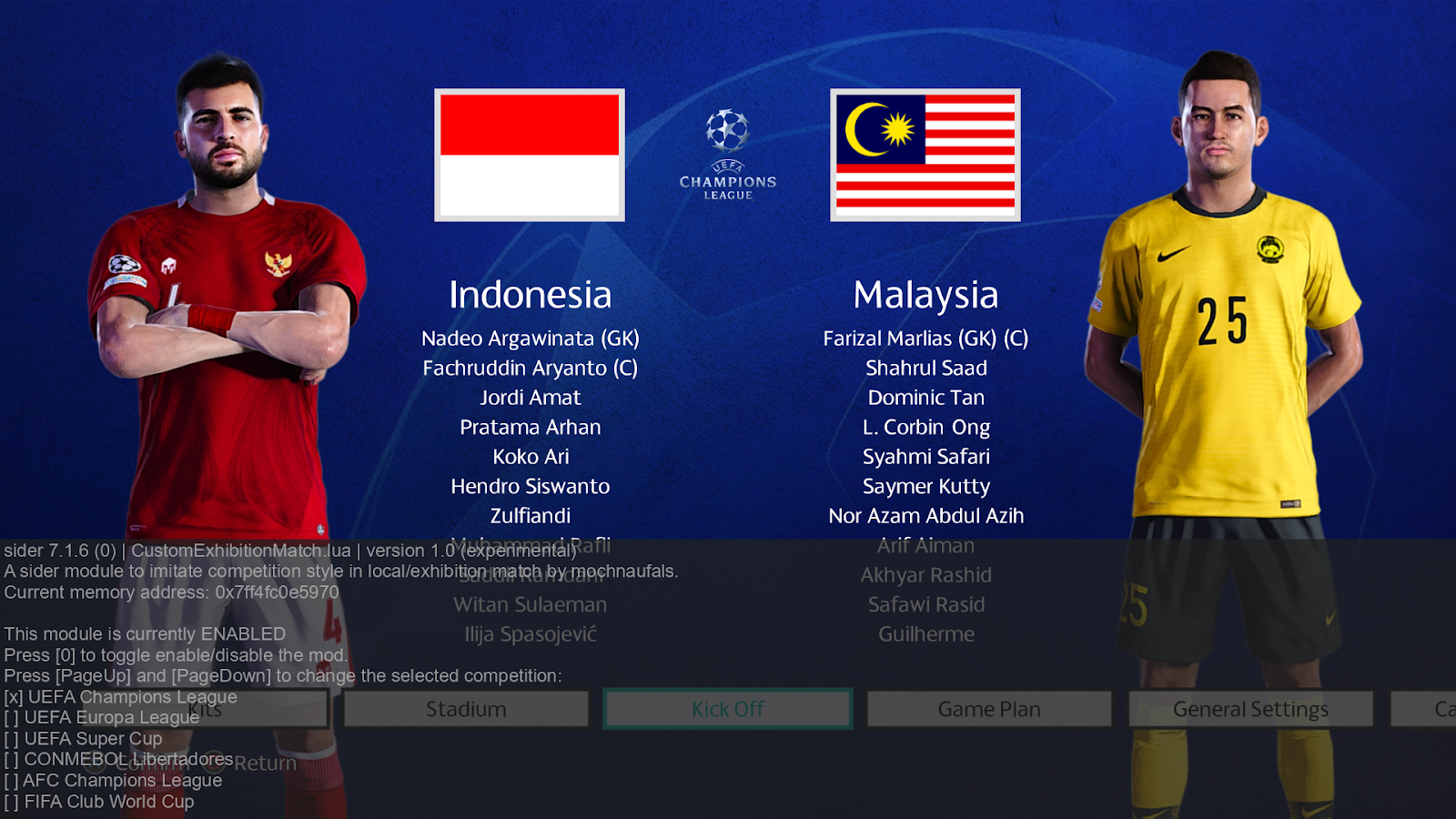
New UEFA Champions League Format for PES 2021 (v1.0.0)

New UEFA Champions League Format for PES 2021

Rul's brings the new UEFA Champions League single-league format to PES 2021! This is a full port of Adriel_Venezuela's UCL 32mod (originally built for SP Football Life 2026), reworked to run natively on PES 2021 — with an English rebuild, a background verification system, and two new in-game overlays.

What it does:
  • Replaces the old 8-group format with the real 32-club league phase: every team plays 6 different opponents (3 home, 3 away), with no same-country ties.
  • After the league phase, a single 1–32 combined table decides everything: 1–8 go straight to the Round of 16, 9–24 fight it out in a playoff round, and 25–32 drop into the Europa League.
  • Two new Sider overlay pages: a live 1–32 league table (ranked exactly like the DLL computes it) and a full fixture list from matchday 1 all the way to the final, with real dates and two-legged aggregates.
  • The installer verifies your PES2021.exe automatically, signature by signature, before touching anything. If your build isn't a match, it cancels cleanly — nothing is ever written blindly.
  • Python is optional. A portable Python can be bundled inside the package, so most users need to install nothing extra.

Requirements: eFootball PES 2021 + Sider 7.3.3 or newer.

Note: the game's own menu still shows 8 separate group tables (that part of PES2021's data structure isn't changed, by design, for safety). The real 32-club table and full fixtures are shown through the Sider overlay instead — press Space, then 1 in-game to see it. And sorry if the mod not perfect, so sorry guys!!

Full install guide video (English + step-by-step) is included in the package.

Credits: original mod & concept — Adriel_Venezuela adriel_1998. PES 2021 port, English rebuild, overlays, and improvements — Ruls.

Download
Please wait ...
If the download didn't start automatically, click here

PES 2021 Home Crowd Bronca – Whistles & Crowd Reactions​

PES 2021 Home Crowd Bronca – Whistles & Crowd Reactions​

Home Crowd Bronca – Whistles & Crowd Reactions​ module made for eFootball Pro Evolution Soccer 2021 by Parigo-57.

This module adds dynamic home crowd reactions based on the match score:
  • 0-2 → 0-3: home crowd bronca, whistles, and frustration.
  • 0-3 → 1-3: home crowd whistles again.
  • 0-3 → 0-4: home crowd cheers, shouts, and celebrates as if the home team had just scored a goal.

This module is currently in testing.
The reactions can be improved and expanded with additional score situations and different types of crowd reactions.

Sound adjustments
If a sound is too long, too short, or too loud, it can be edited, shortened, or adjusted in volume to better fit the match and make the reaction feel more natural.

Future update
It will be possible to add multiple whistle, bronca, and celebration sounds with random playback, making the crowd reactions more varied and realistic.

I need more stadium crowd sounds
To make this possible, I need several large stadium crowd sounds. If anyone has good-quality recordings of whistles, bronca, crowd shouts, cheers, or goal celebrations from a large stadium, feel free to share them.

Even short gameplay recordings where these crowd reactions can clearly be heard would be very useful.

Possible future addition – Final whistle reactions
I will also look into adding specific home crowd reactions at the final whistle, depending on the result:

  • 🔴 Home defeat: boos, whistles, bronca and frustration.
  • 🟡 Home draw: possible whistles or a more mixed crowd reaction.
The goal is to create more realistic and dynamic crowd reactions depending on what happens during the match and the final result.

How to Install:
1. Extract and copy the "sifflet.lua" file to your Sider 7/modules folder
2. Open sider.ini with any text editor and add the following line:
lua.module = "sifflet.lua"
Enjoy

Credits:
Whistles & Crowd Reactions​ module made by Parigo-57

Download "MODULE"
Please wait ...
If the download didn't start automatically, click here

GOALNETS for FL25 and PES 21 - UPDATE AIO - v1.0

GOALNETS for FL25 and PES 21 - UPDATE AIO - v0.3 - alpha WC26 version

This module gives you complete control over the physics, shape, and appearance of the goal nets in-game, with a powerful and flexible assignment system. The goal was to create a single, universal module that works across different game versions and offers deep customization.

Mod contains goalnets for ALL TEAMS from the 24/25 season and TOP 5 leagues, and most of the European teams from the 25/26

The mod is compatible with ANY PATCH, but it can’t be used with any other net mod!

NEW GOALNETS MODULE AIO - All In One (10.8.2026.) - v1.0:​
Completely redone: EPL, EFL Championship, La Liga (+ select La Liga 2 teams), Ligue 1, Ligue 2, Serie B, MLS, and the Danish league.

Also updated: Select national teams, brand-new fantasy nets, plus partially remade Top 5 leagues and major clubs.

Features:
  • Automatic Patch/Game Detection: No more separate files for different game versions! This module automatically detects which patch/game you're using (vanilla PES 2021, PES 2020, Football Life (FL24,25,26), etc.)
  • Advanced Assignment Hierarchy: You can assign goal nets with a clear priority system:
    1. Stadium-Specific (you can make goal nets for every stadium): The highest priority. A goalnets_preset.txt file in a stadium's folder will always override other settings.
    2. Competition-Specific: Assign different nets for specific tournaments or even specific stages of a tournament (like group stage, 1/4, 1/2 or finals).
    3. Team-Specific: Assign a default home goalnet for any team.
  • Multiple Presets & In-Game Selection: Assign a list of several goalnet presets to any team, competition, or stadium. The first one in the list will be the default, and you can cycle through the others in-game.
  • Live Sider Overlay: The overlay provides real-time information about the currently active net preset, its source (Stadium, Competition, or Team), and allows you to switch between available options using the PageUp and PageDown keys.
  • Manual Goalnet Tension: Optionally override only the net "tightness" (like in FIFA games) in real time via the Sider overlay, but use it carefully because it can make nets bounce unrealistically, and some clubs already have very tight presets, so "Tight" may have little to no effect.
Current mod version: 0.3 (alpha WC edition)

How to install
1. Copy livecpk folder to your sider folder. (In FL23/24/25/26 its SiderAddons).

2. Place goalnets folder into your Sider\modules folder.
(Folder contains: goalnets_25-26.lua, map_clubs.txt and map_competitions.txt files)

3. Add these 2 lines to sider.ini:
cpk.root = ".\livecpk\goalnets_25-26"
lua.module = "goalnets\goalnets_25-26.lua"

IMPORTANT!!!
This mod can't be used with any other net mods, so before installing this, you need to delete/disable any other mod (nets.lua, nets-server.lua...)!

WARNINGS:
This mod is exclusive. All credits are reserved, and it is forbidden to re-upload the mod on other hosts.
If you are a private user, feel free to use this mod, but not for profit.

Support/Donations:

PASSWORD: fuckyouprayudi

Download "goalnets module"
Please wait ...
If the download didn't start automatically, click here

Age Lock v1 - PES 2021 Master League

Age Lock v1 - PES 2021 Master League

Age Lock mod released by Esly for eFootball Pro Evolution Soccer 2021. It's a mod made for PES 2021 that prevents players from automatically aging during Master League.

Normally, at the end of each season, all players age by one year. With this mod enabled, players keep their original age throughout their entire career, regardless of how many seasons are played.

Ideal for anyone who wants to keep real players active indefinitely, without automatic aging.

Features
Prevents the automatic increase of player ages.
Maintains the original age throughout the Master League.
Works automatically upon launching the game.
Lightweight with no noticeable performance impact.

Installation
Copy the AgeLock.lua file to the folder:
...Sider 7\modules\

Open the sider.ini file with any text editor
Add the following line to the Lua modules section:
lua.module = "AgeLock.lua"
Save the file.
Launch the game via sider.exe; the mod will load automatically.

Credits
Developed by Esly Marinho.

Download "Age Lock"
Please wait ...
If the download didn't start automatically, click here

eFootball PES 2021 – ANTI-CHEAT (Sider LUA Module) by Holland

eFootball PES 2021 – ANTI-CHEAT Sider LUA Module by Holland

The ANTI-CHEAT Lua module by Holland is a gameplay-focused Sider add-on for eFootball PES 2021 designed to completely eliminate artificial difficulty spikes, scripting, and late-game CPU “god mode.”

After extensive testing, the author determined that traditional NO_SCRIPT solutions could not guarantee consistent behavior across all difficulty levels. This module takes a more robust approach by directly overriding the game’s Dynamic Difficulty system, forcing it into a fully neutral state at the start of every match.

What This Feels Like In-Game

Big Teams
Dominate through structure and ball retention
Star players decide matches naturally
No artificial handicap or forced balance

Mid Teams
Competitive and tactically disciplined
Wins depend on form and tactics
No sudden overpowered CPU behavior

Small Teams
Compact, defensive, and realistic
Dangerous only when you make mistakes
No superhuman comebacks

Late Game
No sudden CPU domination after the 80th minute
Goals feel earned, not scripted

What This Module Does Not Do
No stat boosts
No scripting or momentum abuse
No rubber banding
No fake or hidden difficulty manipulation

What You Will Notice
Player vs CPU
Difficulty remains consistent throughout the match
Weak teams stay weak, strong teams win on merit
No late-game “CPU god mode.”

Refereeing
Fewer unrealistic penalties
Less big-team favoritism
No ignored fouls in desperate moments

Season Flow
No hidden difficulty escalation
No revenge matches
More believable league tables


How It Works
This custom Lua module overrides PES 2021’s internal Dynamic Difficulty values by setting both home_dynamic_difficulty and away_dynamic_difficulty to 0 at kickoff. By removing the game’s random difficulty modifiers (normally ranging from 0–5), all artificial momentum swings are neutralized.

Recommendation
For best results, the author strongly recommends removing all other NO_SCRIPT files and using only this ANTI-CHEAT module, which has proven to work reliably across all difficulty levels.

A must-have module for players seeking fair, realistic, and script-free gameplay in PES 2021.

Credits:
eFootball PES 2021 – ANTI-CHEAT (Sider LUA Module) by Holland
G. Leroy (pesmodding.com) / blog writer

To be able to see the download button, you must turn off your AdBlock

PES 2021 Increased Training Injuries Mod (Frequency+Duration) v2.0 by Kingpasto

PES 2021 Increased Training Injuries Mod v2.0 by Kingpasto

Increased Training Injuries Mod released by Kingpasto for eFootball Pro Evolution Soccer 2021 PC Games & SP Football Life 2026. A module that overhauls simulation injuries in PES2021. Effects both injury duration + frequency.

FEATURES
  • Increases simulation injury frequency
  • Overhaul of injury types + duration
  • You will see long-term injuries up to 8 months
  • Does NOT affect match injuries during gameplay


FULLY CUSTOMISABLE INJURY FREQUENCY + DURATION
MODIFIERS
- to do this, use sider overlay by pressing
"spacebar"
- Descriptions provided in the side overlay.
- Your custom changes remain after game closure. 


INSTALLATION INSTRUCTIONS INCLUDED
WORKS FOR BOTH PES 2021 + FL26

Credits:
Kingpasto - Mod creator paypal.com/donate/KYLF...
xAranaktu (Cheat table)
Parigo-57 (save values script)
Twiggy (sider overlay script)
Sider by juce
G. Leroy (pesmodding.com) / blog writer

LIMITATIONS:
Injuries seem to be randomly designated to players without reading their injury resistance
Unsure of the effect of injuries on player potential
DOES NOT AFFECT INJURIES THAT OCCUR DURING GAMEPLAY

Download "INJURY MOD"
Please wait ...
If the download didn't start automatically, click here

eFootball PES 2021 [NO_SCRIPT] & eFootball PES 2021 NO_SCRIPT only for legend level


NO_SCRIPT & NO_SCRIPT only for the legend level released by Holland for eFootball Pro Evolution Soccer 2021 PC Games.

Features:
  • Reduces AI comeback boosts
  • Stabilizes player responsiveness
  • Limits stat inflation during key moments
  • Prevents late-match “rubber banding.”
  • Keeps match flow consistent

Module Purpose
1 legend_balance.lua Legend difficulty without cheating
2 cpu_realism.lua         Smart AI, not boosted AI
3 ml_bal_noscript.lua Master League & BAL scripting reduction
4 toggle_control.lua Hotkey ON/OFF in-game
5 core_noscript.lua Global momentum & scripting suppression
6       noscript.lua            Reduce scripting / momentum / dynamic difficulty

All modules are independent but stack safely.

✔ No late-game cheating
✔ No rubber-banding
✔ No AI teleport defending
✔ CPU wins through tactics
✔ Losses feel fair
✔ Wins feel earned

To be able to see the download button, you must turn off your AdBlock

PES 2021 UltraWide Module

PES 2021 UltraWide Module

UltraWide Module made for eFootball Pro Evolution Soccer 2021 PC Games by Mohamed2746, a module that can genuinely change the experience for anyone playing on an UltraWide monitor.

This module won’t interest everyone… but for UltraWide players, it’s a gem
If you play on a 16:9 screen → this won’t help you.
If you play on a 21:9 screen → you’re going improve the problematic cutscenes that could finally run in full

The module works great during gameplay, but:
Some cutscenes look fine,
Others don’t, because they use a different system inside the engine.

How to Use:
1. Extract and copy the "ultrawide.lua" file to your ...Sider 7/modules folder
2. Open sider.ini with any text editor and add the following line:
lua.module = "ultrawide.lua"
NOTES: Use only if you have an UltraWide monitor

Credits:
-- address search by elijio876
-- module by Mohamed2746
-- Based on GFX LOD by digitalfoxx (PESWEB) & nesa24
G. Leroy (pesmodding.com) / blog writer

Download "UltraWide Module"
Please wait ...
If the download didn't start automatically, click here

Fan View Essential - Best Camera Mod PES 2021 & FL 2026

Fan View Essential - Best Camera Mod PES 2021 & FL 2026

Fan View Essential - Best Camera Mod released by Fikhai Sports for eFootball Pro Evolution Soccer 2021 & SP Football Life PC Games. 

Take your eFootball Pro Evolution Soccer 2021 and SP Football Life experience to the next level with Fan View Essential, the ultimate camera mod created by Fikhai Sports. 

How to Install:

PES 2021:
1. Extract and copy the "modules" folder and the "camera.cache" - "camera.ini" and the "FanViewCam" files to your Sider 7 Folder
2. Open sider.ini with any text editor and add the following lines:
lua.module = "camera.lua"
lua.module = "FanViewCam.lua"

FL 2026:
1. Extract and copy the "SiderAddons" FOLDER to the SP Football Life game directory.
2. Open sider.ini with any text editor and add the following lines:
lua.module = "camera.lua"
lua.module = "FanViewCam.lua"

Credits:
Camera Mod made by Fikhai Sports & Juce
G. Leroy (pesmodding.com) / blog writer

Download "Camera Mod"
Please wait ...
If the download didn't start automatically, click here

Realistic Injury Durations Mod for eFootball PES 2021 & Football Life 2026

Realistic Injury Durations Mod for eFootball PES 2021 & Football Life 2026
Bring true football realism to your Master League experience with the Realistic Injury Durations Mod, created by Gökhan Uğurlu. Designed as a Sider 7 module for PES 2021 (and fully compatible with Football Life 2026), this mod adjusts injury lengths to reflect real-world football scenarios.

With this add-on, players in Master League can now suffer injuries lasting up to 6 months, making squad rotation, depth, and career planning more meaningful and challenging. Perfect for players who want a deeper, more authentic football management experience.


How to Install:
Extract and copy the "injured.lua" file to your ...Sider 7/modules folder
Open sider.ini with any text editor and add the following line:
lua.module = "injured.lua"
Enjoy

Credits:
Realistic Injury Durations Mod made by Gökhan UÄŸurlu
G. Leroy (pesmodding.com) / blog writer

Download "Injury Durations"
Please wait ...
If the download didn't start automatically, click here

PES 2021 Home + Away Flags Waving Module [New Update V1]

PES 2021 Away Flags Waving Module by Seratonin and BalboaSte

Module waving Flag home+away… Finals and derby by Seratonin and BalboaSte by for eFootball Pro Evolution Soccer 2021 PC Games.

This is the new module for home and away flags for Derby and Finals, completely revamped in its functions, with several additions and implementations published in the old thread.

It works completely differently from the old one but offers more opportunities.
The module is compatible with the FL26 Server stadium.

How it will work: once you have entered the waving flags created by Seratonin and BalboaSte in the stadiums and the module in the Sider, the match will automatically load the home and away flags based on the stadium team match, only home or nothing.

Present teams:

Credits:
PES 2021 Module by Seratonin and BalboaSte
G. Leroy (pesmodding.com) / blog writer
papijonnnn for his Puskas Arena and other stadium
DerRobin1 for the Bundesliga flags
FaliElGoat for the Betis flags

How to Install:
Instructions are in the download folder

Important. Remember, as always, that the name of the stadium folder and the names of the stadiums in your stadium server's map teams must be the same as those in the Flag module's map teams.

Download "Flags waving Module"
Please wait ...
If the download didn't start automatically, click here

PES 2021 Fireworks-Loader [NEW Update]

PES 2021 Fireworks-Loader

Fireworks-Loader, a mod inspired by the smoke-bomb loader module of Parigo-57, made for eFootball Pro Evolution Soccer 2021 PC Games by WinnElevenpess, allows you to manually select fireworks behind the goal and in the north stand.

Update 17.10.2025: Audio playback function has been added to the module, a few string errors have been corrected, and possible errors have been prevented by resetting. Please download again.

Features:
  • Fireworks-Loader Module (allows you to manually select fireworks behind the goal and in the north stand.)

How to Use:
First, make sure you have already installed the latest version of Sider 7
Then extract and copy the "content" and "modules" folder to your Sider 7
Now open sider.ini with any text editor and add the following line:
lua.module = "Fireworks-loader.lua"
Save it and done

Credits:
PES 2021 Fireworks-Loader made by WinnElevenpess
G. Leroy (pesmodding.com) / blog writer.


Download "Fireworks Loader"
Please wait ...
If the download didn't start automatically, click here

PES 2021 Perfect Camera Settings Update 2025

PES 2021 Perfect Camera Settings Update 2025
This mod gives you new and better camera angles for eFootball Pro Evolution Soccer 2021 PC Games. It makes the game look more real and fun to play.

The pack includes:
  • Broadcast Cam – looks like a real TV match
  • Fan View Cam – view from the fans in the stands
  • Stadium Cam – see the whole pitch
  • Vertical Cam – top-down view for tactics

How to install:
Copy the files from the “modules” folder into the “modules” folder of your Sider folder.
Open sider.ini with any text editor and add these lines:
lua.module = "lib\nesalib.lua"  
lua.module = "BroadCastCam.lua"  
lua.module = "FanViewCam.lua"  
lua.module = "StadiumCam.lua"  
lua.module = "VerticalCam.lua"
Now start the game and choose your favorite camera angle.

Credits:
PES 2021 Perfect Camera Settings Update 2025 made by Ultrà Cosenza
G. Leroy (pesmodding.com) / blog writer

To be able to see the download button, you must turn off your AdBlock

PES 2021 Database Module v 1.0 by GRAND

PES 2021 Database Module v 1.0 by GRAND

Database module v 1.0 made by GRAND for eFootball Pro Evolution Soccer 2021 PC Games. The new “Database” module for PES 2021 lets you easily customize club data by editing simple CSV files. In this first version, you can change club names, licensed kit settings, and up to three sponsors.

Here’s what it’s about:
It lets you edit basic club information for PES 2021 by modifying a database structure.

How it works:
Inside the Database folder, there are club folders.
Each club folder is named after the club’s ID in the game (the name must match the club ID you want to edit).
Inside a club folder is a file called team.csv, which stores editable values.

Editable values in version 1:
Name → Changes the club name.
LicensedKits → Toggles whether the club uses licensed kits.
SponsorA, SponsorB, SponsorC → Defines up to three sponsors for the club.

Limitations:
This first version is only a test release with limited options.
More editable values will be added later.
Only PES 2021 is supported for now.

Credits:
GRAND, Mohamed Amr Nady, FerJo75, ChatGPT, DeepSeek, jibibi
G. Leroy (pesmodding.com) / blog writer

Download "DB Module"
Please wait ...
If the download didn't start automatically, click here
© 2020 — 2025 PES Modding. Disclaimer Privacy Policy About Us