Showing posts with label SP Football Life 2026. Show all posts

PES 2021/FL 2026 EFL CHAMPIONSHIP FACEPACK VOL.1

PES 2021/FL 2026 EFL CHAMPIONSHIP FACEPACK VOL.1

This facepack features 6 new player faces from the EFL Sky Bet Championship, all converted to PES 2021 from EA Sports FC 26 by Pudd Facemaker. The faces are compatible with both PES 2021 and SP Football Life 2026, making it a great addition for players looking to improve the visual quality and realism of Championship teams.

Player List
  1. Aidan Morris - Middlesbrough
  2. Arthur Okonkwo - Charlton Athletic
  3. Jay Fulton - Swansea City
  4. Joe Williams - Bristol City
  5. Matty James - Wrexham AFC
  6. Scott Wright - Birmingham City

How to Add New Faces in PES 2021

Adding fresh faces to your PES 2021 game is simple. Here are several methods to get you started:

Method 1: Using Sider 7 Version

Extract and Place the Files:
Locate the folder containing the new faces (usually identified by numbers).
Extract this folder and copy it to 
...\livecpk\Faces\Asset\model\character\face\real

Edit sider.ini: If not already done, add this line:
cpk.root = ".\livecpk\faces"

Method 2: Using CPK Version

1. Create CPK File: Use "CriPackedFileMaker" to package the contents of the Sider version folder into a CPK file.

2. Copy to Game Directory: Place the created CPK file into:
eFootball PES2021\download

3. Add to Game: Use the "DpFileList Generator" tool to include the CPK file in your game.

Verify Installation:

Launch PES 2021 and navigate to the Edit menu.
Check if the new faces appear correctly for the players.

Credits: 
PES 2021 Faces converted by Pudd
UQIYA FACEMAKER, MJTS-140914, wir_leben_dich, tradtrad100, Retmods
Blender, Maurizio Memoli, EA
G. Leroy (pesmodding.com) / blog writer

Download "Facepack"
Please wait ...
If the download didn't start automatically, click here

PES 2021/Football Life SC Braga 2026/27 MLMyTeam by Esly Marinho

PES 2021/Football Life SC Braga 2026/27 MLMyTeam by Esly Marinho

New season 2026 - 2027 SC Braga MLMyTeam made by Esly Marinho for eFootball Pro Evolution Soccer 2021 & SP Football Life 2026. Includes new SC Braga manager training kit, new custom sponsors, press room, and more.

Content includes:
  • Manager training kit
  • Player training kit
  • Custom polo shirt
  • Custom sponsors and press room

How to Install:
Extract the downloaded archive.
Copy the POR-Sporting Braga folder.
Paste the folder into: Sider\content\ML Team Selector Module\
Launch the game and select SC Braga in the ML Team Selector Module.

Credits:
MLMyTeam mod made by Esly Marinho
G. Leroy (pesmodding.com) / blog writer.

Download "MLMyTeam"
Please wait ...
If the download didn't start automatically, click here

Classic AC Milan Menu Mod SP FOOTBALL LIFE & PES 2021

Classic AC Milan Menu Mod SP FOOTBALL LIFE & PES 2021Classic AC Milan Menu Mod SP FOOTBALL LIFE & PES 2021

AC Milan Retro graphic menu mod + intro made for eFootball Pro Evolution Soccer 2021 & SP Football Life 2026 by Diyaad. 

Features:
  • New Icon Style
  • New Intro
  • New Start Screen
  • New Loading Screen
  • New Save Data Icon
  • New Background and Wallpaper Theme
  • And more...

How to Install:
Attention: You need to install CommonLib for the menu to work. CommonLib should be the first entry in your Sider. Download CommonLib. Click here

1. Extract and copy the "content, livecpk, and modules" folders to your Sider 7 folder
2. Open sider.ini with any text editor and add the following lines:
cpk.root = ".\livecpk\Milan Classic"
cpk.root = ".\livecpk\UIColors"

lua.module = "UIColors.lua"
3. Enjoy

Credits:
PES 2021 Graphic Menu made by Diyaad
G. Leroy (pesmodding.com) / blog writer

Download "Menu Mod"
Please wait ...
If the download didn't start automatically, click here

Football Life Club Creator (FLCC) v0.1.1 for SP Football Life 2026

Football Life Club Creator FLCC v0.1.1 for SP Football Life 2026

Football Life Club Creator (FLCC) v0.1.1 made for SP Football Life 2026 by MagicPlayer. Football Life Club Creator (FLCC) is a modern Windows application that makes club editing in SP Football Life 2026 simple and user-friendly.

Instead of manually editing game files or configuring multiple tools, FLCC provides a clean Windows interface for editing clubs and managing custom emblems.

Features
  • Edit club names
  • Edit club abbreviations
  • Change club stadiums
  • Import custom club emblems
  • Automatic Sider LiveCPK configuration
  • Enable / Restore FLCC LiveCPK
  • Separate Restore Club Data
  • Separate Restore Emblem
  • Automatic backup management
  • Backup Manager
  • Search and filtering
  • English & Russian localization
  • Native Windows installer

System Requirements
Windows 10 / Windows 11
SP Football Life 2026
Sider (required for custom emblems)

Installation
1. Download FootballLifeClubCreator-v0.1.1-Setup.exe
2. Run the installer.
3. Complete the installation wizard.
4. Launch Football Life Club Creator from the Desktop or Start Menu.
5. On first launch, select:
• EDIT00000000
• SiderAddons folder
The application will automatically remember these paths.

Known Limitations
Club editing only
Player editing is not available yet
League editing is not available yet
Tournament editing is not available yet

License
Copyright © Magic Player
All rights reserved.

Download "FL Club Creator"
Please wait ...
If the download didn't start automatically, click here

GRAPHIC MENU FC Bayern München 2027 - SP FOOTBALL LIFE & PES 2021

GRAPHIC MENU FC Bayern München 2027 - SP FOOTBALL LIFE & PES 2021

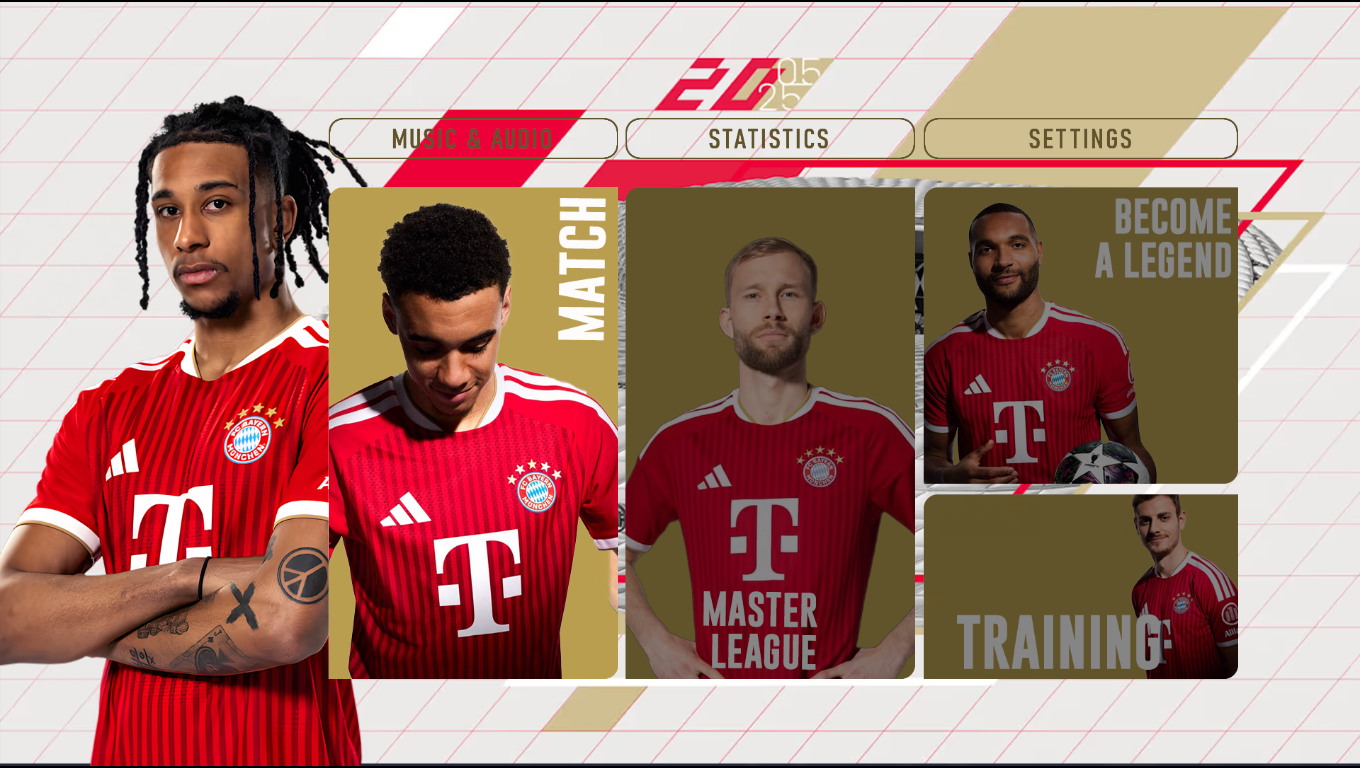
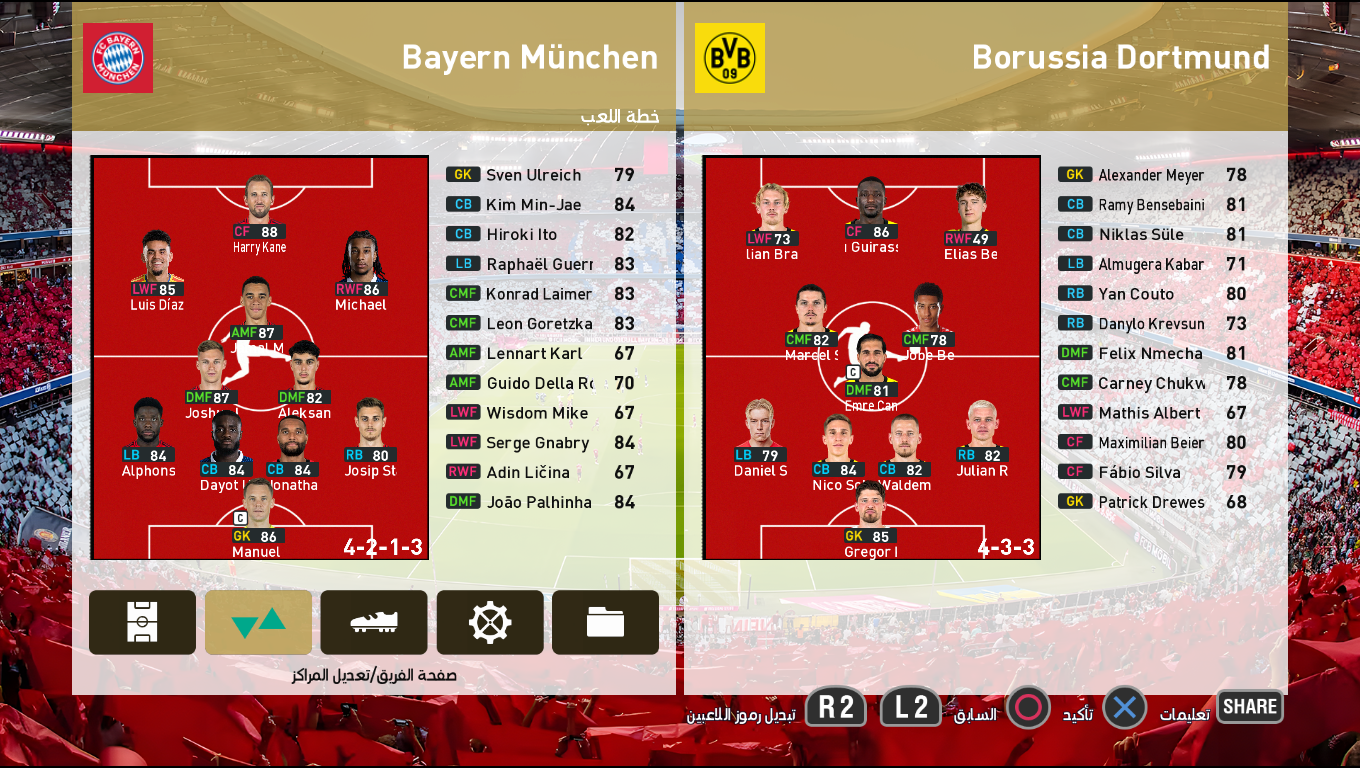
FC Bayern München 2027 new graphic menu mod released for eFootball Pro Evolution Soccer 2021 & SP Football Life 2026 by Diyaad.

Features:
  • New Icon Style
  • New Intro
  • New Start Screen
  • New Loading Screen
  • New Save Data Icon
  • New Background and Wallpaper Theme
  • And more...

How to Install:
Attention: You need to install CommonLib for the menu to work. CommonLib should be the first entry in your Sider. Download CommonLib. Click here

1. Extract and copy the "content, livecpk, and modules" folders to your Sider 7 folder
2. Open sider.ini with any text editor and add the following lines:
cpk.root = ".\livecpk\Menu Bayern"
cpk.root = ".\livecpk\UIColors"

lua.module = "UIColors.lua"
3. Enjoy


Credits:
PES 2021 Graphic Menu made by Diyaad
G. Leroy (pesmodding.com) / blog writer

Download "Menu Mod"
Please wait ...
If the download didn't start automatically, click here

PES 2021/FL 2026 MLMyTeam Norwich City​

PES 2021/FL 2026 MLMyTeam Norwich City

MLMyTeam Norwich City made for eFootball Pro Evolution Soccer 2021 & SP Football Life 2026 by Esly. The mod includes a new Norwich City​ custom polo shirt, manager training kits, custom sponsors & press room, and more.

Content Includes:
  • Custom polo shirt
  • 2 manager training kits
  • 1 player training kit
  • Custom sponsors in the Master League menu
  • Custom press room

How to Install:
Extract the downloaded archive.
Copy the ENG-Norwich City folder.
Paste the folder into: Sider\content\ML Team Selector Module\
Launch the game and select Norwich City in the ML Team Selector Module.

Credits:
MLMyTeam Norwich City​ made by Esly Marinho
G. Leroy (pesmodding.com) / blog writer.

Download "MLMyTeam"
Please wait ...
If the download didn't start automatically, click here

PES 2021/SP Football Life 2026 La Liga Mini Facepack #71 by Darko5500

PES 2021/SP Football Life 2026 La Liga Mini Facepack #71 by Darko5500

La Liga Mini Facepack #71 made by Facemaker Darko5500 for eFootball Pro Evolution Soccer 2021 & SP Football Life 2026. The pack includes 4 new random player faces.

Minipack 71: Jorge Moreno, Rafita Garrido, Bil Nsongo & David González

NOTES: Do not share these faces in a patch without Darko5500's permission.

How to Add New Faces in PES 2021

Adding fresh faces to your PES 2021 game is simple. Here are several methods to get you started:

Method 1: Using Sider 7 Version

Extract and Place the Files:
Locate the folder containing the new faces (usually identified by numbers).
Extract this folder and copy it to 
...\livecpk\Faces\Asset\model\character\face\real

Edit sider.ini: If not already done, add this line:
cpk.root = ".\livecpk\faces"

Method 2: Using CPK Version

1. Create CPK File: Use "CriPackedFileMaker" to package the contents of the Sider version folder into a CPK file.

2. Copy to Game Directory: Place the created CPK file into:
eFootball PES2021\download

3. Add to Game: Use the "DpFileList Generator" tool to include the CPK file in your game.

Verify Installation:

Launch PES 2021 and navigate to the Edit menu.
Check if the new faces appear correctly for the players.

CREDITS:
PES 2021 La Liga Mini Facepack by Darko5500
G. Leroy (pesmodding.com) / blog writer.

Download "Facepack"
Please wait ...
If the download didn't start automatically, click here

PES 2021/FL 2026 Managers Facepack Vol.1

PES 2021/FL 2026 Managers Facepack Vol.1

Managers Facepack Vol.1 converted from eFootball 2026 to Pro Evolution Soccer 2021 & SP Football Life 2026 by  Pudd Facemaker. The pack includes six new manager faces.

Manager List
  1. Cristian Chivu - Inter Milan
  2. Didier Deschamps
  3. Niko Kovac - Borussia Dortmund
  4. Ruben Amorim - AC Milan
  5. Thomas Tuchel - England NT
  6. Vincenzo Montella - Turkey NT

How to Add New Faces in PES 2021

Adding fresh faces to your PES 2021 game is simple. Here are several methods to get you started:

Method 1: Using Sider 7 Version

Extract and Place the Files:
Locate the folder containing the new faces (usually identified by numbers).
Extract this folder and copy it to 
...\livecpk\Faces\Asset\model\character\face\real

Edit sider.ini: If not already done, add this line:
cpk.root = ".\livecpk\faces"

Method 2: Using CPK Version

1. Create CPK File: Use "CriPackedFileMaker" to package the contents of the Sider version folder into a CPK file.

2. Copy to Game Directory: Place the created CPK file into:
eFootball PES2021\download

3. Add to Game: Use the "DpFileList Generator" tool to include the CPK file in your game.

Verify Installation:

Launch PES 2021 and navigate to the Edit menu.
Check if the new faces appear correctly for the players.

Credits: 
PES 2021 Faces converted by Pudd
UQIYA FACEMAKER, MJTS-140914, wir_leben_dich, tradtrad100, Retmods
Blender, Maurizio Memoli, Konami
G. Leroy (pesmodding.com) / blog writer

SUPPORT Facemaker PUDD
KO-FI - PAYPAL - BOOSTY

Download "Facepack"
Please wait ...
If the download didn't start automatically, click here

PES 2021/FL 2026 Serie A Enilive Facepack Vol.1

PES 2021/FL 2026 Serie A Enilive Facepack Vol.1

Serie A Enilive Facepack Vol. 1, released by Facemaker Pudd for eFootball Pro Evolution Soccer 2021 & SP Football Life 2026, includes 6 new random player faces.

Player List
  1. Tommaso Pobega - Bologna
  2. Roberto Piccoli - Fiorentina
  3. Alessandro Marcandalli - Genoa
  4. Emanuele Valeri - Parma Calcio 1913
  5. Pontus Almqvist - Parma Calcio 1913
  6. Danilo Cataldi - SS Lazio

How to Add New Faces in PES 2021

Adding fresh faces to your PES 2021 game is simple. Here are several methods to get you started:

Method 1: Using Sider 7 Version

Extract and Place the Files:
Locate the folder containing the new faces (usually identified by numbers).
Extract this folder and copy it to 
...\livecpk\Faces\Asset\model\character\face\real

Edit sider.ini: If not already done, add this line:
cpk.root = ".\livecpk\faces"

Method 2: Using CPK Version

1. Create CPK File: Use "CriPackedFileMaker" to package the contents of the Sider version folder into a CPK file.

2. Copy to Game Directory: Place the created CPK file into:
eFootball PES2021\download

3. Add to Game: Use the "DpFileList Generator" tool to include the CPK file in your game.

Verify Installation:

Launch PES 2021 and navigate to the Edit menu.
Check if the new faces appear correctly for the players.

Credits: 
PES 2021 Faces converted by Pudd
UQIYA FACEMAKER, MJTS-140914, wir_leben_dich, tradtrad100, Retmods
Blender, Maurizio Memoli, Konami
G. Leroy (pesmodding.com) / blog writer

SUPPORT Facemaker PUDD
KO-FI - PAYPAL - BOOSTY

Download "Facepack"
Please wait ...
If the download didn't start automatically, click here

PES 2021/FL 2026 Andrey Santos Face

PES 2021/FL 2026 Andrey Santos Face

New High-Quality Andrey Santos Face made for eFootball Pro Evolution Soccer 2021 & SP Football Life 2026 by Facemaker Bluefacestudio. 

Andrey Nascimento dos Santos, known as Andrey Santos, is a Brazilian professional footballer who plays for the Premier League club Manchester United and the Brazil national team.

How to Add New Faces in PES 2021

Adding fresh faces to your PES 2021 game is simple. Here are several methods to get you started:

Method 1: Using Sider 7 Version

Extract and Place the Files:
Locate the folder containing the new faces (usually identified by numbers).
Extract this folder and copy it to 
...\livecpk\Faces\Asset\model\character\face\real

Edit sider.ini: If not already done, add this line:
cpk.root = ".\livecpk\faces"

Method 2: Using CPK Version

1. Create CPK File: Use "CriPackedFileMaker" to package the contents of the Sider version folder into a CPK file.

2. Copy to Game Directory: Place the created CPK file into:
eFootball PES2021\download

3. Add to Game: Use the "DpFileList Generator" tool to include the CPK file in your game.

Verify Installation:

Launch PES 2021 and navigate to the Edit menu.
Check if the new faces appear correctly for the players.

Credits: 
PES 2021 Faces made by Bluefacestudio x.com/blufacestudio
G. Leroy (pesmodding.com) / blog writer

Download "A. Santos Face"
Please wait ...
If the download didn't start automatically, click here

PES 2021/FL 2026 Etihad Stadium Expansion Update 2026

PES 2021/FL 2026 Etihad Stadium Expansion Update 2026

New Etihad Stadium 2026 (Stadium Expansion Update) made for eFootball Pro Evolution Soccer 2021 & SP Football Life 2026 by minhanh158. Includes a new Ethihat Stadium version with the new North Stand expanded.

Changelog
North Stand expanded.
New light added. Hundreds of spotlights are placed around the stadium and VIP. Pitch lights are adjusted as well.
New banners.
New turf. Different turfs/luts for different times/weathers.

How to Install the Stadium:

Installing the PES 2021 Etihad Stadium mod is easy, and it only takes a few minutes. First, you'll need to download the stadium from the link below. Once you have the mod file, you'll need to extract it to your Stadium-Server folder ... sider\content \stadium-server

Open map_teams.txt with a text editor and copy this line inside map_teams.txt 
173, 009, Etihad Stadium, Etihad Stadium # Manchester City
FOR MANUAL SELECTION:
Go to map_competitions.txt in your Stadium-Server folder then insert the following line:
0, 009, Etihad Stadium, Etihad Stadium, , ,
Extract and copy the "Etihad Stadium" folder inside the Stadium-Server folder ...sider/content/stadium-server

IMPORTANT: Make sure to update your Stadium-Server to v1.80 update

Credits:
PES 2021 Etihad Stadium Expansion made by minhanh158, original stadium model by captain8lunt & papijonnnn
G. Leroy (pesmodding.com) / blog writer


Download "Stadium"
Please wait ...
If the download didn't start automatically, click here

PES 2021/FL 2026 FIFA World Cup 2026 Facepack Vol.18 & 19

PES 2021/FL 2026 FIFA World Cup 2026 Facepack Vol.18PES 2021/FL 2026 FIFA World Cup 2026 Facepack Vol.19

FIFA World Cup 2026 Facepack Vol.18 and 19 released by Pudd Facemaker for eFootball Pro Evolution Soccer 2021 & SP Football Life 2026.

Player List
England NT
Elliot Anderson - Manchester City
Trevoh Chalobah - Chelsea FC

Japan NT
Hiroki Ito - FC Bayern Munich
Yuto Nagatomo - FC Tokyo
Shogo Taniguchi - Sint-Truiden
Zion Suzuki - Parma Calcio 1913

Spain NT
Fabian Ruiz - Paris Saint-Germain
Pedro Porro - Tottenham Hotspur
Eric Garcia - FC Barcelona
Unai Simón - Athletic Club

Norway NT
Egil Selvik - Watford
Patrick Berg - Bodo Glimt

How to Add New Faces in PES 2021

Adding fresh faces to your PES 2021 game is simple. Here are several methods to get you started:

Method 1: Using Sider 7 Version

Extract and Place the Files:
Locate the folder containing the new faces (usually identified by numbers).
Extract this folder and copy it to 
...\livecpk\Faces\Asset\model\character\face\real

Edit sider.ini: If not already done, add this line:
cpk.root = ".\livecpk\faces"

Method 2: Using CPK Version

1. Create CPK File: Use "CriPackedFileMaker" to package the contents of the Sider version folder into a CPK file.

2. Copy to Game Directory: Place the created CPK file into:
eFootball PES2021\download

3. Add to Game: Use the "DpFileList Generator" tool to include the CPK file in your game.

Verify Installation:

Launch PES 2021 and navigate to the Edit menu.
Check if the new faces appear correctly for the players.

Credits: 
PES 2021 Faces converted by Pudd
UQIYA FACEMAKER, MJTS-140914, wir_leben_dich, tradtrad100, Retmods
Blender, Maurizio Memoli, Konami
G. Leroy (pesmodding.com) / blog writer

SUPPORT Facemaker PUDD
KO-FI - PAYPAL - BOOSTY

Download "Facepack"
Please wait ...
If the download didn't start automatically, click here

PES 2021/FL 2026 FIFA World Cup 2026 Facepack Vol.17

PES 2021/FL 2026 FIFA World Cup 2026 Facepack Vol.17

New Facepack released by Pudd Facemaker for eFootball Pro Evolution Soccer 2021 & SP Football Life 2026. FIFA World Cup 2026 Facepack Vol.17 includes 6 new random player faces converted from EA Sports FC 26.

Player List
Belgium NT
Brandon Mechele - Club Brugge
Nicolas Raskin - Rangers FC

Canada NT
Alistair Johnson - Celtic FC
Stephen Eustaquio - LA FC

Switzerland NT
Fabian Rieder - FC Augsburg
Miro Muheim - Hamburger SV

How to Add New Faces in PES 2021

Adding fresh faces to your PES 2021 game is simple. Here are several methods to get you started:

Method 1: Using Sider 7 Version

Extract and Place the Files:
Locate the folder containing the new faces (usually identified by numbers).
Extract this folder and copy it to 
...\livecpk\Faces\Asset\model\character\face\real

Edit sider.ini: If not already done, add this line:
cpk.root = ".\livecpk\faces"

Method 2: Using CPK Version

1. Create CPK File: Use "CriPackedFileMaker" to package the contents of the Sider version folder into a CPK file.

2. Copy to Game Directory: Place the created CPK file into:
eFootball PES2021\download

3. Add to Game: Use the "DpFileList Generator" tool to include the CPK file in your game.

Verify Installation:

Launch PES 2021 and navigate to the Edit menu.
Check if the new faces appear correctly for the players.

Credits: 
PES 2021 Faces converted by Pudd
UQIYA FACEMAKER, MJTS-140914, wir_leben_dich, tradtrad100, Retmods
Blender, Maurizio Memoli, Konami
G. Leroy (pesmodding.com) / blog writer

SUPPORT Facemaker PUDD
KO-FI - PAYPAL - BOOSTY

Download "Facepack"
Please wait ...
If the download didn't start automatically, click here

PES 2021/FL 2026 FIFA World Cup 2026 Facepack Vol.16

PES 2021/FL 2026 FIFA World Cup 2026 Facepack Vol.16

FIFA World Cup 2026 Facepack Vol.16 released by Pudd Facemaker for eFootball Pro Evolution Soccer 2021 & SP Football Live 2026. The pack includes six new random player faces converted from EA Sports FC 26.

Player List
Canada NT
Richie Laryea - Toronto FC

Curacao NT
Leandro Bacuna

DR Congo
Edo Kayembe - Watford

Ivory Coast NT
Franck Kessie - Al-Ahli

Portugal NT
Ruben Neves - Al-Hilal

Switzerland NT
Breel Embolo - Stade Rennais FC

How to Add New Faces in PES 2021

Adding fresh faces to your PES 2021 game is simple. Here are several methods to get you started:

Method 1: Using Sider 7 Version

Extract and Place the Files:
Locate the folder containing the new faces (usually identified by numbers).
Extract this folder and copy it to 
...\livecpk\Faces\Asset\model\character\face\real

Edit sider.ini: If not already done, add this line:
cpk.root = ".\livecpk\faces"

Method 2: Using CPK Version

1. Create CPK File: Use "CriPackedFileMaker" to package the contents of the Sider version folder into a CPK file.

2. Copy to Game Directory: Place the created CPK file into:
eFootball PES2021\download

3. Add to Game: Use the "DpFileList Generator" tool to include the CPK file in your game.

Verify Installation:

Launch PES 2021 and navigate to the Edit menu.
Check if the new faces appear correctly for the players.

Credits: 
PES 2021 Faces converted by Pudd
UQIYA FACEMAKER, MJTS-140914, wir_leben_dich, tradtrad100, Retmods
Blender, Maurizio Memoli, Konami
G. Leroy (pesmodding.com) / blog writer

SUPPORT Facemaker PUDD
KO-FI - PAYPAL - BOOSTY

Download "Facepack"
Please wait ...
If the download didn't start automatically, click here

PES 2021/FL 2026 FIFA World Cup 2026 Facepack Vol.15

PES 2021/FL 2026 FIFA World Cup 2026 Facepack Vol.15

FIFA World Cup 2026 Facepack Vol.15 includes 6 new player faces converted from EA Sports FC 26 to eFootball Pro Evolution Soccer 2021 & SP Football Life 2026 by Facemaker Pudd.

Player List
Australia NT
Aiden O'Neill - New York City FC
Mathew Leckie

Scotland NT
Anthony Ralston - Celtic FC
Lawrence Shankland - Hearts

Sweden NT
Gabriel Gudmundsson - Leeds United
Viktor Johansson - Stoke City

How to Add New Faces in PES 2021

Adding fresh faces to your PES 2021 game is simple. Here are several methods to get you started:

Method 1: Using Sider 7 Version

Extract and Place the Files:
Locate the folder containing the new faces (usually identified by numbers).
Extract this folder and copy it to 
...\livecpk\Faces\Asset\model\character\face\real

Edit sider.ini: If not already done, add this line:
cpk.root = ".\livecpk\faces"

Method 2: Using CPK Version

1. Create CPK File: Use "CriPackedFileMaker" to package the contents of the Sider version folder into a CPK file.

2. Copy to Game Directory: Place the created CPK file into:
eFootball PES2021\download

3. Add to Game: Use the "DpFileList Generator" tool to include the CPK file in your game.

Verify Installation:

Launch PES 2021 and navigate to the Edit menu.
Check if the new faces appear correctly for the players.

Credits: 
PES 2021 Faces converted by Pudd
UQIYA FACEMAKER, MJTS-140914, wir_leben_dich, tradtrad100, Retmods
Blender, Maurizio Memoli, Konami
G. Leroy (pesmodding.com) / blog writer

SUPPORT Facemaker PUDD
KO-FI - PAYPAL - BOOSTY

Download "Facepack"
Please wait ...
If the download didn't start automatically, click here

FIFA World Cup 2026 Stadium Pack + Banners & Official Adboards | FL26 & PES 2021

FIFA World Cup 2026 Stadium Pack + Banners & Official Adboards | FL26 & PES 2021

FIFA World Cup 2026 Stadium Pack released for eFootball Pro Evolution Soccer 2021 & SP Football Life 2026 by the YouTuber CRIX. Includes all 16 World Cup 2026 stadiums, with their official banners and adboards.

Features:
  • PES 2021 FIFA World Cup 2026 Stadium Pack
  • PES 2021 FIFA World Cup 2026 Banners
  • PES 2021 FIFA World Cup 2026 Official Adboards

How to Install:
Watch this video for how to install the stadium installation tutorial; instructions start at 02:01 minute.
Stadium maps are in the download folder.

PREVIEW:

Download links: (the MediaFire link is a notepad file containing the download links; in this case, there are 8 parts since it doesn't allow larger parts than Google Drive)

Credits:
0coolmods, gogoszpatch, CRIX
G. Leroy (pesmodding.com) / blog writer

PASSWORD: WC26STADIUMS

Download "Stadiums"
Please wait ...
If the download didn't start automatically, click here

PES 2021/FL 2026 FIFA World Cup 2026 Facepack Vol.14

PES 2021/FL 2026 FIFA World Cup 2026 Facepack Vol.14
FIFA World Cup 2026 Facepack Vol. 14, released by Facemaker Pudd for eFootball Pro Evolution Soccer 2021 & SP Football Life PC Games, includes 6 new random player faces.

Player List
Colombia NT
Gustavo Puerta - Racing Santander
Juan Fernando Quintero - CA River Plate

Croatia NT
Luka Sucic - Real Sociedad
Petar Sucic - Inter Milan

USA NT
Max Arfsten - Columbus Crew
Miles Robinson - FC Cincinnati

How to Add New Faces in PES 2021

Adding fresh faces to your PES 2021 game is simple. Here are several methods to get you started:

Method 1: Using Sider 7 Version

Extract and Place the Files:
Locate the folder containing the new faces (usually identified by numbers).
Extract this folder and copy it to 
...\livecpk\Faces\Asset\model\character\face\real

Edit sider.ini: If not already done, add this line:
cpk.root = ".\livecpk\faces"

Method 2: Using CPK Version

1. Create CPK File: Use "CriPackedFileMaker" to package the contents of the Sider version folder into a CPK file.

2. Copy to Game Directory: Place the created CPK file into:
eFootball PES2021\download

3. Add to Game: Use the "DpFileList Generator" tool to include the CPK file in your game.

Verify Installation:

Launch PES 2021 and navigate to the Edit menu.
Check if the new faces appear correctly for the players.

Credits: 
PES 2021 Faces converted by Pudd
UQIYA FACEMAKER, MJTS-140914, wir_leben_dich, tradtrad100, Retmods
Blender, Maurizio Memoli, Konami
G. Leroy (pesmodding.com) / blog writer

SUPPORT Facemaker PUDD
KO-FI - PAYPAL - BOOSTY

Download "Facepack"
Please wait ...
If the download didn't start automatically, click here

[UPDATE v5] Football Life 2026 – World Cup 2026 National Team Selection

[UPDATE] Football Life 2026 – World Cup 2026 National Team Selection

World Cup 2026 National Team Selection made for SP Football Life 2026 by "vanyojuve". The latest Option File for Football Life 2026 is now available with the updated World Cup 2026 National Team selections.

Features:
  • World Cup 2026 National Team Selection for FL26
  • NEW UPDATE SQUAD V3 + New Transfers

Notes: Most national teams are limited to 23 players due to the game's roster limitations, so it is not possible to include all 26 players from the latest real-life squads.
The major national teams have been updated with the latest available player selections. 

NEW UPDATE SQUAD V_3 + New Transfer

Argentina
Marcos Senesi (IN) replaces Leo Balerdi (Out)

Japan
Shuto Machino (IN) replaces Wataru Endo (OUT)


ADDITIONAL NEW TRANSFER 2026/27
- Bernardo Silva -> Real Madrid

ADDITIONAL NEW TRANSFER 2026/27 from V1 to V3
- Marc Cucurella - Real Madrid
- Victor Munoz -> Liverpool
- Jan Paul van Hecke -> Tottenham
- Ivan Provedel -> Inter

NEW UPDATE SQUAD V_4 + New Transfer
England: Tino Livramento (OUT)- Trevoh Chalobah (IN)

NEW UPDATE SQUAD V_5 (FINALLY COMPLETED NATIONAL TEAM)
FL26 WC2026 National selection for FL26 2.2 * OFFICAL * + NEW TRANSFER

ADDITIONAL NEW TRANSFER 2026/27 from V1 to V4
Martin Dubravka (Tottenham)
Marco Palestra (Chelsea)
Casemiro (Inter Miami)
Michael Svoboda (Brighton)
Jérémy Jacquet (Liverpool)
Aleksandar Stanković (Inter)
Marcos Senesi (Tottenham)

How to Install:
1. Make sure you have already installed SP Football Life 2026 V2.2
2. Go to ...Documents/KONAMI/eFootball PES 2021 SEASON UPDATE/ and make a backup copy of the 2026 folder.
3. Extract and copy the 2026 folder to ...Documents/KONAMI/eFootball PES 2021 SEASON UPDATE/
4. Enjoy

Credits:
World Cup 2026 National Team Selection Update by "vanyojuve"
G. Leroy (pesmodding.com) / blog writer

Download "Update"
Please wait ...
If the download didn't start automatically, click here

PES 2021/FL 2026 FIFA World Cup 2026 Facepack Vol.13

PES 2021/FL 2026 FIFA World Cup 2026 Facepack Vol.13

FIFA World Cup 2026 Facepack Vol.13 released by Pudd Facemaker for eFootball Pro Evolution Soccer 2021 & SP Football Life 2026 includes 6 new random player faces converted from eFootball 2026.

Player List
Iraq NT
Hussein Ali - Pogon Szczecin
Youssef Amyn

Uzbekistan NT
Abbosbek Fayzullaev - RAMS Basaksehir FK
Igor Sergeev

Qatar NT
Edmilson Junior - Al-Duhail SC
Lucas Mendes

How to Add New Faces in PES 2021

Adding fresh faces to your PES 2021 game is simple. Here are several methods to get you started:

Method 1: Using Sider 7 Version

Extract and Place the Files:
Locate the folder containing the new faces (usually identified by numbers).
Extract this folder and copy it to 
...\livecpk\Faces\Asset\model\character\face\real

Edit sider.ini: If not already done, add this line:
cpk.root = ".\livecpk\faces"

Method 2: Using CPK Version

1. Create CPK File: Use "CriPackedFileMaker" to package the contents of the Sider version folder into a CPK file.

2. Copy to Game Directory: Place the created CPK file into:
eFootball PES2021\download

3. Add to Game: Use the "DpFileList Generator" tool to include the CPK file in your game.

Verify Installation:

Launch PES 2021 and navigate to the Edit menu.
Check if the new faces appear correctly for the players.

Credits: 
PES 2021 Faces converted by Pudd
UQIYA FACEMAKER, MJTS-140914, wir_leben_dich, tradtrad100, Retmods
Blender, Maurizio Memoli, Konami
G. Leroy (pesmodding.com) / blog writer

SUPPORT Facemaker PUDD
KO-FI - PAYPAL - BOOSTY

Download "Facepack"
Please wait ...
If the download didn't start automatically, click here

PES 2021/FL 2026 FIFA World Cup 2026 Facepack Vol.12

PES 2021/FL 2026 FIFA World Cup 2026 Facepack Vol.12

FIFA World Cup 2026 Facepack Vol.12 converted from eFootball 2026 to Pro Evolution Soccer 2021 & SP Football Life 2026 by Facemaker Pudd.

Player List
Algeria NT
Anis Hadj Moussa - Feyenoord
Fares Chaibi - Eintracht Frankfurt

Belgium NT
Mike Penders - RC Strasbourg
Nathan Ngoy - LOSC Lille

Croatia NT
Igor Matanovic - SC Freiburg
Martin Erlic - Midtjylland

How to Add New Faces in PES 2021

Adding fresh faces to your PES 2021 game is simple. Here are several methods to get you started:

Method 1: Using Sider 7 Version

Extract and Place the Files:
Locate the folder containing the new faces (usually identified by numbers).
Extract this folder and copy it to 
...\livecpk\Faces\Asset\model\character\face\real

Edit sider.ini: If not already done, add this line:
cpk.root = ".\livecpk\faces"

Method 2: Using CPK Version

1. Create CPK File: Use "CriPackedFileMaker" to package the contents of the Sider version folder into a CPK file.

2. Copy to Game Directory: Place the created CPK file into:
eFootball PES2021\download

3. Add to Game: Use the "DpFileList Generator" tool to include the CPK file in your game.

Verify Installation:

Launch PES 2021 and navigate to the Edit menu.
Check if the new faces appear correctly for the players.

Credits: 
PES 2021 Faces converted by Pudd
UQIYA FACEMAKER, MJTS-140914, wir_leben_dich, tradtrad100, Retmods
Blender, Maurizio Memoli, Konami
G. Leroy (pesmodding.com) / blog writer

SUPPORT Facemaker PUDD
KO-FI - PAYPAL - BOOSTY

Download "Facepack"
Please wait ...
If the download didn't start automatically, click here
© 2020 — 2025 PES Modding. Disclaimer Privacy Policy About Us