

‏إظهار الرسائل ذات التسميات SP Football Life. إظهار كافة الرسائل

PES 2021/SP Football Life 2026 Felix Houphouet Boigny "Le Félicia" Stadium, Ivory Coast

PES 2021/SP Football Life 2026 Felix Houphouet Boigny " Le Félicia" Stadium, Ivory Coast

New Felix Houphouet Boigny Stadium, also known as "Le Félicia", Ivory Coast, made for eFootball Pro Evolution Soccer 2021 & SP Football Life 2026 by Drogond, original 3D model by Dinei.

Felix Houphouet Boigny " Le Félicia" Stadium, Ivory Coast
ID Stadium: 009
ID Team: 1051
Autor 3D model: Dinei
Rework: Betamax

How to Install:

Installing the PES 2021 Felix Houphouet Boigny mod is easy, and it only takes a few minutes. First, you'll need to download the stadium from the link below. Once you have the mod file, you'll need to extract it to your Stadium-Server folder ... sider\content \stadium-server

Open map_teams.txt with a text editor and copy this line inside map_teams.txt 
1051, 009, Felix Houphouet Boigny, Stade Felix Houphouet-Boigny 2026 # Ivory Coast
FOR MANUAL SELECTION:
Go to map_competitions.txt in your Stadium-Server folder then insert the following line:
0, 009, Felix Houphouet Boigny, Stade Felix Houphouet-Boigny 2026, , ,

Extract and copy the "Stade Felix Houphouet-Boigny 2026" folder inside the Stadium-Server folder ...sider/content/stadium-server

Once you are in-game you can select the stadium via manual selection by pressing number 9 and navigating to the stadium.

Credits:
Stadium made by Drogond https://x.com/Drogond_Uy
G. Leroy (pesmodding.com) / blog writer.

Download "Stadium"
Please wait ...
If the download didn't start automatically, click here

New Pre-match Cutscene Captain Press Conference Mod - PES 2021/SP Football Life 2026


The eFootball PES 2021 PC Games Pre-match Captain Press Conference Mod by maiconcosta222 introduces a fresh pre-match animation mod.

This mod replaces the classic stadium tunnel entrance with a brand-new cinematic sequence featuring the team captain addressing the media in a press conference. The animation then transitions into the dressing room, where the captain motivates teammates, shares high-fives, and builds intensity just before kickoff.

How to Install:
1. Extract and copy the "Cutscene_1" folder to your Sider 7/livecpk folder or Football Life 2026/SiderAddons/livecpk if you are using FL26

2. Open sider.ini with any text editor and add the following line:
cpk.root = ".\livecpk\Cutscene_1"
3. Enjoy

Credits:
New Transfer Cutscene made by maiconcosta222 
G. Leroy (pesmodding.com) / blog writer.

Download "Cutscene"
Please wait ...
If the download didn't start automatically, click here

PES 2021/SP Football Life 2026 La Liga Mini Facepack #68 by Darko5500

PES 2021/SP Football Life 2026 La Liga Mini Facepack #68 by Darko5500

Minipack 68 by Darko5500 brings new face updates for PES 2021 and SP Football Life 2026. This small pack includes Jorge Salinas, Marc Vidal, Manu Lama, and Chupete. Each face is made with good detail to make the players look more real in the game. It is a simple but nice update for La Liga fans who want a better and more immersive experience.

Minipack 68 Includes: Jorge Salinas, Marc Vidal, Manu Lama & Chupete

NOTES: Do not share these faces in a patch without Darko5500's permission.

How to Add New Faces in PES 2021

Adding fresh faces to your PES 2021 game is simple. Here are several methods to get you started:

Method 1: Using Sider 7 Version

Extract and Place the Files:
Locate the folder containing the new faces (usually identified by numbers).
Extract this folder and copy it to 
...\livecpk\Faces\Asset\model\character\face\real

Edit sider.ini: If not already done, add this line:
cpk.root = ".\livecpk\faces"

Method 2: Using CPK Version

1. Create CPK File: Use "CriPackedFileMaker" to package the contents of the Sider version folder into a CPK file.

2. Copy to Game Directory: Place the created CPK file into:
eFootball PES2021\download

3. Add to Game: Use the "DpFileList Generator" tool to include the CPK file in your game.

Verify Installation:

Launch PES 2021 and navigate to the Edit menu.
Check if the new faces appear correctly for the players.

CREDITS:
PES 2021 La Liga Mini Facepack by Darko5500
G. Leroy (pesmodding.com) / blog writer.

Download "Facepack"
Please wait ...
If the download didn't start automatically, click here

PES 2021/SP Football Life 2026 Complexo Desportivo de Alverca (FC Alverca Stadium)

PES 2021/SP Football Life 2026 Complexo Desportivo de Alverca FC Alverca Stadium

Complexo Desportivo de Alverca Stadium made by Du (WE_DP99_PES) for eFootball Pro Evolution Soccer 2021 & SP Football Life 2026. Complexo Desportivo de Alverca is the home ground of the Portuguese team Futebol Clube de Alverca.

Features:
  • Complexo Desportivo FC Alverca, Alverca do Ribatejo
  • Home of FC Alverca

How to Install:

Installing the PES 2021 Complexo Desportivo de Alverca mod is easy, and it only takes a few minutes. First, you'll need to download the stadium from the link below. Once you have the mod file, you'll need to extract it to your Stadium-Server folder ... sider\content \stadium-server

Open map_teams.txt with a text editor and copy this line inside map_teams.txt 
5845, 009, Complexo Desportivo de Alverca, Complexo Desportivo de Alverca# FC Alverca
FOR MANUAL SELECTION:
Go to map_competitions.txt in your Stadium-Server folder then insert the following line:
0, 009, Complexo Desportivo de Alverca, Complexo Desportivo de Alverca, , ,

Extract and copy the "Complexo Desportivo de Alverca" folder inside the Stadium-Server folder ...sider/content/stadium-server

Once you are in-game you can select the stadium via manual selection by pressing number 9 and navigating to the stadium.

Credits:
Complexo Desportivo de Alverca made by Du (WE_DP99_PES)
G. Leroy (pesmodding.com) / blog writer.

Download "Stadium"
Please wait ...
If the download didn't start automatically, click here

PES 2021/SP Football Life 2026 La Liga Mini Facepack #67 by Darko5500

PES 2021/SP Football Life 2026 La Liga Mini Facepack #67 by Darko5500

La Liga Mini Facepack #67, released by Darko5500 for eFootball Pro Evolution Soccer 2021 & SP Football Life 2026, includes 4 (full players list below) new random LaLiga football Players.

Minipack 67 Included Faces: Marcos Fernández, Théo Le Normand, Marc Bombardó & Youness Lachhab

NOTES: Do not share these faces in a patch without Darko5500's permission.

How to Add New Faces in PES 2021

Adding fresh faces to your PES 2021 game is simple. Here are several methods to get you started:

Method 1: Using Sider 7 Version

Extract and Place the Files:
Locate the folder containing the new faces (usually identified by numbers).
Extract this folder and copy it to 
...\livecpk\Faces\Asset\model\character\face\real

Edit sider.ini: If not already done, add this line:
cpk.root = ".\livecpk\faces"

Method 2: Using CPK Version

1. Create CPK File: Use "CriPackedFileMaker" to package the contents of the Sider version folder into a CPK file.

2. Copy to Game Directory: Place the created CPK file into:
eFootball PES2021\download

3. Add to Game: Use the "DpFileList Generator" tool to include the CPK file in your game.

Verify Installation:

Launch PES 2021 and navigate to the Edit menu.
Check if the new faces appear correctly for the players.

CREDITS:
PES 2021 La Liga Mini Facepack by Darko5500
G. Leroy (pesmodding.com) / blog writer.

Download "Facepack"
Please wait ...
If the download didn't start automatically, click here

SP Football Life 2026 Soundtrack Server v8.0 by MarcoIacovelli02

SP Football Life 2026 Soundtrack Server v8.0 by MarcoIacovelli02

Marco Iacovelli02 presents to you the SOUNDTRACK SERVER v8.0 — the complete music module for SP Football Life 2026.

KEY FEATURES

FAVOURITES SYSTEM (F1/F2)
- F1 — add current track to favourites
- F2 — open or close favourites browser
- Favourites saved by artist + title, not filename — move or rename MP3 files and they'll still work
- Delete tracks directly from the browser

PRE-MATCH INTRO COMPATIBILITY
- Music pauses instantly when pre-match intro videos play (UCL anthem, cup finals, tournament presentations)
- Automatically resumes from the exact position when the match starts
- Full compatibility with all Pre-Match Intro modules (prematchintro.usm)

LIVE REFRESH (Ctrl+F5)
- Add, remove, or reorganize MP3 files without restarting the game
- All playlists reload in 2–5 seconds

SEARCH & BROWSE (F3)
- Real-time search by artist or title with fuzzy matching
- Browse all tracks alphabetically with Page Up/Down
- ESC to exit search mode

SMART PLAYBACK ENGINE
- Automatic detection of 8 game states: Main Menu, Edit Mode, Competitions (generic/specific), Results (generic/specific), Highlights (generic/specific), Match
- Individual volume control for each section
- Random track playback with shuffle mode

FULL SUBFOLDER SCANNING
- All folders scan every subfolder recursively — no manual MaxCount updates
- Any MP3 filename works; artist and title read from ID3 tags

COMPETITION SUPPORT
- Auto-detects 40+ competitions: UCL, UEL, FWC, EURO, Copa América, AFC Champions League, Premier League, and more
- Works with ML/BAL career mode

CONTROLS
F1 Add to favourites
F2 Open / close favourites browser (ESC to exit)
F3 Search / browse all tracks (ESC to exit)
F4 Play / Pause
Page Up/Down Next/previous track
Key 5 (Numpad) Random track
Ctrl+F5 Live refresh

THREE SEPARATE DOWNLOADS — EACH SOUNDTRACK IN 2 PARTS

This package consists of three distinct soundtrack collections. Each one is available as a separate download, split into 2 parts as you can see above. Download the 2 parts for the collections you want and extract.

1. 80s SOUNDTRACK (182 tracks)
Artists: a-ha, Madonna, Michael Jackson, Prince, Queen, Tears For Fears, Duran Duran, Depeche Mode, Bruce Springsteen, and more

2. MOST ICONIC SONGS (88 tracks)
Artists: Queen, Nirvana, Oasis, Linkin Park, Arctic Monkeys, Green Day, Red Hot Chili Peppers, Muse, The Killers, and more

3. PES + FIFA COLLECTION (97 tracks)
Official soundtracks from Pro Evolution Soccer and FIFA games: Kasabian, The Chemical Brothers, MGMT, Avicii, Glass Animals, Empire of the Sun, and more

INSTALLATION

All detailed installation guides are provided in the included TXT files:

- 1. MODULE INSTALLATION v 8.0.txt — complete setup guide with fresh installation and update options
- 2. FEATURES v 8.0.txt — full feature breakdown
- 3. ADD SONGS TUTORIAL (v 8.0 UPDATED).txt — how to add your own music with MP3Tag
- 4. SOUNDTRACK LIST.txt — complete tracklists for all collections

All collections are fully tagged and ready to play — just install and enjoy!
SOUNDTRACK SERVER v8.0 by MarcoIacovelli02

Download "Soundtrack Server"
Please wait ...
If the download didn't start automatically, click here

PES 2021 Eredivisie 2025/26 Official Adboards Pack


Adboard Eredivisie 2025-26 (Official) relaeased by lanphan09 for eFootball Pro Evolution Soccer 2021 & SP Football Life 2026. Includes the official Eredivisie generic adboards for the 2025 - 2026 season.

Features:
  • Eredivisie 2025/26 Official Adboards Pack

How to Use:

NOTES: You need to have an adboard pack already installed (I recommend Animated Video Adboards by Predator002), then follow the steps below.

Step 1: Extract the RAR file

Step 2: Copy the Asset and common folders to the Adboards folder in your Sider

Step 3: Go to the following path in your Adboards folder, common\bg\model\bg\bill\config, open the config file, and add this code and save
<condition stid="-1" compeid="13" hometeamid="-1" teamexclusion="-1" language="-1" region="-1" title="-1" pattern="ned_eredivisie" />
Credits:
PES 2021 Adboard made by lanphan09
G. Leroy (pesmodding.com) / blog writer

Download "Adboards"
Please wait ...
If the download didn't start automatically, click here

PES 2021 Adboard UEFA Champions League 2025-26 (Version 2)

PES 2021 Adboard UEFA Champions League 2025-26 Version 2

New updated UEFA Champions League Adboards Pack season 2025/26 made for eFootball Pro Evolution Soccer 2021 & SP Football Life by lanphan09. Includes UCL Adboards for multiple countries, the Netherlands, Germany, Austria, and more.

Featured Countries:
  • Netherlands
  • Germany
  • Austria
  • France
  • Turkey
  • Kazakhstan
  • Norway
  • Belgium
  • Bulgaria
  • Luxembourg
  • Spain

How to Use:

NOTES: You need to have an adboard pack already installed (I recommend Animated Video Adboards by Predator002), then follow the steps below.

Step 1: Extract the RAR file

Step 2: Copy the Asset and common folders to the Adboards folder in your Sider

Step 3: Go to the following path in your Adboards folder, common\bg\model\bg\bill\config, open the config file, and add this code and save
<condition stid="-1" compeid="2" hometeamid="-1" teamexclusion="-1" language="-1" region="-1" title="-1" pattern="uefa_champions" />
Credits:
PES 2021 Adboard made by lanphan09
G. Leroy (pesmodding.com) / blog writer

Download "Adboard"
Please wait ...
If the download didn't start automatically, click here

PES 2021 (POTM) Player of the Match Scene Server 2.4 AIO


POTM SERVER Version 2.4 AIO released by About PES for eFootball Pro Evolution Soccer 2021 & SP Football Life 2026. Includes Player of the Match scenes for 8 (full list below) different leagues, and this update also comes with many fixes.

Fix:
- Less Freeze player before the scene
- fix missing players

Cont:
- Didn't work on a Derby match sometimes

List of League and Cup so far:
  • Bundesliga
  • La Liga
  • Premier League
  • Serie A
  • Ligue 1
  • Copa Del Rey – domestic cup competition (Spain)
  • FA Cup – domestic cup competition (England)
  • UEFA Champions League – European club competition
  • UEFA Europa League – European club competition
  • FIFA Club World Cup – an international club tournament
  • Exhibition Match – friendly match 

How to Install:
1. Move the POTM folder in livecpk to the livecpk folder in your PES 2021/Football Life
. Add this line to sider.ini
cpk.root = ".\livecpk\POTM"
(Make in the top below match.minutes = 0)

2. Delete your old POTM on content and move the new one
3. Move POTMServer.lua to your modules OR modules/common (Whatever it work for you)
Add this line to sider.ini if you don't have it
lua.module = "common\POTM_Server.lua"
OR
lua.module = "POTM_Server.lua"
(Make in the top below lua.module = "lib\nesalib.lua")

Credits:
POTM Player of the Match Scene Server made by About PES
Thanks to D4NT for the update
G. Leroy (pesmodding.com) / blog writer
Download "POTM Server"
Please wait ...
If the download didn't start automatically, click here

PES 2021/SP Football Life 2026 Mega Kitpack 2025/26 V1

PES 2021/SP Football Life 2026 Mega Kitpack 2025 26 V1

PES 2021 Mega Kitpack 2025/26 V1 by DN7 Kits brings a huge visual upgrade to your game with updated kits and improved details for the 2025/26 season. This pack adds many new team kits, including competition-specific versions, multiple alternate kits, and new kit combinations to give your teams a more authentic look on the pitch.

Features
- Added new season kits for the 25/26 season
- Added competition-specific kits for teams
- Added multiple alternate kits and new kit combinations
- Added cup fonts and league fonts for teams
- Added correct fonts and font settings
- Updated many kit sponsors, sleeve sponsors, collars & other details
- Included map teams for UML PATCH and Football Life 25
- For those who use Afandix's EPL scoreboard (RIP to him), I updated the colors.ini file for the scoreboard
- Updated badge positioning and settings

Additional
- Updated UniNameFontPermissions.bin for many teams so that teams with special font characters can work properly.
- To install, add top priority order above everything else in sider.ini. Install the sideder code at the very top to avoid conflicts

Like this: cpk.root = ".\livecpk\kitserver special character fonts"

List of Teams
Premier League:
All teams

Sky Bet Championship:
All teams

Ligue 1 McDonald's:
All teams

Eredivisie:
All teams

Serie A Enilive:
All teams

Serie BKT:
All teams

LaLiga EA SPORTS:
All teams

LaLiga Hypermotion:
All teams

Bundesliga:
All teams

Scottish Premiership:
All teams

Liga Portugal Betclic:
All teams

Trendyol Superlig:
All teams

3F Superlig:
All teams

Jupiler Pro League:
All teams

Greek Super League:
AEK Athens
Aris Thessaloniki
Olympiacos
Panathinaikos
Paok

Saudi Pro League:
All teams except Al Najma

Other European Teams:
Multiple teams

Credits
KitManCal, NonoKitMaker, MeryojuKitMaker, Neju Kitmaker, byBAU_, Hawke, Scottish Carson, jean_penot, iXCEL, Juan Denise, HR Kitmater, el_design, Mahdeaw Spartans, Harold KitMaker, Mukidays, JinKitMaker, cicakepo, LStubkits, ClausVampire89, DT Kitmaker, Cosmos Kits, FS Studio, Iceman147, Marwall Pes, ET Games, John Tyler, BukanVokalis, Carlox Kitmaker, DN7 Kits, G. Leroy (pesmodding.com) / blog writer.

Download "Mega Kitpack"
Please wait ...
If the download didn't start automatically, click here

PES 2021/SP Football Life 2026 Beşiktaş J.K. TIFO

PES 2021 SP Football Life 2026 Beşiktaş J.K. TIFO

New stadium Tifo mod release by seloradam for eFootball Pro Evolution Soccer 2021 & SP Football Life 2026, compatible with all patches. The mod includes a new Beşiktaş J.K. ultras 3d TIFO available as a free download.

Features:
PES 2021/SP Football Life Graphic Mod Beşiktaş J.K. Stadium Tifo 

How to install :
Move/copy the BJK KAREOGRAFI folder into your Tüpraş Stadyumu AddOn folder.
2. In addon config.ini, add this: BJK KAREOGRAFI. 
Example:
1 = endomod
2 = UCL Screen
3 = ucl_staff
4 = UEL Screen
5 = uel_staff
6 = BJK KAREOGRAFI
Save it and done

Credits:
Beşiktaş J.K. TIFO made by seloradam
G. Leroy (pesmodding.com) / blog writer.

Download "Tifo"
Please wait ...
If the download didn't start automatically, click here

PES 2021/SP Football Life 2026 Master League Budget Manager v1.0

PES 2021/SP Football Life 2026 Master League Budget Manager v1.0

Master League Budget Manager made for eFootball Pro Evolution Soccer 2021 & SP Football Life PC Games by JamesHoward333, a Sider module that lets you adjust your club's Transfer and Salary budgets directly in-game using your keyboard. No more Alt-Tabbing or external tools needed.

Quick Tips:​
  • Currency: It is highly recommended to use the Euro for the best and most accurate experience.
  • Salary Budget Sync: You might notice the Sider overlay doesn't always sync instantly with the in-game display for the salary part. Don't worry—this is just how the game calculates things internally. It works perfectly in the background; just browse the menus or check your budget settings to see the update!
  • Compatibility: Tested on Football Life 2026 and PES 2021, and Football Life 25 works.

How to Use:
1. Once you are in Master League, simply visit the Negotiation menu once to initialize the module.
2. Open Sider Overlay and Find BudgetSetter.lua
3. Use the following hotkeys:
Transfer Budget: Press [Page Up] to increase / [Page Down] to decrease.
Salary Budget: Press [Home] to increase / [End] to decrease.
Turbo Mode: Just hold the keys down to make the numbers move faster!

Installation:
Drop the .lua file into your Sider modules folder.
Add 
lua.module = "BudgetSetter.lua" 
to your sider.ini.
Open Master League and follow the "How to Use" steps above.

Credits:
JamesHoward333 (Module Development & Logic)
xAranaktu & tuongquoccuong (Salary and Money Memory Addresses)
G. Leroy (pesmodding.com) / blog writer

Download "Budget Manager"
Please wait ...
If the download didn't start automatically, click here

GOALNETS for FL25, FL26 and PES 21 - season 2025/26 Update v0.8 by FicaBre

GOALNETS for FL25, FL26 and PES 21 - season 2025/26 by FicaBre
This module gives you complete control over the physics, shape, and appearance of the goal nets in-game, with a powerful and flexible assignment system. The goal was to create a single, universal module that works across different game versions and offers deep customization.

Mod contains goalnets for ALL TEAMS from the 24/25 season and TOP 5 leagues, and most of the European teams from season 25/26

The mod is compatible with ANY PATCH, but it can’t be used with any other nets mod!

Update v0.5.1 Features:
  • Fixed most of the bugs from version 0.5, made size smaller, deleted junk files.
  • Better organization of module and folders
  • Added multiple paths to stadium-server
  • Added classic nets to map_clubs, you can now chose classic goalnet preset in sider overlay (if its available)

Update v07 New Features:
  • NEW LEAGUES
  • NEW PATTERNS
  • ADDED AFCON NETS
  • ADDED AFC ASIAN CUP NETS
  • ADDED SOME SUPERCUPS

Update v08 New Features:
  • New net patterns
  • FULL Chilean league
  • FULL Polish Ekstraklasa (for UML users)
  • Fixed some bugs
  • Updated some teams (England, Turkey, Spain...)
  • Links are also in 1st post

Features:​
Automatic Patch/Game Detection: No more separate files for different game versions! This module automatically detects which patch/game you're using (vanilla PES 2021, PES 2020, Football Life (FL24,25,26), etc.)

Advanced Assignment Hierarchy: You can assign goal nets with a clear priority system:
Stadium-Specific (you can make goalnets for every stadium): The highest priority. A goalnets_preset.txt file in a stadium's folder will always override other settings.

Competition-Specific: Assign different nets for specific tournaments or even specific stages of a tournament (like group stage, 1/4,1/2 or finals).
Team-Specific: Assign a default home goalnet for any team.

Multiple Presets & In-Game Selection: Assign a list of several goalnet presets to any team, competition, or stadium. The first one in the list will be the default, and you can cycle through the others in-game.

Live Sider Overlay: The overlay provides real-time information about the currently active net preset, its source (Stadium, Competition, or Team), and allows you to switch between available options using the PageUp and PageDown keys.

How to install:
IMPORTANT!
DELETE PREVIOUS goalnets_25-26 folder from livecpk

1. Copy livecpk folder to your sider folder. (In FL23/24/25/26 its SiderAddons).

2. Place goalnets folder into your Sider\modules folder.
(Folder contains: goalnets_25-26.lua, map_clubs.txt and map_competitions.txt files)

3. Add these 2 lines to sider.ini:
cpk.root = ".\livecpk\goalnets_25-26"
lua.module = "goalnets\goalnets_25-26.lua"
IMPORTANT!!!

This mod can't be used with any other net mods, so before installing this, you need to delete/disable any other mod (nets.lua, nets-server.lua...)!

How it works:
Team preset has a new format now:
Arsenal = {
    bounce = net_bounce.nb075_9,
    movement = movement.FC26_3,
    physics = net_physics.EnglandN,
    net3d = net3D.Original,
    shape = Shape.ArsenalNet,
    pattern = "6084",
    color_id = "0101",
    sound_file = "SE_Move0003"
},
You can have as many presets as you want, and you can name them however you want. You can add as many presets for 1 team as you want. You can have Arsenal1, Arsenal2, Arsenal,3 and use any of presets in-game with a simple chooser in the side overlay.

The idea is to add a few variations of goalnets, some classic goalnets, and also, if this module continues to live to add goalnets from a few seasons, so you can have more immersive ML and BL.

Current mod version: 0.7
If you want to show your support, you can do so here:

WARNINGS:
This mod is exclusive. All credits are reserved, and it is forbidden to re-upload the mod on other hosts.
If you are a private user, feel free to use this mod, but not for profit.

Sites like “pesnewupdate”, “pesmodding”, “caocacao”, and others are free to re-upload this mod, but they must follow the rules. If you are re-uploading (not using my links), please use only MEGA, Sharemods, or MediaFire links. Links with ads are forbidden!

RAR is locked, and the password is: fuckyouprayudi

Download "Goalnets"
Please wait ...
If the download didn't start automatically, click here

Olympique Marseille Tifo The Beatles PES 2021 & FL 26

Olympique Marseille Tifo The Beatles PES 2021 & FL 26

New Olympique Marseille 3D Stadium Tifo made for eFootball Pro Evolution Soccer 2021 & SP Football Life 2026 PC Games by faksdeadly.

Features:
PES 2021 Graphic Mod Olympique Marseille Tifo The Beatles

How to install :
Move/copy the Tifo_OM folder to the Addon folder in your Stade Orange Velodrome stadium
*work only with 009 stadium ID
2. In addon config.ini, add this: Tifo_OM. 
Example:
1 = endomod
2 = UCL Screen
3 = ucl_staff
4 = UEL Screen
5 = uel_staff
6 = Tifo_OM
Save it and done


Credit:
Olympique Marseille Tifo made by faksdeadly
G. Leroy (pesmodding.com) / blog writer.

To be able to see the download button, you must turn off your AdBlock

PES 2021 Mega Facepack 120+ New & Realistic Faces

PES 2021 Mega Facepack 120+ New & Realistic Faces

Fikhai Sports has released the 2026 Mega Facepack for eFootball Pro Evolution Soccer 2021 and SP Football Life 2026 on PC. This pack features 120+ new and realistic player faces, created by various facemakers, bringing improved likeness and visual authenticity to your game. 

Perfect for players looking to refresh their squads with updated, high-quality faces for a more immersive football experience.


How to Add New Faces in PES 2021

Adding fresh faces to your PES 2021 game is simple. Here are several methods to get you started:

Method 1: Using Sider 7 Version

Extract and Place the Files:
Locate the folder containing the new faces (usually identified by numbers).
Extract this folder and copy it to 
...\livecpk\Faces\Asset\model\character\face\real

Edit sider.ini: If not already done, add this line:
cpk.root = ".\livecpk\faces"

Method 2: Using CPK Version

1. Create CPK File: Use "CriPackedFileMaker" to package the contents of the Sider version folder into a CPK file.

2. Copy to Game Directory: Place the created CPK file into:
eFootball PES2021\download

3. Add to Game: Use the "DpFileList Generator" tool to include the CPK file in your game.

Verify Installation:

Launch PES 2021 and navigate to the Edit menu.
Check if the new faces appear correctly for the players.


Download "Mega Facepack"
Please wait ...
If the download didn't start automatically, click here

Molineux Stadium (Revised Version) + Double Adboard - PES 2021 & FL 2026

Molineux Stadium Revised Version + Double Adboard - PES 2021 & FL 2026

Molineux Stadium, the home ground of Premier League club Wolverhampton Wanderers, stadium Update (Revised Version) 2026 made for eFootball Pro Evolution Soccer 2021 & SP Football Life PC Games by Captain8lunt, and Predator002.

FEATURES:
  • Molineux Stadium Revised Version
  • Double Adboard

How to Install the Stadium:

Installing the PES 2021 Molineux Stadium mod is easy, and it only takes a few minutes. First, you'll need to download the stadium from the link below. Once you have the mod file, you'll need to extract it to your Stadium-Server folder ... sider\content \stadium-server

Open map_teams.txt with a text editor and copy this line inside map_teams.txt 
126, 009, Molineux Stadium, Molineux Stadium # Wolverhampton

FOR MANUAL SELECTION:
Go to map_competitions.txt in your Stadium-Server folder then insert the following line:
0, 009, Molineux Stadium, Molineux Stadium, , ,

Extract and copy the "Signal Iduna Park" folder inside the Stadium-Server folder ...sider/content/stadium-server


Credits:
PES 2021 Molineux Stadium made by Captain8lunt, and Predator002.
G. Leroy (pesmodding.com) / blog writer

Download "Stadium"
Please wait ...
If the download didn't start automatically, click here

World Cup 2026 Special Menu | PES 2021 & SP Football Life 2026

World Cup 2026 Special Menu PES 2021 & SP Football Life 2026

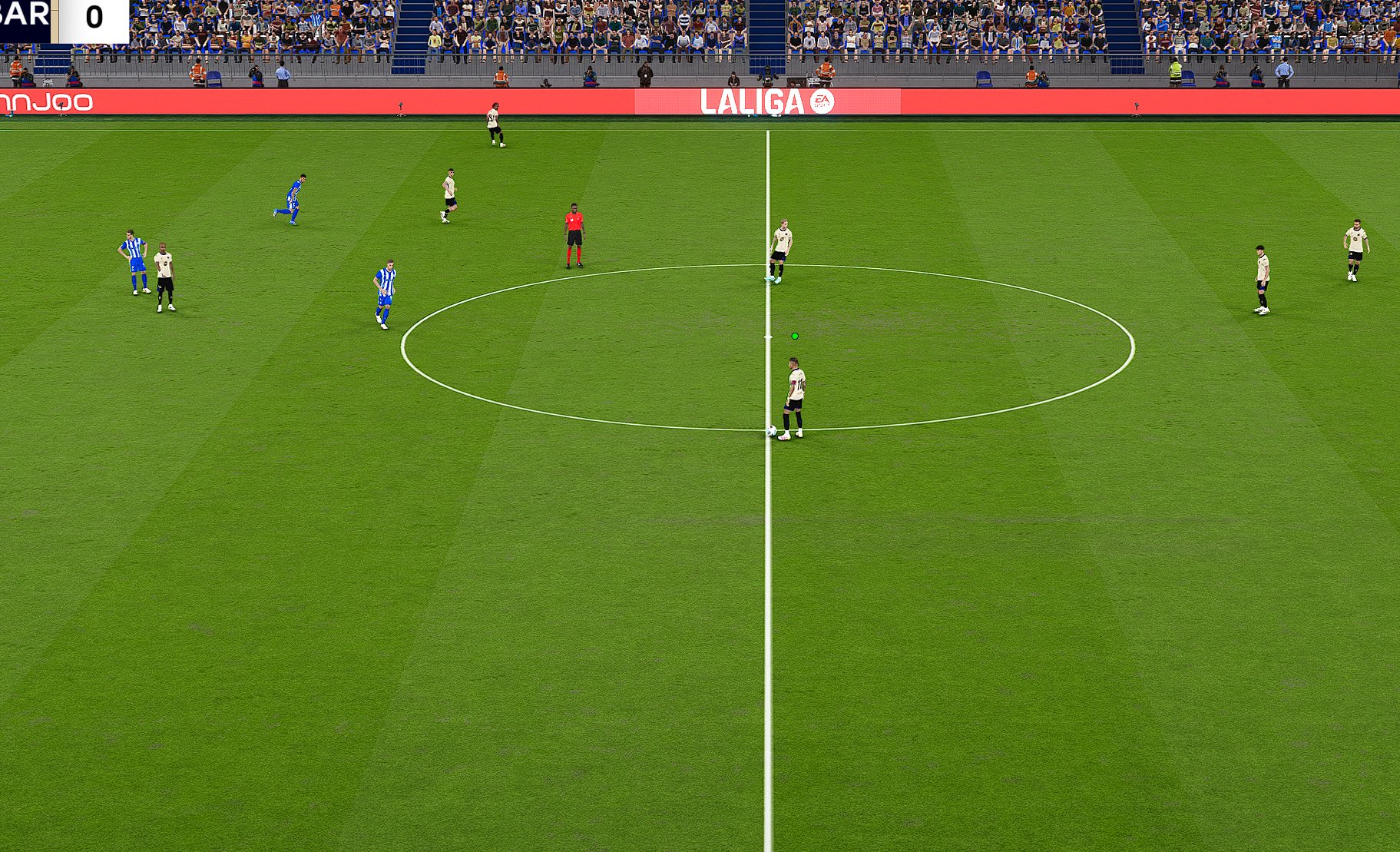
Juandrs Gaming introduces a new World Cup 2026 menu made especially for PES 2021 / Football Life 2026. The menu has a fresh new look inspired by the Canada, USA, and Mexico World Cup. It brings a modern and clean design to make your Football Life experience more exciting and enjoyable.

This menu includes:
  • 2026 World Cup themed design
  • Modern and realistic style
  • Optimized colors and backgrounds
  • Immersive visual experience
  • Exclusive edition by JuandrsGaming


How to Install:
1. Extract and copy the "MENU MASCOTAS DEL MUNDIAL 2026" folder to your Sider 7/livecpk folder
2. Now open sider.ini with any text editor and add the following line:
cpk.root = ".\livecpk\MENU MASCOTAS DEL MUNDIAL 2026"
3. Enjoy

Credits:
World Cup 2026 Special Menu made by Juandrs Gaming
G. Leroy (pesmodding.com) / blog writer
Download "Menu Mod"
Please wait ...
If the download didn't start automatically, click here

Signal Iduna Park (Revised Version) — PES 2021 & FL 2026

Signal Iduna Park Revised Version — PES 2021 & FL 2026

Signal Iduna Park Version Revised made for eFootball Pro Evolution Soccer 2021 & SP Football Life 2026 PC Games by Kelechi Nwakal.

Signal Iduna Park 2026
Team ID: 126 - Borussia Dortmund
Stadium ID:  051

How to Install the Stadium:

Installing the PES 2021 Signal Iduna Park Stadium mod is easy, and it only takes a few minutes. First, you'll need to download the stadium from the link below. Once you have the mod file, you'll need to extract it to your Stadium-Server folder ... sider\content \stadium-server

Open map_teams.txt with a text editor and copy this line inside map_teams.txt 
126, 051, Signal Iduna Park, Signal Iduna Park # Dortmund

FOR MANUAL SELECTION:
Go to map_competitions.txt in your Stadium-Server folder then insert the following line:
0, 051, Signal Iduna Park, Signal Iduna Park, , ,

Extract and copy the "Signal Iduna Park" folder inside the Stadium-Server folder ...sider/content/stadium-server


Credits:
PES 2021 Signal Iduna Park made by Kelechi Nwakal.
G. Leroy (pesmodding.com) / blog writer

Download "Stadium"
Please wait ...
If the download didn't start automatically, click here

Juventus 2025-26 Facepack - PES 2021 & FL 2026

Juventus 2025-26 Facepack - PES 2021 & FL 2026

Juventus 2025-26 Facepack released by Fikhai Sports for eFootball Pro Evolution Soccer 2021 PC Games & SP Football Life 2026. The pack includes 17+ new Juventus Player Faces made by random Facemaker.

This pack features 17+ brand-new Juventus player faces, updated for the 2025–26 season, delivering enhanced realism and authentic in-game visuals for your Master League and matches.

Full Players List + IDs:
  • 46864 F. KOSTIC
  • 58653 A. MILIK
  • 113677 M. DI GREGORIO
  • 114593 BREMER
  • 114937 L. KELLY
  • 118316 T. KOOPMEINERS
  • 119693 E. ZHEGROVA
  • 124839 J. DAVID
  • 132388 J. CABAL
  • 135501 P. KALULU
  • 140738 A. CAMBIASO
  • 142763 F. CONCEICAO
  • 147076 F. GATTI
  • 147950 F. MIRETTI
  • 159587 J. ROUHI
  • 164893 K. YILDIZ
  • 170728 V. ADZIC


How to Add New Faces in PES 2021

Adding fresh faces to your PES 2021 game is simple. Here are several methods to get you started:

Method 1: Using Sider 7 Version

Extract and Place the Files:
Locate the folder containing the new faces (usually identified by numbers).
Extract this folder and copy it to 
...\livecpk\Faces\Asset\model\character\face\real

Edit sider.ini: If not already done, add this line:
cpk.root = ".\livecpk\faces"

Method 2: Using CPK Version

1. Create CPK File: Use "CriPackedFileMaker" to package the contents of the Sider version folder into a CPK file.

2. Copy to Game Directory: Place the created CPK file into:
eFootball PES2021\download

3. Add to Game: Use the "DpFileList Generator" tool to include the CPK file in your game.

Verify Installation:

Launch PES 2021 and navigate to the Edit menu.
Check if the new faces appear correctly for the players.

Credits: 
G. Leroy (pesmodding.com) / blog writer

PASSWORD: FCPJUVE26SQ25ADXR9M

Download "Facepack"
Please wait ...
If the download didn't start automatically, click here

Etihad Stadium (Revised Version) + Double Adboard - PES 2021 & FL 2026

Etihad Stadium Revised Version + Double Adboard - PES 2021 & FL 2026

New Etihad Stadium (Manchester City) Revised Version Update + Double Adboard made for eFootball Pro Evolution Soccer 2021 & SP Football Life 2026 PC Games by Captain8lunt, Ianphan09, Predator002.

Features:
  • Etihad Stadium (Revised Version) 
  • + Double Adboard

How to Install the Stadium:

Installing the PES 2021 Etihad Stadium mod is easy, and it only takes a few minutes. First, you'll need to download the stadium from the link below. Once you have the mod file, you'll need to extract it to your Stadium-Server folder ... sider\content \stadium-server

Open map_teams.txt with a text editor and copy this line inside map_teams.txt 
173, 009, Etihad Stadium, Etihad Stadium # Manchester City

FOR MANUAL SELECTION:
Go to map_competitions.txt in your Stadium-Server folder then insert the following line:
0, 009, Etihad Stadium, Etihad Stadium, , ,

Extract and copy the "Etihad Stadium" folder inside the Stadium-Server folder ...sider/content/stadium-server


Credits:
PES 2021 Etihad Stadium made by Captain8lunt, Ianphan09, Predator002.
G. Leroy (pesmodding.com) / blog writer

Download "Etihad Stadium"
Please wait ...
If the download didn't start automatically, click here
© 2020 — 2025 PES Modding. Disclaimer Privacy Policy About Us




